
New
Apr 15, 2010 12:46 AM
#1

| Read before you post: See if I already have a solution for your problem in the repair guide, I often do: https://myanimelist.net/forum/?topicid=439897 If you have broken/faulty BBcode or CSS codes you need help with, please try post the codes here if you can, or link us to any lists with problems on them- that helps a lot in answering questions. Update or delete your post if you solve it on your own after asking. Guides and Frequently Asked Questions (FAQs) with Answers The answer you're looking for might already be here. I understand you can be too frustrated to search anymore, but if you have time and patience, please see if you can fix your problem on your own with my Youtube channel guides, stickies, or the FAQs in the following posts. Frequently Asked Questions are in the following posts! My Youtube channel: https://www.youtube.com/channel/UC4wMqp-gSlzfCiyis0PKlYQ How to edit your own list: https://myanimelist.net/forum/?topicid=1780591 All List Tutorials and Extensions: https://myanimelist.net/forum/?topicid=1499059 All BBcode, Profile, Post, and Signature Tutorials:: https://myanimelist.net/forum/?topicid=419453 All Graphic Design Tutorials: https://myanimelist.net/forum/?topicid=419631 |
Shishio-kunMar 21, 2023 2:32 PM
 |
Apr 24, 2010 10:51 AM
#2
| Modern List (CSS) FAQs Where to find premade modern layouts and how to use them? A list of them here: https://myanimelist.net/forum/?topicid=1499058 A video tutorial on how to install layouts, plus a link to the text tutorial if you need that, can be found on that page as well (first post). I installed a layout and it didn't work? Go to the topic for the layout, be sure you installed it with the correct settings (read the topic), and be sure you are using the right starter tutorial (will be Modern OR Classic). If you try to use a classic style layout on modern list settings, it will not work (and if you use a modern layout on classic list settings it won't work either). The correct starter tutorial will be linked at the top of the layout's page, and you can switch your list between classic and modern settings by clicking here (don't forget to save after). If you can't find the link to a starter tutorial, or didn't use a starter tutorial at all, see below. Modern Starter tutorial: https://myanimelist.net/forum/?topicid=1499059 Classic Starter tutorial: http://myanimelist.net/forum/?topicid=200320 Install the layout with the correct tutorial. If the layout was made before 2016, it is Classic. If it was made 2016 or later, it is probably Modern. How do I customize my list? You'll probably need a specific code. You might need to ask about it if we don't have it listed here, but all the most requested ways to customize your list is on this page: https://myanimelist.net/forum/?topicid=1499059 If you're looking for something else, you'll have to ask about it, but I do have some videos that teach how to edit CSS and find any code on your own. These would be useful if you want to make your own layout! https://myanimelist.net/forum/?topicid=1499059#msg62570713 You might be interested in the customization of your list through scripts, which is separate from CSS: https://myanimelist.net/forum/?topicid=453219#msg62570662 Images aren't showing up on my layout? See the full topic with solutions for most image-related problems. https://myanimelist.net/forum/?topicid=439897 How do I fix blurry preview pictures (covers, thumbnails, etc)? 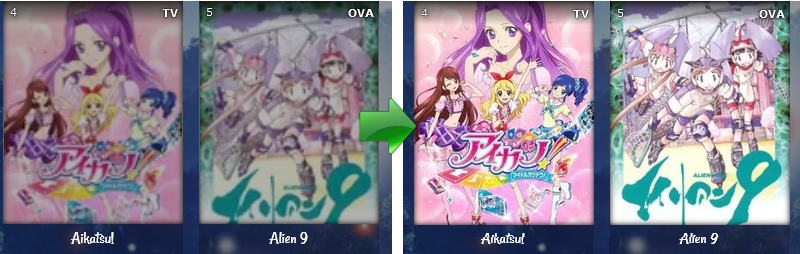 Refer to "How to fix missing or blurry preview pictures (covers, thumbnails, etc)" on this page for the latest updates and fixes: https://myanimelist.net/forum/?topicid=439897 More FAQs and Solutions Remember! These solutions only work if you are using the Modern style. You can switch to modern style here: https://myanimelist.net/ownlist/style How to add/change backgrounds and banners on the list Alternative Video Tutorial: https://www.youtube.com/watch?v=jFTiAG_QEAE 1. Go to this page and click on the theme you're currently using on this page. http://myanimelist.net/ownlist/style The theme you're currently using is the one with the dots shaded underneath it. 2. MAL has built in options to add the background or banner. Simply go to the parts circled to upload your banner or background and it should appear on your list. If it doesn't, then your background may be too big (see the FAQ below for help on that).  How to add preview pics (thumbnails, covers, etc) Go to this page and check the box next to Images. Click the blue Submit button when finished. https://myanimelist.net/editprofile.php?go=listpreferences Remove the default banner  Go to the styling page for the type of layout you're using: http://myanimelist.net/ownlist/style And choose the option to remove the cover pic circled here.  MAL says my wallpaper is too big or my premade layout doesn't show uploaded backgrounds, what now? You'll have to change the background within the premade code itself. Don't worry this is very easy and how we did it for years. Here's how: If you're using the Premade Modern Starter Layout, find BACKGROUND IMAGE at the top. If you're not using that layout, I suggest finding a similar headed code, or body{, and go to background-image: url( I've circled it in this example: http://i.imgur.com/jFOxtpK.png Delete everything within the parenthesis following that. Now upload the wallpaper you want to use to a site like Imgur and get the direct link (circled below). http://i.imgur.com/U9RhJKQ.png Copy and paste that into the parenthesis. It would look like this now: http://i.imgur.com/ayv9ayz.png Then save it with the button circled below. It should make the uploaded wallpaper appear on your list. How to change the manga list Simply go back to the http://myanimelist.net/ownlist/style and repeat step 1 with the theme you've chosen for the manga list. You can give your mnga list a different theme and layout by clicking the dot under the theme you want for your manga. How to make your wallpaper cover the entire screen on all resolutions Add this to the bottom of your custom CSS: body { background-size: cover !important; } How to switch to classic layouts You'll have to switch to the classic CSS template but you can get all the classic CSS layouts here along with tutorials on how to: http://myanimelist.net/forum/?topicid=318587 I need a selector for a part I want to customize. Use the Inspect Element tool, and tutorial, to make this easiest imo: http://myanimelist.net/forum/?topicid=1329419 I need a code for a certain effect. Try searching for it on W3schools: http://www.w3schools.com/css/ I need a code for a certain color. Go to this page, go to Sites with CSS, button, and color generators http://myanimelist.net/forum/?topicid=1309867 The color sites there will help you find a particular color. I can't get a particular code to work 1. Make sure all you codes have closing brackets at the end. For example this is wrong. Notice there is no bracket after the last semi-colon after blue. body { background-color: red; color: blue; This is correct, notice we put the bracket at the end after blue. body { background-color: red; color: blue;} 2. With the exceptions of bracket, selectors, and imports- every other line of code in your CSS code ends with a semi-colon, right? Before the semi-colon, add !important with a space in the front, as in the example below. body{ background-color: red !important; background-color: green; } This prioritizes those CSS codes over others in the layout that would conflict with it. In the example, the background would be red, because of important. Without it, green would happen since it follows red and conflicts with it. 3. Search your CSS for the same type of code that may be conflicting with the one you added !important too and remove them. For example, body{ background-color: red !Important; } body{ background-color: green !Important; } To get our red background to come thru, we need to remove the green line of code. Only the line of code needs to be removed. 3. If that doesn't work, the code you are trying may be invalid. My list lags. 1. Reduce the list to just one category page at a time under Default Status Selected http://myanimelist.net/editprofile.php?go=listpreferences This way, your list only loads one category at a time, rather than all. 2. Use smaller or lower quality images. For example, instead of using PNGs for wallpapers use JPEGs. There is often no noticeable difference. 3. Remove covers, or use a different cover style. 4. Use an alternate image service. Using Inspect Element lags heavily, or doesn't load. 1. Temporarily remove other add-ons; particularly AdBlock Plus and other adblockers which can block inspectors. You can turn off Adblock Plus for just the list pages, since those don't use ads. 2. Remove imports from the layout, particularly cover imports so there is less to load. My list is too long, or has too many categories on default 1. Reduce the list to just one category page at a time. Go to this page and find Default Status Selected under Anime List Settings (or Manga List Settings for manga lists). http://myanimelist.net/editprofile.php?go=listpreferences Change default status to a category other than Show All, like Watching or Completed. This way, your list only loads one category at a time on default, rather than all. 2. Consider minimizing the list table with this tutorial: http://myanimelist.net/forum/?topicid=1329533 3. Try to use an alternate cover style or layout, or reduce the font and padding within your list table. How can I see my list from different screens? Use the zoom in/out tools in your browser, or use http://quirktools.com/screenfly/ I don't know see my layout when logged in. Only when logged out Uncheck the Style Override box on this page linked below, and then save (click submit). http://myanimelist.net/editprofile.php?go=listpreferences |
Shishio-kunApr 25, 2021 12:33 PM
|
May 6, 2010 7:20 PM
#3
| Classic List (CSS) FAQs Where to find premade Classic layouts and how to add them to my list? Full list here: https://myanimelist.net/forum/?topicid=318587 Install with this guide: http://myanimelist.net/forum/?topicid=200320 I installed a layout and it didn't work? Go to the topic for the layout, be sure you installed it with the correct settings (read the topic), and be sure you are using the right starter tutorial (will be Modern OR Classic). If you try to use a classic style layout on modern list settings, it will not work (and if you use a modern layout on classic list settings it won't work either). The correct starter tutorial will be linked at the top of the layout's page, and you can switch your list between classic and modern by clicking here (don't forget to save after). If you can't find the link to a starter tutorial, or didn't use a starter tutorial at all, see below. Modern Starter tutorial: https://myanimelist.net/forum/?topicid=1499059 Classic Starter tutorial: http://myanimelist.net/forum/?topicid=200320 Also, after you used the correct starter tutorial, check out the solutions on this page to see if anything works for your layout: https://myanimelist.net/forum/?topicid=439897 How to fix missing preview pictures (covers, thumbnails, etc)? 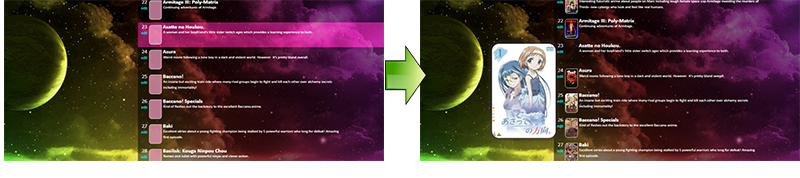 Refer to "How to fix missing or blurry preview pictures (covers, thumbnails, etc)" on this page: https://myanimelist.net/forum/?topicid=439897 How to fix dead background image links and missing topbar icons? 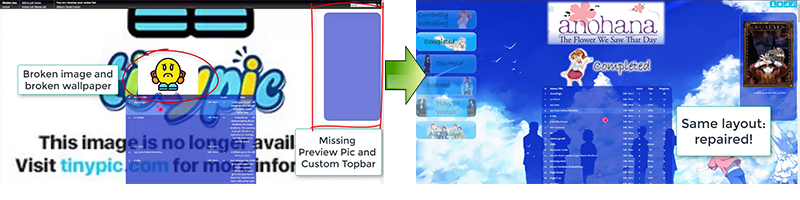 This video will help with repairing images, mainly for classic themes with broken image links. Youtube link: https://www.youtube.com/watch?v=KWKJ3vyj2D8 Wayback Machine: https://web.archive.org/ Imgur: https://imgur.com/ Repair preview pics with imports found here on this page, scroll up Top bars replacements for Classic List Layouts https://myanimelist.net/forum/?topicid=449097 More FAQs and Solutions Remember! These solutions only work if you are using the Classic style. You can switch to classic style here: https://myanimelist.net/ownlist/style How do I add a separate layout for my manga list? Go here: http://myanimelist.net/editprofile.php?go=stylepref&do=cssadv Create a new list style #ID that will be your manga style. If you already have a second style ID, don't worry. Now go to this page http://myanimelist.net/editprofile.php?go=stylepref&do=changestyle Change your Manga List Style to that new ID you just made and save (click submit). Now any layout you add to the second style ID here: http://myanimelist.net/editprofile.php?go=stylepref&do=cssadv will be your manga list layout. Wallpaper solutions My wallpaper isn't showing at all. Make sure you have downloaded the paper, then upload it to a photo-sharing (image hosting) site like Imgur and use the direct link that comes up after you upload the image. That will go in parenthesis after background-image under body. If you were using Photobucket or Imageshack to host your wallpaper, try another image host, like Imgur. If you were using the image URL from an anime wallpaper site like Konachan, download the paper and upload it to a site like Imgur. Use the direct link you get after uploading to there. http://i.imgur.com/MqNzvkb.png Replace the konachan or w/e website link with that My wallpaper is hosted at an anime wallpaper site: Konachan, Yandere, Danbooru etc, and stopped showing. You can't use URLs for your wallpaper if they are hosted on a private website. You must download the paper, then upload it to a photo-sharing (image hosting) site like Imgur and use the direct link that comes up after you upload the image: http://i.imgur.com/MqNzvkb.png Replace the konachan or w/e website link with that My wallpaper is not covering the entire screen. Add this to the bottom of your custom CSS: body { background-size: cover !important; } My wallpaper is covering the entire screen, but it is pixelated and looks bad. You need a larger version of your wallpaper. I would recommend opening this in a new tab: https://www.google.com/imghp And dragging the wallpaper image itself from your desktop into the Google Images search bar. Download and use one of the larger versions of your wallpaper. Topbar solutions Customized topbar isn't showing in my premade layout. The link to it is probably dead. Go here: http://myanimelist.net/forum/?topicid=449097 and reinstall the topbar that you are supposed to have. Pay attention to instructions on that page. If you still don't see a topbar, make sure a code that says something along the lines of #mal_control_strip {display: none;} doesn't exist in your CSS. Delete it if you find it. Topbar selector codes I've entered in the CSS edit box get changed after saving. Put a backslash before underscores in your #mal_control_strip codes. Example: #mal\_control\_strip Topbar property codes I added aren't working. In your topbar codes, enter !important before each semicolon with a space in the front. Example: #mal\_control\_strip{
margin-top: 60px !important;
}
Make sure you have a space in front of the [b]!important[/b] part.
Broken image problem An image I added isn't showing on my layout. 1. Did you install an image link from a anime wallpaper site like Konachan, Yandere, etc? Download the image and upload it to a site like Imgur. Now use this new direct link to it in place of the image link you were using before. Example of a direct link: http://i.imgur.com/caoIAOo.png 2. If you were using Imageshack, Tinypic, or Photobucket, switch to a better image sharing service like Imgur. They hide and remove images a lot. 3. If you can simply replace the image do that. 4. If you see quotations or apostrophes in your background image urls, like below, remove them as they may be conflicting.
body{
background-image: url('http://i.imgur.com/lUZisrL.png"");}
5. Make sure no other background-image: codes or background: codes are sharing the same selector. Remove the extra ones. For example, below I have a basic wallpaper code in body. The body selectors below it in red will conflict with what we want in green, and show the image in those red parts instead of the one in green. The solution would be to remove the conflicting (red) parts. body{ background-image: url(http://i.imgur.com/lUZisrL.png);} body {background: url(http://i.imgur.com/JzYTPf6.png);} body {background-image: url(http://i.imgur.com/JzYTPf6.png);} An image that came with the layout added isn't showing on my layout. Install the newest version of the layout and see if its restored. Otherwise, you will have to replace the broken image link on your own. Its not hard to tho: http://myanimelist.net/forum/?topicid=440309 Columns/header problem Columns seem misaligned or displaced on my list. 1. If your premade layout has a topic its used for, see if the topic says anything about "recommended settings". Set your list here on this page: http://myanimelist.net/editprofile.php?go=listpreferences to those recommended settings by Show Columns. 2. Add this; try messing with the px amount here: td[class^='td']:nth-of-type(2) { width: 420px !important;} } If testing different amounts doesn't fix the problem, remove this code. 3. Add this; try messing with the px amount here: .table_header{ padding-right:6px; padding-left:6px; } 4. If there's no recommended settings, go to this page http://myanimelist.net/editprofile.php?go=listpreferences and fiddle with the settings by Show Columns and see if they set your list right. There are probably some combinations that look right with your layout. 5. If you can't find a good combination, use a preferred one, and increase list width: #list_surround{ width: 1000px !important; } set a higher and higher width to see if that corrects the problem. Category button and list link solutions A link or button isn't showing up on my list. 1. Search your layout for display: none visibility: hidden opacity: 0 These codes should be removed to see if any of them are causing the button or link to disappear. 2. Go to List Settings http://myanimelist.net/editprofile.php?go=listpreferences is a column you're looking for not checked? Check it and save. * My list is long, so can I fix my category buttons to my page without scrolling back up to click them every time? Find your category button selectors and add position: fixed !Important; to keep them on screen. You will probably have to adjust the top and left amounts. CSS import problems My CSS imports are doubling (after saving the CSS). Your imports need something after them or else they will double over and over with every save. Add this {} after the last import. That will stop them duplicating. Make sure you also remove any duplicated imports in full from the CSS. My own hosted CSS imports are dead. Your account probably went over your bandwidth limit, or you are using the wrong link in your layout. For the former, you would see a bandwidth error when you click the import link in an address bar. You should find new import host and not share your future imports with other people. For the latter, you would see a 404 error when you copy the import link from your CSS to an address bar. If its Dropbox, make sure you are using the correct Dropbox import via this tutorial: http://myanimelist.net/forum/?topicid=411779 Also, check your CSS edit box and make sure you don't have same problem mentioned above (duplicating imports). Imports that came with my layout are dead. Unfortunately only the person who hosts the Dropbox links can restore them. You can ask them to give you the code for you to import yourself. Problems with codes after saving After saving "margin" and "padding" type codes disappear. This problem is not well understood atm, but a solution is to take these particular codes away from the selector they're under and move them to a new spot with the same selector by themselves. For example, if margin-right: 200px; was disappearing under #list_surround selector, make a new list_surround { margin-right: 200px; } somewhere else in your code. When these particular disappearing codes are away from the group, they seem to work more often. Certain selectors get scrambled or won't work after saving. You must import selectors that won't show up after saving, via this tutorial: http://myanimelist.net/forum/?topicid=411779 or you can use our simple backslash methods to fix certain selectors quickly: http://myanimelist.net/forum/?topicid=1335201 Keep in mind there is no fix we know of for > atm, but you can probably just remove this entirely. My CSS imports are doubling (after saving the CSS). Your imports need something after them or else they will double over and over with every save. Add this {} after the last import. That will stop them duplicating. Make sure you also remove any duplicated imports in full from the CSS. I can't find a particular selector, code, or color. I need a selector for a part I want to customize. Use the Inspect Element tool, and tutorial, to make this easiest imo: http://myanimelist.net/forum/?topicid=1329419 I need a code for a certain effect. Try searching for it on W3schools: http://www.w3schools.com/css/ I need a code for a certain color. Go to this page, go to Sites with CSS, button, and color generators http://myanimelist.net/forum/?topicid=1309867 The color sites there will help you find a particular color. I can't get a particular code to work. 1. Make sure all you codes have closing brackets at the end. For example this is wrong. Notice there is no bracket after the last semi-colon after blue. body { background-color: red; color: blue; This is correct, notice we put the bracket at the end after blue. body { background-color: red; color: blue;} 2. With the exceptions of bracket, selectors, and imports- every other line of code in your CSS code ends with a semi-colon, right? Before the semi-colon, add !important with a space in the front, as in the example below. body{ background-color: red !important; background-color: green; } This prioritizes those CSS codes over others in the layout that would conflict with it. In the example, the background would be red, because of important. Without it, green would happen since it follows red and conflicts with it. 3. Search your CSS for the same type of code that may be conflicting with the one you added !important too and remove them. For example, body{ background-color: red !Important; } body{ background-color: green !Important; } To get our red background to come thru, we need to remove the green line of code. Only the line of code needs to be removed. 3. If that doesn't work, the code you are trying may be invalid. List lag problems My list lags. 1. Reduce the list to just one category page at a time under Default Status Selected http://myanimelist.net/editprofile.php?go=listpreferences This way, your list only loads one category at a time, rather than all. 2. Use smaller or lower quality images. For example, instead of using PNGs for wallpapers use JPEGs. There is often no noticeable difference. 3. Remove covers, or use a different cover style. 4. Use an alternate image service. Using Inspect Element lags heavily, or doesn't load. 1. Temporarily remove other add-ons; particularly AdBlock Plus and other adblockers which can block inspectors. You can turn off Adblock Plus for just the list pages, since those don't use ads. 2. Remove imports from the layout, particularly cover imports so there is less to load. Parts of my list are behind other parts of my list. Find the selector that is behind another, and increase the z-index. z-index: 100 !important; or find the selector that is in front of another, and decrease the z-index. z-index: 0 !important; How do I make a manga version of my layout? Please use the specific topic for this: http://myanimelist.net/forum/?topicid=1466292 How do I start customizing my list layout? My list is too long, or has too many categories on default 1. Reduce the list to just one category page at a time. Go to this page and find Default Status Selected under Anime List Settings (or Manga List Settings for manga lists). http://myanimelist.net/editprofile.php?go=listpreferences Change default status to a category other than Show All, like Watching or Completed. This way, your list only loads one category at a time on default, rather than all. 2. Consider minimizing the list table with this tutorial: http://myanimelist.net/forum/?topicid=1329533 3. Try to use an alternate cover style or layout, or reduce the font and padding within your list table. How can I see my list from different screens? Use the zoom in/out tools in your browser, or use http://quirktools.com/screenfly/ I don't know see my layout when logged in. Only when logged out. and/ or I see my layout (or the same layout) on everyone else's list Uncheck the Style Override box on this page linked below, and then save (click submit). http://myanimelist.net/editprofile.php?go=listpreferences |
Shishio-kunJun 3, 2020 10:57 AM
|
May 7, 2010 7:04 PM
#4
| Profile, Posts, Graphic, and BBcode FAQs All the ways to edit your posts, profile, and signature with BBcode are listed here: https://myanimelist.net/forum/?topicid=419453 Everything about making graphics is here: https://myanimelist.net/forum/?topicid=419631 You also might want to look at themes and scripts for customizing MyAnimeList: https://myanimelist.net/forum/?topicid=453219#msg15365287 How do I add images, Youtube videos, or colored text to my profile/posts? Please use this simple guide for all the popular tricks. Easy codes to just copy in your posts or profile. http://myanimelist.net/forum/?topicid=496203 How to combine url links with text and images on my posts/profile? Add the URL tag [url=] before the image or text, then closing url [/url] after the image or text. After the equal sign you put the link. Examples: Text with a link. [url=http://myanimelist.net/animelist/Shishio-kun]This is my text linking to my list.[/url] Image with a link. [url=http://myanimelist.net/animelist/Shishio-kun][IMG]http://i46.tinypic.com/fwmy3t.jpg[/IMG][/url] You can copy the text to any post or your profile to test it out. How do I add images alongside text in my posts or profile? It uses a particular BBcode tag [img align=left] which will replace the first IMG tag [img]. The closing image tag will still be [/img]. Put the text you want alongside the image after the closing image tag. This puts the image on the left of text that follows it. Example in use with an image. Copy it into your own post to see. [img align=left]http://i.imgur.com/LGdS7MM.png[/img] Put text here. You can also use img align=right instead. This puts the image on the right of text that follows it. If you need more details or visual examples, use this topic: http://myanimelist.net/forum/?topicid=1443383 How do I add rainbow or gradient colored text to my posts/profile? This site makes it: http://www.stuffbydavid.com/textcolorizer If you need to use a topic on it: http://myanimelist.net/forum/?topicid=1190329 How do I center images and text on my posts/profile? Use the center tags around the other tags you want to center. [center][/center] Example, you can add this to your profile or posts to test it out: [[i][/i]center]http://i46.tinypic.com/fwmy3t.jpg[[i][/i]/center] My BBcodes are scrambled, showing leftover/broken tags, or aren't working. You probably didn't close the BBcodes correctly. You will have to edit your code so tags are in the correct order. Tags have to opened and closed in order. When you open a new tag, you must close it before closing any other tags. Examples below. Notice the order of the tags closing. Wrong [url=http://myanimelist.net/animelist/Shishio-kun][color=red]text[/url][/color] That wrong code would make this: [color=red]text[/color] Correct [url=http://myanimelist.net/animelist/Shishio-kun][color=red]text[/color][/url] This correct code makes this: text How do I make an About Me graphic with custom links and buttons? You need to make the graphic in a program like GIMP or Photoshop, then slice it up, then add URL links to the pieces via BBcode. I have an easy tutorial video on how to do all this in GIMP. http://myanimelist.net/forum/?topicid=544347 You can also make a graphic in Photoshop: https://myanimelist.net/forum/?topicid=1764048 My profile graphic isn't displaying correctly on MyAnimeList, how do I fix it? It is almost always three things. (1) you made the original graphic too large. You need the original graphic to be 798px wide (or less) for profiles and 733px wide (or less) for clubs. When its wider than that, the pieces won't fit right when you paste them to MAL. I know MAL will resize large graphics to fit your club or about me, but it won't do this for pieces. (2) you didn't slice it correctly. Go back to the graphic in the ap, and slice it again carefully. It should be all clear, orderly pieces you can find easily, and no tiny leftover sliver pieces which can make posting the graphic difficult. (3) you didn't open and close BBcodes correctly. See the issue above on scrambled BBcodes. If you can't fix it on your own, you need to post your pieces. Where do I put BBcodes for my About Me? http://myanimelist.net/editprofile.php Put BBcodes in the box next to About Me. Click Sumbit to save when done. I can't find a certain BBcode. See if its in either of these lists. http://myanimelist.net/forum/?topicid=496203 http://myanimelist.net/forum/?topicid=398185 I can't find a certain BBcode COLOR code Pick and use the HTML color code for the particular color. http://www.rapidtables.com/web/color/html-color-codes.htm |
Shishio-kunApr 25, 2021 12:34 PM
|
May 10, 2010 12:04 AM
#5
| Signature FAQs All the ways to edit and make a signature are listed here: https://myanimelist.net/forum/?topicid=419453 *Where do I upload images and text for my signature? Go here http://myanimelist.net/editprofile.php?go=forumoptions and paste it into the signature box, then save with the Submit button. You can use the same BBcode tricks used in profiles and forum posts in your signature. *How do I add updates or favorites to my signatures? Go here http://myanimelist.net/editprofile.php?go=signature Create a custom signature with updates under Options and Colors - Image Type. Click Submit and then copy the code that appears in the Signature Code box, then go here: http://myanimelist.net/editprofile.php?go=forumoptions and paste it into the signature box, then save with the Submit button. You can use the same BBcode tricks used in profiles and forum posts in your signature. You can also use MALsignature: https://myanimelist.net/forum/?topicid=1909024 *How do I make my own custom signature image? You can use these topics: http://myanimelist.net/forum/?topicid=1461006 https://myanimelist.net/forum/?topicid=1789820 |
Shishio-kunApr 25, 2021 11:14 AM
|
Aug 13, 2010 3:02 PM
#6

| Is there a way to custom-adjust the width of some of the table columns? My "Anime Title" column is a good 180 or so pixels wider than the longest entry, and yet "Tags" is very skinny and set to word wrap, so I have up to 7 lines of text per entry which makes my completed list very long to scroll through. I had a quick look through your pre-made starter code and MAL's pre-made starter code and couldn't find anything, so it doesn't seem to be a default option. (Can only see list_surround, which I think edits the width of the whole table?) |
Aug 13, 2010 9:03 PM
#7
| So you want to make the tags wide and the anime title's skinny? I don't really know of such a way. Even if you make the list surround wide I saw it doesn't effect the tag section instead it makes the anime title tag larger. Its just not an option on this site as far as I can see, but who knows, maybe someone will have a way later. |
|
Aug 18, 2010 1:03 PM
#8
| как сделать чтобы задний фон повторялся? How to make that a back background repeated? |
 |
Aug 18, 2010 5:16 PM
#9
Shishio-kun said: So you want to make the tags wide and the anime title's skinny? I don't really know of such a way. Even if you make the list surround wide I saw it doesn't effect the tag section instead it makes the anime title tag larger. Its just not an option on this site as far as I can see, but who knows, maybe someone will have a way later. Yeah, that was what I was looking for. Couldn't find anything in the default options and looking through page source so I was wondering if anyone knew a way to force it in (I'm sure that basically everyone using Tags would see this as a useful option, after all :P). Thanks anyway! |
Aug 19, 2010 7:32 PM
#10

Hentaro said: как сделать чтобы задний фон повторялся? How to make that a back background repeated? -------------- } #list_surround { background-image:url(); background-repeat:repeat; position:absolute; width:600px; } ------------- This is also on your coding. If its says "no-repeat" change it to repeat; instead. |
Sep 6, 2010 11:24 AM
#11
| What's a good website for a banner (gif) besides photoshop |
Sep 25, 2010 11:12 AM
#12

mysterygirl177 said: What's a good website for a banner (gif) besides photoshop You mean Photobucket? I would recommend http://www.tinypic.com, else there are no other good websites to upload pictures on, if that's what you're after. Probably http://imageshack.us, then. Anyway, what's wrong with Photobucket? They ain't supporting .gif-files, or something? |
 |
Nov 17, 2010 8:55 AM
#13

| Shishio-kun thanks for all your help. Although can I ask some things: Firstly, I saw this on HIMR's list, it's regarding the background color for the headers. What is the code to have a background color on the left side of the header, then it slowly fades out to transparency as you look to the right of it? Or should I say, what's the code to place custom images as the backgrounds for your headers? Example: http://myanimelist.net/animelist/HIMR Also, what would be the code to change the font size of the table titles: E.g. "Score" "Type" "#" "Progress" "Anime Title", etc. Thanks, again. |
RhythmXNov 17, 2010 8:58 AM
Nov 17, 2010 11:54 PM
#14
Yumekichi11 said: Ok why is it when I use the ecchi design but change the pic to the following: http://i55.tinypic.com/2q2e03p.jpg that is fails to see my pic? WTH? Here is the full code: */ body { background-image: url(http://i53.tinypic.com/2a75w0o.jpg); background-attachment: scroll; } /* HEADER COLOR AND FONT These codes control the main headers' fonts and colors. Every header is above each part of your list (they say things like Currently Watching, Completed, Dropped, etc). */ .header_title { background-color:transparent; color:midnightblue; font-family:english111 vivace bt; font-size:38px; } /* SUB-HEADERS BACKGROUND COLOR COLOR Below each main header is the sub-header which says Score, Episodes, Tags, etc. */ .table_header { background-color:PaleVioletRed; } /* ANIME/MANGA TITLE FONTS This is the type and color of the anime/manga titles on your list, like Bleach, Vampire Knight, etc. */ .animetitle, .animetitle:visited { color:white; font-family:fantasy; font-size:12px; } /* LIST FONTS This is the type and color for more of the numbers, links, and words on the list itself! */ .td1, .td2, a, a:visited, .category_totals, .table_header, #grand_totals, #copyright { color:wheat; font-family:fantasy; font-size:13px; } /* LIST WIDTH Use this to increase the width of your list! */ #list_surround { width:600px; } /*OTHER CODES Important codes for the layout's setup. Please don't mess with these. If you want to customize more on the page, come to my group and ask or move on to a more advanced layout. */ body { font-weight: light; background-position: left top; background-repeat: no-repeat; background-color: #FBFDE8; } #list_surround { background-image:url(); left:2px; position:absolute; } a { text-decoration:none; } a:visited { text-decoration:none; } a:hover, a:visited:hover { color:red; text-decoration:underline; } .category_totals, .td1, .td2, #grand_totals, #copyright { background-image:url(http://i50.tinypic.com/opxow9.jpg); border-width:0; padding:2px; } .category_totals:HOVER, .td1:HOVER, .td2:HOVER, #grand_totals:HOVER, #copyright:HOVER {background-color:black; border-width:0; padding:2px; } .status_selected { background-color:black; padding:2px; color:white; text-decoration: blink; } .status_not_selected { background-color:black; padding:2px; color:white; } .status_selected a{ color:blue; } .status_not_selected a{ color:white; } .thickbox { color:cyan; font-family:fantasy; font-size:12px; } .header_title { height:32px; padding:2px; } .table_header { border-width:0; font-weight:bold; padding:2px; } .category_totals { height:30px; } #copyright, #grand_totals { text-align: center; margin:0 auto; } This code works, but you should fix the background image: */ body { background-image: url(http://i53.tinypic.com/2a75w0o.jpg); background-attachment: fixed; } /* HEADER COLOR AND FONT These codes control the main headers' fonts and colors. Every header is above each part of your list (they say things like Currently Watching, Completed, Dropped, etc). */ .header_title { background-color:transparent; color:midnightblue; font-family:english111 vivace bt; font-size:38px; } /* SUB-HEADERS BACKGROUND COLOR COLOR Below each main header is the sub-header which says Score, Episodes, Tags, etc. */ .table_header { background-color:PaleVioletRed; } /* ANIME/MANGA TITLE FONTS This is the type and color of the anime/manga titles on your list, like Bleach, Vampire Knight, etc. */ .animetitle, .animetitle:visited { color:white; font-family:fantasy; font-size:12px; } /* LIST FONTS This is the type and color for more of the numbers, links, and words on the list itself! */ .td1, .td2, a, a:visited, .category_totals, .table_header, #grand_totals, #copyright { color:wheat; font-family:fantasy; font-size:13px; } /* LIST WIDTH Use this to increase the width of your list! */ #list_surround { width:600px; } /*OTHER CODES Important codes for the layout's setup. Please don't mess with these. If you want to customize more on the page, come to my group and ask or move on to a more advanced layout. */ body { font-weight: light; background-position: left top; background-repeat: no-repeat; background-color: #FBFDE8; } #list_surround { background-image:url(); left:2px; position:absolute; } a { text-decoration:none; } a:visited { text-decoration:none; } a:hover, a:visited:hover { color:red; text-decoration:underline; } .category_totals, .td1, .td2, #grand_totals, #copyright { background-image:url(http://i50.tinypic.com/opxow9.jpg); border-width:0; padding:2px; } .category_totals:HOVER, .td1:HOVER, .td2:HOVER, #grand_totals:HOVER, #copyright:HOVER {background-color:black; border-width:0; padding:2px; } .status_selected { background-color:black; padding:2px; color:white; text-decoration: blink; } .status_not_selected { background-color:black; padding:2px; color:white; } .status_selected a{ color:blue; } .status_not_selected a{ color:white; } .thickbox { color:cyan; font-family:fantasy; font-size:12px; } .header_title { height:32px; padding:2px; } .table_header { border-width:0; font-weight:bold; padding:2px; } .category_totals { height:30px; } #copyright, #grand_totals { text-align: center; margin:0 auto; } This should the background in place. Hope thats what you meant by not being able to see it, since I can see it when I put the code on your list. RhythmX said: Shishio-kun thanks for all your help. Although can I ask some things: Firstly, I saw this on HIMR's list, it's regarding the background color for the headers. What is the code to have a background color on the left side of the header, then it slowly fades out to transparency as you look to the right of it? Or should I say, what's the code to place custom images as the backgrounds for your headers? Example: http://myanimelist.net/animelist/HIMR Also, what would be the code to change the font size of the table titles: E.g. "Score" "Type" "#" "Progress" "Anime Title", etc. Thanks, again. (1) There isn't such a background color or effect, at least not yet. This is an image she made in Photoshop or something you can see it here: http://i34.tinypic.com/29p6pnc.jpg (2) In order to change the background of a selector, like body or list surrond, use this code: background-image:url(http://i36.tinypic.com/2wh0dc9.jpg); The part in bold is the image link, this is the pic displayed. Change the image link's address to link to another pic. You get these at Tinypic or Photobucket by uploading images and using the "direct link". I went over this in better detail and you get to do it yourself in my tutorial here, changing your basic background, it seems long but its actually quick and easy. http://myanimelist.net/forum/?topicid=200320 (3) .table_header { font-size:12px; } For "Score" "Type" "#" "Progress; can change the number to whatever size. .animetitle { font-size:12px; } For anime title. |
|
Nov 18, 2010 8:14 AM
#15
| Wow thanks heaps Shishio-kun, I got it working perfectly. :) |
Nov 20, 2010 2:05 AM
#16

| i am trying to make my list transparent but im not sure where i should put the codes? |
xTheFallenxNov 20, 2010 3:00 AM
Nov 20, 2010 7:55 PM
#17
Damakiller said: i am trying to make my list transparent but im not sure where i should put the codes? It looks transparent to me atm. |
|
Nov 26, 2010 6:27 PM
#18

| I want to change the background colour of the box you get when you click on it and can alter the number. It's because it's currently on white and I've got a white font so it's hard to see. http://i46.photobucket.com/albums/f110/phoenixwings_195/boxthing.jpg |
 |
Nov 27, 2010 11:55 PM
#19
animeangel105 said: I want to change the background colour of the box you get when you click on it and can alter the number. It's because it's currently on white and I've got a white font so it's hard to see. http://i46.photobucket.com/albums/f110/phoenixwings_195/boxthing.jpg Your list is set to private so I don't know exactly how to fix it or whats making it white text on white, but you can try adding these codes to your CSS bottom I think these would fix it. You don't need to change any of the original codes btw just add this to the bottom and save.. a:hover, .animetitle:hover, .td1:hover, .td2:hover { color: white; background: black; } This should change this text to white on black color when you put the cursor on it, but I can't confirm it though unless I see the list. Let me know what it does exactly... |
|
Jan 9, 2011 7:56 PM
#20

| Hey, firstly, thanks for the easy to use tutorial for altering your list design. I am a complete novice when it come to CSS, but you made it basically impossible to screw up. :) I was wondering, however, whether there was a way to either: a) Have more customisability when it comes to choosing colours. For example, for the 'Currently watching/Dropped/etc' sections, I simply typed 'brown' into the code but it more represents red. b)See a list of which colours you can use. Also, I was wondering how you could change the heights of those bars. They're slightly too tall for my liking, but I presume there's an easy way somewhere in the code to change it. :) Thanks again for the help. Here's the code in case you need to see it. /* BACKGROUND IMAGE This is the main background image for the whole page. Change the image link to the background you want! For more help see here: http://myanimelist.net/clubs.php?cid=19736 */ body { background-image: url(http://www.personal.psu.edu/users/r/w/rwa118/wallpaper/haibane_drakka1600.png); background-attachment: fixed; } /* HEADER COLOR AND FONT These codes control the main headers' fonts and colors. Every header is above each part of your list (they say things like Currently Watching, Completed, Dropped, etc). Change the color of the background by changing the color below after "background-color" (red, for example). Change the color of the fonts here by changing "color:" to another color (purple, for example). Change the font style here after "font-family:" to change these fonts to another style (Times New Roman, for example). Change the size of the fonts here by increasing or decreasing the number after "font-size:" (16px, for example). */ .header_title { background-color:brown; color:white; font-family:impact; font-size:24px; } /* SUB-HEADERS BACKGROUND COLOR COLOR Below each main header is the sub-header which says Score, Episodes, Tags, etc. You can change the color of the background by changing the color below after "background-color" (red, for example). */ .table_header { background-color:black; } /* ANIME/MANGA TITLE FONTS This is the type and color of the anime/manga titles on your list, like Bleach, Vampire Knight, etc. Change the color by "color:" to another color to change the fonts here (purple, for example). Change the font style after "font-family:" to change these fonts to another style (Times New Roman, for example). Change the size of the fonts here by increasing or decreasing the number after "font-size:" (16px, for example). */ .animetitle, .animetitle:visited { color:white; font-family:aharoni; font-size:14px; } /* LIST FONTS This is the type and color for more of the numbers, links, and words on the list itself! Change the color of the fonts here by changing "color:" to another color (purple, for example). Change the font style here after "font-family:" to change these fonts to another style (Times New Roman, for example). */ .td1, .td2, a, a:visited, .category_totals, .table_header, #grand_totals, #copyright { color:white; font-family:Lucida Grande; } /* LIST WIDTH Use this to increase the width of your list! Increase the width of your layout here, to a higher or lower amount. */ #list_surround { width:700px; } /*OTHER CODES Important codes for the layout's setup. Please don't mess with these. If you want to customize more on the page, come to my group and ask or move on to a more advanced layout. */ body { font-weight: light; background-position: top center; background-repeat: no-repeat; background-color: black; } #list_surround { margin:auto; background-image:url(); } a { text-decoration:none; } a:visited { text-decoration:none; } a:hover, a:visited:hover { color:red; text-decoration:underline; } .category_totals, .td1, .td2, #grand_totals, #copyright { background-image:url(http://i50.tinypic.com/opxow9.jpg); border-width:0; padding:2px; } .category_totals:HOVER, .td1:HOVER, .td2:HOVER, #grand_totals:HOVER, #copyright:HOVER {background-color:black; border-width:0; padding:2px; } .status_selected { background-color:black; padding:2px; color:white; text-decoration: blink; } .status_not_selected { background-color:black; padding:2px; color:white; } .status_selected a{ color:cyan; } .status_not_selected a{ color:white; } .thickbox { color:cyan; font-family:fantasy; font-size:12px; } .header_title { height:52px; padding:2px; } .table_header { border-width:0; font-weight:bold; padding:2px; } .category_totals { height:30px; } #copyright, #grand_totals { text-align: center; margin:0 auto; } #list_surround { position:absolute; left:1px;} |
 |
Jan 10, 2011 11:31 AM
#21

| Hi, I need help (well, of course)! ó__ò This is my manga list: http://myanimelist.net/mangalist/Apocaly I've picked up a pre-made list (the first in the pre-made topic), and I'm slowly changing it. BUT I can't fix my banner at the top, it covers the 'Currently reading'... what I should do? Thank you very much ;) |
 Sing a song ♪♫  |
Jan 11, 2011 12:12 AM
#22
Jack_Rav said: Hey, firstly, thanks for the easy to use tutorial for altering your list design. I am a complete novice when it come to CSS, but you made it basically impossible to screw up. :) I was wondering, however, whether there was a way to either: a) Have more customisability when it comes to choosing colours. For example, for the 'Currently watching/Dropped/etc' sections, I simply typed 'brown' into the code but it more represents red. b)See a list of which colours you can use. Also, I was wondering how you could change the heights of those bars. They're slightly too tall for my liking, but I presume there's an easy way somewhere in the code to change it. :) Thanks again for the help. Here's the code in case you need to see it. /* BACKGROUND IMAGE This is the main background image for the whole page. Change the image link to the background you want! For more help see here: http://myanimelist.net/clubs.php?cid=19736 */ body { background-image: url(http://www.personal.psu.edu/users/r/w/rwa118/wallpaper/haibane_drakka1600.png); background-attachment: fixed; } /* HEADER COLOR AND FONT These codes control the main headers' fonts and colors. Every header is above each part of your list (they say things like Currently Watching, Completed, Dropped, etc). Change the color of the background by changing the color below after "background-color" (red, for example). Change the color of the fonts here by changing "color:" to another color (purple, for example). Change the font style here after "font-family:" to change these fonts to another style (Times New Roman, for example). Change the size of the fonts here by increasing or decreasing the number after "font-size:" (16px, for example). */ .header_title { background-color:brown; color:white; font-family:impact; font-size:24px; } /* SUB-HEADERS BACKGROUND COLOR COLOR Below each main header is the sub-header which says Score, Episodes, Tags, etc. You can change the color of the background by changing the color below after "background-color" (red, for example). */ .table_header { background-color:black; } /* ANIME/MANGA TITLE FONTS This is the type and color of the anime/manga titles on your list, like Bleach, Vampire Knight, etc. Change the color by "color:" to another color to change the fonts here (purple, for example). Change the font style after "font-family:" to change these fonts to another style (Times New Roman, for example). Change the size of the fonts here by increasing or decreasing the number after "font-size:" (16px, for example). */ .animetitle, .animetitle:visited { color:white; font-family:aharoni; font-size:14px; } /* LIST FONTS This is the type and color for more of the numbers, links, and words on the list itself! Change the color of the fonts here by changing "color:" to another color (purple, for example). Change the font style here after "font-family:" to change these fonts to another style (Times New Roman, for example). */ .td1, .td2, a, a:visited, .category_totals, .table_header, #grand_totals, #copyright { color:white; font-family:Lucida Grande; } /* LIST WIDTH Use this to increase the width of your list! Increase the width of your layout here, to a higher or lower amount. */ #list_surround { width:700px; } /*OTHER CODES Important codes for the layout's setup. Please don't mess with these. If you want to customize more on the page, come to my group and ask or move on to a more advanced layout. */ body { font-weight: light; background-position: top center; background-repeat: no-repeat; background-color: black; } #list_surround { margin:auto; background-image:url(); } a { text-decoration:none; } a:visited { text-decoration:none; } a:hover, a:visited:hover { color:red; text-decoration:underline; } .category_totals, .td1, .td2, #grand_totals, #copyright { background-image:url(http://i50.tinypic.com/opxow9.jpg); border-width:0; padding:2px; } .category_totals:HOVER, .td1:HOVER, .td2:HOVER, #grand_totals:HOVER, #copyright:HOVER {background-color:black; border-width:0; padding:2px; } .status_selected { background-color:black; padding:2px; color:white; text-decoration: blink; } .status_not_selected { background-color:black; padding:2px; color:white; } .status_selected a{ color:cyan; } .status_not_selected a{ color:white; } .thickbox { color:cyan; font-family:fantasy; font-size:12px; } .header_title { height:52px; padding:2px; } .table_header { border-width:0; font-weight:bold; padding:2px; } .category_totals { height:30px; } #copyright, #grand_totals { text-align: center; margin:0 auto; } #list_surround { position:absolute; left:1px;} (1) Yes, you can choose from hundreds of colors actually beyond what we can think of off the top of our heads. First off, there are the many many named colors, like turquoise or magenta, and Wikipedia actually has an essential list with examples of many possible colors: http://en.wikipedia.org/wiki/List_of_colors A lot of these strange color names won't be recognized by the CSS, or they will be spelled differently. Because of this, we use the "number" of the color, which is in the category "hex triplet" on that same list of colors. So for the "Air Force Blue"color, you'd use "#5D8AA8" instead of the word. Probably better to do that every time for colors outside the common ones. (2) Yes almost anything can be affected with the right code. I think by bars you mean the headers, to make them shorter, add this code to the bottom of your CSS, then adjust the px number to a smaller amount. .header_title { height:52px; } For your layout, 25px should reduce the size to just outside the font. |
Shishio-kunJan 11, 2011 12:15 AM
|
Jan 11, 2011 12:43 AM
#23
Apocaly said: Hi, I need help (well, of course)! ó__ò This is my manga list: http://myanimelist.net/mangalist/Apocaly I've picked up a pre-made list (the first in the pre-made topic), and I'm slowly changing it. BUT I can't fix my banner at the top, it covers the 'Currently reading'... what I should do? Thank you very much ;) What you should do depends on what you were planning on doing exactly, which I don't know, but to make the top image stop repeating: #list_surround .header_title { background: url(http://tinyurl.com/6zpd2gg) repeat scroll 0 0 transparent; height: 216px; left: -283px; padding: 25px; position: absolute; top: -229px; width: 869px; } Find this code (about 14 codes from the bottom) and change repeat to no-repeat. The top image won't repeat anymore. It only looks like its repeating once from what I can see. You have another image below that on the layout, but its separate from the others; its the same pic as the top header pic but with a slight edit so you might wanna change it to another one I guess. This is the code for it. #list_surround { background-image: url(http://tinyurl.com/5vv8wun); background-position: right top; background-repeat: no-repeat; padding-top: 232px; } |
|
Jan 11, 2011 5:50 AM
#24



Mar 1, 2011 5:00 AM
#25

| Hi, I need help with my list. How do I remove the other columns like this: http://myanimelist.net/animelist/Garrett Also, any tips on how to make my list look better? here it is: http://myanimelist.net/animelist/Nhelraios thanks :) |
Mar 21, 2011 11:59 AM
#26
Nhelraios said: Hi, I need help with my list. How do I remove the other columns like this: http://myanimelist.net/animelist/Garrett Also, any tips on how to make my list look better? here it is: http://myanimelist.net/animelist/Nhelraios thanks :) Oh I love that guys list. But what do you mean by columns? You mean like the type/progress stuff? If so try removing checks from the sections you don't want here: http://myanimelist.net/editprofile.php?go=listpreferences Making lists look better is up to the person. If you can't think of what you want to do, you can ask your friends what they'd think would be cool and you try to do it. You can also use some of the other premade codes we wrote in this group then customize those in unique ways. |
|
Jul 3, 2011 1:26 AM
#27

| Hi! Can anyone help me? I have problem with the banner on my list. The picture goes into the main header (watching, completed, etc.) as a background image. The other thing I would like to ask is how do you make the empty space on the top of the list completly disappear? Here is my code as of right now: body { background-image: url(http://i54.tinypic.com/24o0f46.jpg); background-attachment: fixed; } .header_title { background-image: url(http://i53.tinypic.com/sov979.jpg); color:white; text-align: center; font-family:lucida grande; font-size:24px; -moz-border-radius-topleft:20px; -moz-border-radius-topright:20px; } .table_header { background-color:; background-image:url(http://i56.tinypic.com/2dgl06o.png); } .animetitle, .animetitle:visited { color:white; font-family:comic sans ms; font-size:14px; } .td1, .td2, a, a:visited, .category_totals, .table_header, #grand_totals, #copyright { color:#3399CC; font-family:Lucida Grande; font-size:14px; } #list_surround { width:750px; } body { font-weight: light; background-position: top center; background-repeat: no-repeat; background-color: black; } #list_surround { margin:auto; background-image:url(); } a { text-decoration:none; } a:visited { text-decoration:none; } a:hover, a:visited:hover { color:#3399CC; text-decoration:none; } .category_totals, .td1, .td2, #grand_totals, #copyright { background-image:url(http://i56.tinypic.com/2dgl06o.png); border-width:0; padding:3px; } .category_totals:HOVER, .td1:HOVER, .td2:HOVER, #grand_totals:HOVER, #copyright:HOVER {background-color:; border-width:0; padding:3px; } .status_selected { background-color:black; padding:3px; color:white; } .status_not_selected { background-color:black; padding:3px; color:white; } .status_selected a{ color:#3399CC; } .status_not_selected a{ color:white; } .thickbox { color:#3399CC; font-family:fantasy; font-size:12px; } .header_title { height:32px; padding:3px; } .table_header { border-width:0; font-weight:bold; padding:3px; } .category_totals { height:20px; } #copyright, #grand_totals { text-align: center; margin:0 auto; } #list_surround { position:absolute; right:50px;} #list_surround .header_title { background-image: url(http://i56.tinypic.com/j5b90g.jpg); background-position: right top; background-repeat: no-repeat; padding-top: 232px; } .status_selected, .status_not_selected {display: none;} #mal_cs_listinfo, #mal_cs_links, #mal_cs_otherlinks, #mal_cs_powered{ display:none; Thanks! :D |
Jul 4, 2011 10:36 AM
#28
SaSgz said: Hi! Can anyone help me? I have problem with the banner on my list. The picture goes into the main header (watching, completed, etc.) as a background image. The other thing I would like to ask is how do you make the empty space on the top of the list completly disappear? I see, the banner image became the headers! Here's how you want your code to look, based on what I think you told me. I left a link to an example on your page. You can just replace the whole thing, and we can still make little adjustments after if you need em': body { background-image: url(http://i54.tinypic.com/24o0f46.jpg); background-attachment: fixed; } .header_title { background-image: url(http://i53.tinypic.com/sov979.jpg); color:white; text-align: center; font-family:lucida grande; font-size:24px; -moz-border-radius-topleft:20px; -moz-border-radius-topright:20px; } .table_header { background-color:; background-image:url(http://i56.tinypic.com/2dgl06o.png); } .animetitle, .animetitle:visited { color:white; font-family:comic sans ms; font-size:14px; } .td1, .td2, a, a:visited, .category_totals, .table_header, #grand_totals, #copyright { color:#3399CC; font-family:Lucida Grande; font-size:14px; } #list_surround { width:750px; } body { font-weight: light; background-position: top center; background-repeat: no-repeat; background-color: black; } #list_surround { margin:auto; background-image:url(); } a { text-decoration:none; } a:visited { text-decoration:none; } a:hover, a:visited:hover { color:#3399CC; text-decoration:none; } .category_totals, .td1, .td2, #grand_totals, #copyright { background-image:url(http://i56.tinypic.com/2dgl06o.png); border-width:0; padding:3px; } .category_totals:HOVER, .td1:HOVER, .td2:HOVER, #grand_totals:HOVER, #copyright:HOVER {background-color:; border-width:0; padding:3px; } .status_selected { background-color:black; padding:3px; color:white; } .status_not_selected { background-color:black; padding:3px; color:white; } .status_selected a{ color:#3399CC; } .status_not_selected a{ color:white; } .thickbox { color:#3399CC; font-family:fantasy; font-size:12px; } .header_title { height:32px; padding:3px; } .table_header { border-width:0; font-weight:bold; padding:3px; } .category_totals { height:20px; } #copyright, #grand_totals { text-align: center; margin:0 auto; } #list_surround { position:absolute; right:50px;} #list_surround{ background-image: url(http://i56.tinypic.com/j5b90g.jpg); background-position: right top; background-repeat: no-repeat; padding-top: 295px; } .status_selected, .status_not_selected {display: none;} #mal_cs_listinfo, #mal_cs_links, #mal_cs_otherlinks, #mal_cs_powered{ display:none;} |
Shishio-kunJul 4, 2011 10:39 AM
|
Jul 4, 2011 10:45 AM
#29
Fuko-Brian said: What Program Is Best To Use For Editing Profiles ? Like For Other People , Their Profile is Very Creative And it'll Probably Say V.03 Kinda Makes Mine Look Like Garbage xD ~Thanks [= Sorry I thought I answered, well the programs I use are Macromedia Fireworks (advanced stuff like blurring, coloring, rendering) and JASC Animation Shop (simple edits, cutting, animating), I think they're best you don't need Photoshop 99% of the time imo. A lot of people who I respect use GIMP as well. You can always just ask what programs people use on their page. I'd say for a beginner JASC animation shop is best, I did mine with that, and I learned a lot on it. Its not as easy as Paint but its not as hard as Photoshop or Fireworks, and it still does a lot! |
|
Jul 4, 2011 11:24 AM
#30
Shishio-kun said: SaSgz said: Hi! Can anyone help me? I have problem with the banner on my list. The picture goes into the main header (watching, completed, etc.) as a background image. The other thing I would like to ask is how do you make the empty space on the top of the list completly disappear? I see, the banner image became the headers! Here's how you want your code to look, based on what I think you told me. I left a link to an example on your page. You can just replace the whole thing, and we can still make little adjustments after if you need em': body { background-image: url(http://i54.tinypic.com/24o0f46.jpg); background-attachment: fixed; } .header_title { background-image: url(http://i53.tinypic.com/sov979.jpg); color:white; text-align: center; font-family:lucida grande; font-size:24px; -moz-border-radius-topleft:20px; -moz-border-radius-topright:20px; } .table_header { background-color:; background-image:url(http://i56.tinypic.com/2dgl06o.png); } .animetitle, .animetitle:visited { color:white; font-family:comic sans ms; font-size:14px; } .td1, .td2, a, a:visited, .category_totals, .table_header, #grand_totals, #copyright { color:#3399CC; font-family:Lucida Grande; font-size:14px; } #list_surround { width:750px; } body { font-weight: light; background-position: top center; background-repeat: no-repeat; background-color: black; } #list_surround { margin:auto; background-image:url(); } a { text-decoration:none; } a:visited { text-decoration:none; } a:hover, a:visited:hover { color:#3399CC; text-decoration:none; } .category_totals, .td1, .td2, #grand_totals, #copyright { background-image:url(http://i56.tinypic.com/2dgl06o.png); border-width:0; padding:3px; } .category_totals:HOVER, .td1:HOVER, .td2:HOVER, #grand_totals:HOVER, #copyright:HOVER {background-color:; border-width:0; padding:3px; } .status_selected { background-color:black; padding:3px; color:white; } .status_not_selected { background-color:black; padding:3px; color:white; } .status_selected a{ color:#3399CC; } .status_not_selected a{ color:white; } .thickbox { color:#3399CC; font-family:fantasy; font-size:12px; } .header_title { height:32px; padding:3px; } .table_header { border-width:0; font-weight:bold; padding:3px; } .category_totals { height:20px; } #copyright, #grand_totals { text-align: center; margin:0 auto; } #list_surround { position:absolute; right:50px;} #list_surround{ background-image: url(http://i56.tinypic.com/j5b90g.jpg); background-position: right top; background-repeat: no-repeat; padding-top: 295px; } .status_selected, .status_not_selected {display: none;} #mal_cs_listinfo, #mal_cs_links, #mal_cs_otherlinks, #mal_cs_powered{ display:none;} Yeah, that's is exactly what i am looking for!! :D Thank you so much! You are the best! |
Aug 2, 2011 10:56 AM
#31
| How do I put an image for my "Watching" and other titles like that? |
Aug 9, 2011 11:59 AM
#32

| How do I make so the wallpaper/background image fills up the entire screen? |
Aug 9, 2011 7:00 PM
#33
SilverK said: How do I put an image for my "Watching" and other titles like that? I have codes to replace the headers individually with your own custom images here: http://myanimelist.net/forum/?topicid=314657&show=0#post1 If you know how to replace background images then this should be perfect for you. Lotus97 said: How do I make so the wallpaper/background image fills up the entire screen? You just have to pick a big enough wallpaper for your anime list to fill the entire screen, which is usually the size of your computer screen. You can make a wallpaper cover the whole screen on your computer's desktop, but its not possible with CSS. The original background you chose has to be big enough to cover the entire area you see on the website. If you have a desktop thats 1400x1000 wide then use a 1056x768 wallpaper on your anime list then it won't cover your entire screen since its bigger. You need a huge wallpaper, I'd suggest Google Image (filter for large images) or Konachan for awesome big wallpapers. |
|
Aug 12, 2011 1:59 AM
#35

| Hi! Thanks to your easy tutorial, my list has seen great improvements. But there are other styles that I would like to try, so could you tell me: - How to move the list to the left/right side of the screen, for examble, like this: http://myanimelist.net/animelist/Nhelraios ? - How to change the shape of the border of the list, like this: http://myanimelist.net/animelist/Aki3 or like your list ? |
 |
Aug 14, 2011 1:22 PM
#36
BlauBlume said: Hi! Thanks to your easy tutorial, my list has seen great improvements. But there are other styles that I would like to try, so could you tell me: - How to move the list to the left/right side of the screen, for examble, like this: http://myanimelist.net/animelist/Nhelraios ? - How to change the shape of the border of the list, like this: http://myanimelist.net/animelist/Aki3 or like your list ? The first question was already addressed in the first post of this thread. I copied it and posted it here: * How do I move my list to the right or left side? add this code to the bottom of your CSS box to move it to the left side: #list_surround { position:absolute; left:1px;} -or- add this code to the bottom of your CSS box to move it to the right side: #list_surround { position:absolute; right:1px;} You can add to the left or right amount to move the list more from the side. So if you have it set to right: 100px; your list will be 100 px from the right side. On the second thing, we usually use custom graphics to replace the default list graphics. Right-click over parts of the list then "view background image" to see. There is a code to round and adjust borders in Firefox, example: border-radius: 131px 131px 131px 131px; but I don't know if it works in all browsers and using custom graphics is better. |
|
Sep 18, 2011 11:26 AM
#37

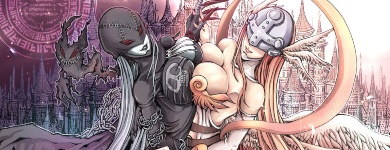
| Here my list design, I borrow the template from one of these threads. http://myanimelist.net/animelist/vansonbee The problem I've with it is the text size and the columns, I would like to extend the box size outward. Which code should I go to to make it wider? |
 |
Sep 20, 2011 11:07 AM
#38
vansonbee said: Here my list design, I borrow the template from one of these threads. http://myanimelist.net/animelist/vansonbee The problem I've with it is the text size and the columns, I would like to extend the box size outward. Which code should I go to to make it wider? It looks like the author of the template is helping you personally, so you should be set. |
|
Oct 14, 2011 12:17 PM
#39

| First of all, hello! And thank you for your wonderful guides for CSS editing. I had always shied away from editing my list too much until I came upon you club :D So I have some things I want to change in my layout, but I do not know how. Maybe you can help? 1 - Is there any way to make the top section where you can select your view (All anime, On-Hold, etc...) stop blinking? I would love that. Also is there any way to customize the size, color and type of the font just for this section? I want to change the font type, size, color, etc... I managed to change the color when you hover it, but not all the options changed said color... 2 - My headers came with a default size of 48. I since changed it to 32, but they moved up, and I would like them to be closer to the sub-header. Speaking about the header, I can't seem to change its font. Exactly what fonts are supported? I would like to have my header with a sort of handwriting font, if possible. 3 - Can't seem to change to color for my sub-headers... I added "font-size" to it and managed that, but the "color:brown" (example) does not work... Thanks in advance for the help ;) PS: Don't make fun of my poor choice of colors xD |
JonijonhOct 14, 2011 2:17 PM
Oct 16, 2011 6:32 PM
#40
Jonijonh said: 1 - Is there any way to make the top section where you can select your view (All anime, On-Hold, etc...) stop blinking? I would love that. Also is there any way to customize the size, color and type of the font just for this section? I want to change the font type, size, color, etc... I managed to change the color when you hover it, but not all the options changed said color... .status_not_selected a {color: ; text-decoration: none;} .status_selected a {color: ; text-decoration: none;} Add these to the bottom, insert choices of color. Jonijonh said: 2 - My headers came with a default size of 48. I since changed it to 32, but they moved up, and I would like them to be closer to the sub-header. Speaking about the header, I can't seem to change its font. Exactly what fonts are supported? I would like to have my header with a sort of handwriting font, if possible. Find this in your code: .header_title { height: 52px; padding: 2px; } Lower the height, probably to 32px. This code is located in the "Other codes", near the bottom. All fonts are supported by a browser and CSS, but the person viewing your page has to have the same font installed on their computer to see it. So if you use an obscure font, more people won't see it unless they have it installed too (rare). One thing you can try it put your fonts in a descending order of priority. Like: font-family: Font A, Font B, Font C; Font A would be an obscure font, Font B would be an popular but not default font, and C is a default font everyone has. This was you see the weird font you want (font A), most people see a cool font (font B) and everyone else sees at least font C. The computer ignores the fonts till it comes to one it knows. Jonijonh said: 3 - Can't seem to change to color for my sub-headers... I added "font-size" to it and managed that, but the "color:brown" (example) does not work... Paste this at the bottom of the CSS and change the color "red" to your choice, the top code should control the text in the sub header, and the top part controls the "#" (pound sign): .table_header a { color: red; } .table_header { color: red; } |
|
Oct 17, 2011 2:11 AM
#41

| Hello, I would like to know if some of the codes (specifically the individual header banners codes) can be added to the "default" CSS template? (the one given when you first open the advances CSS editor) |
  |
Oct 18, 2011 12:51 AM
#42
RulenneClarissa said:Hello, I would like to know if some of the codes (specifically the individual header banners codes) can be added to the "default" CSS template? (the one given when you first open the advances CSS editor) Should be ok. I've added that code to the bottom of the default template and the custom headers came up. Next time you're unsure of something, you can just add the codes to the bottom and see if they work or not then delete them if you don't like it. Or just copy your code to notepad, then add what you want to the site's CSS here and save, see if it works, if not you can delete the changed code and copy your old code back to the site. |
|
Oct 18, 2011 11:24 AM
#43
Shishio-kun said: Jonijonh said: 1 - Is there any way to make the top section where you can select your view (All anime, On-Hold, etc...) stop blinking? I would love that. Also is there any way to customize the size, color and type of the font just for this section? I want to change the font type, size, color, etc... I managed to change the color when you hover it, but not all the options changed said color... .status_not_selected a {color: ; text-decoration: none;} .status_selected a {color: ; text-decoration: none;} Add these to the bottom, insert choices of color. This only seems to work for the "Dropped" and "Plant to Watch" links at the top. Weird, has "Watching", "On-Hold", "Completed" do not obey the behaviour. I'm still having issues with the fonts types, but I'll figure it out somehow. Thanks for all the help you're giving me :) |
JonijonhOct 18, 2011 11:28 AM
Oct 18, 2011 12:47 PM
#44
Jonijonh said: This only seems to work for the "Dropped" and "Plant to Watch" links at the top. Weird, has "Watching", "On-Hold", "Completed" do not obey the behaviour. I'm still having issues with the fonts types, but I'll figure it out somehow. Thanks for all the help you're giving me :) Hmm I looked at your CSS, and you haven't pasted the codes given to the bottom of your CSS. If you leave them in, I can determine the problem. But also, I posted your anime list CSS to one of my lists with them and the colors changed plus blinking stopped so they worked... maybe you need to refresh after entering them... it might also be your browser, what do you use? As for the fonts well I see English Vivace and people without it installed will see Arial so it looks fine. If you're not seeing English Vivace then maybe you don't have it installed? |
|
Oct 21, 2011 6:13 AM
#45
Shishio-kun said: Hmm I looked at your CSS, and you haven't pasted the codes given to the bottom of your CSS. If you leave them in, I can determine the problem. But also, I posted your anime list CSS to one of my lists with them and the colors changed plus blinking stopped so they worked... maybe you need to refresh after entering them... it might also be your browser, what do you use? As for the fonts well I see English Vivace and people without it installed will see Arial so it looks fine. If you're not seeing English Vivace then maybe you don't have it installed? Oh yes, after I realised it didn't work, I removed that part of the code. I'll put it back so you can check it out. I use Firefox, with the latest patch. As for the fonts, the problem was not having Vivace installed. I found it and installed it, and now it shows up just fine :) Edit: The code is there again at the bottom. As per usual, when hovering over the top links, only "Plan to Watch" changes to another color (on hover). The others remain white. |
JonijonhOct 21, 2011 6:18 AM
Oct 21, 2011 5:44 PM
#46
Jonijonh said: Edit: The code is there again at the bottom. As per usual, when hovering over the top links, only "Plan to Watch" changes to another color (on hover). The others remain white. Oh ok you want the links to change color when you hover on them with your cursor, you need this code then: .status_not_selected a:hover { color: red; text-decoration: none; } .status_selected a:hover { color: blue; text-decoration: none; } Something though, I don't see the "only plan to watch changes color" thing at all on your anime list. I did see it on your manga list though, sounds like something that happens because you haven't visited the category yet, or your browser hasn't saved visiting it. After clicking all the categories on your manga list, I don't see the problem. In any case, try these codes instead they affect these links on hover. |
|
Oct 21, 2011 10:46 PM
#47

| This is kind of advanced I guess, but I have been trying to figure out a way to create clickable links (i.e., my list) working through a png overlay, and can't seem to get it to work. -_- working with just css can be quite frustrating! If you take a look at my anime list you can get the idea of what I'm trying to do. (I'm actually not sure if this is even possible, in which case I will have to figure out another work around) Thanks in advance! |
thetokyoterrorOct 21, 2011 11:04 PM
Oct 23, 2011 1:45 AM
#48
Saetia said: This is kind of advanced I guess, but I have been trying to figure out a way to create clickable links (i.e., my list) working through a png overlay, and can't seem to get it to work. -_- working with just css can be quite frustrating! If you take a look at my anime list you can get the idea of what I'm trying to do. (I'm actually not sure if this is even possible, in which case I will have to figure out another work around) Thanks in advance! It looks like you've covered the links with another section "inline content" that has more z-index (priority) than the list links, so it covers the links and they're untouchable. So do you want the links to poke through that so you can keep the fading effect at the top when you scroll down? If so, there's a few things you can do but it looks like you can just lower the height of the inlinecontent. I don't see a need to have it so high or even wide. Try adding to the bottom, save: #inlineContent { height: 102px;} |
|
Oct 24, 2011 4:18 AM
#49

| Thank you so much for these tutorials :D But I have a question :) I set everything the way I want it, but it looks different on another computer (the background picture is smaller, it doesn't go all the way from top to bottom). I guess it's up to resolution and everything, but still, the majority of lists I see here are set just right and I guess I see them in the way they were supposed to look. So I wanted to ask is there something I could do to make my list that way, so it looks right on the majority of other computers? :) ETA: Is there a way to make the picture start at the right side of the screen, without the margin? I've tried uploading it in different size, wider and what not, but usually it becomes even smaller then :/ |
Shinobi_no_reiOct 24, 2011 4:29 AM
Oct 24, 2011 8:48 PM
#50
Rei13Evangelion said: Thank you so much for these tutorials :D But I have a question :) I set everything the way I want it, but it looks different on another computer (the background picture is smaller, it doesn't go all the way from top to bottom). I guess it's up to resolution and everything, but still, the majority of lists I see here are set just right and I guess I see them in the way they were supposed to look. So I wanted to ask is there something I could do to make my list that way, so it looks right on the majority of other computers? :) ETA: Is there a way to make the picture start at the right side of the screen, without the margin? I've tried uploading it in different size, wider and what not, but usually it becomes even smaller then :/ I don't really know what you mean by "right on all computers" but you to make it start from the right side add this code to the bottom, and save: body{ background-position: right top; } It will still have a gap on the bottom when viewed on a very large screen or one with a far out resolution, because the image is too small. CSS here will not resize like with your desktop wallpaper. You need to upload a larger version- if you can't upload the size you want then use a different image host. The popular sites always resize big pics down. You can try: http://ihostimages.x10.mx/ or http://www.freeimagehosting.net/upload.php |
Shishio-kunOct 25, 2011 12:15 PM
|
More topics from this board
Sticky: » 💚 [REPAIR STICKY] Repair/speed up layouts + Request layout fixes ( 1 2 )Shishio-kun - Nov 17, 2023 |
54 |
by Shishio-kun
»»
Dec 22, 2025 2:46 PM |
|
» [CSS- MODERN] ⭐ Minimal Dashboard layout by 5cm ~ Compact and convenient! ( 1 2 3 )Shishio-kun - Sep 4, 2020 |
133 |
by Shishio-kun
»»
Dec 2, 2025 10:24 AM |
|
» ⭐Ready to be amazed? View the Bunkasai graphic and list design contest (VOTE YOUR FAVES!)Shishio-kun - Nov 22, 2025 |
3 |
by Shishio-kun
»»
Nov 28, 2025 9:02 PM |
|
Sticky: » [ BBCODE ] All 2023 BBcodes, Guides, and Templates ( 1 2 )Shishio-kun - Feb 16, 2023 |
65 |
by F124N
»»
Nov 11, 2025 1:31 AM |
|
» ✳️[9-7-24] New even higher quality Cover Imports! + Fixes for Takana Grids and moreShishio-kun - Sep 7, 2024 |
37 |
by Shishio-kun
»»
Oct 30, 2025 4:42 AM |