
New
Oct 8, 2013 4:24 AM
#201
| What are the dimensions of the images that are in the right side of the page? |
Oct 8, 2013 8:52 AM
#202

HakuryuSting said: As a matter of fact, the parts you'll be working with for the right hand side in particular are different than what I posted above. You're actually not going to want to change anything there or else it will effect the headers.What are the dimensions of the images that are in the right side of the page? This part here is what you will work with to change the "Not Selected" statuses. #list_surround .status_not_selected { background-attachment: scroll; background-color: transparent; background-image: url("http://i.imgur.com/vM01qEj.png"); background-position: 0 0; background-repeat: repeat repeat; display: block; height: 80px; overflow: auto; padding: 0; position: fixed; right: -35px; top: 60px; width: 250px; } And just below that is the "Selected" status. #list_surround .status_not_selected:hover, #list_surround .status_selected { background-attachment: scroll; background-color: transparent; background-image: url("http://i.imgur.com/qVhQBMZ.png"); background-position: 0 0; background-repeat: repeat repeat; border: 5px solid rgba(0, 0, 0, 0.6); border-radius: 11px 11px 11px 11px; display: block; height: 80px; overflow: auto; padding: 0; position: fixed; right: -5px; top: 60px; transition: all 0.25s ease-in-out 0s; width: 250px; } Their dimensions are 250px (width) by 80px (height) You'll most likely want your new "Not Selected" image to have a grey tone, and your new "Selected" image to be colorized. Or, choose two unique colors of your choice. (You'd want to show some differentiation between what's currently selected and what is not.) This kind of list is a little bit different from the types that I'm used to working with. And I've actually run into some trouble towards the bottom half of the CSS. I think I understand what's going on there, but before I give you a bunch of instructions that I'm not 100% sure will give you the results you desire, I'd say you should keep what you have and receive help from someone who has experience with this sort of design lol. :) The instructions I gave you for changing the wallpapers should still help you out. Best of luck with the rest of this, and I'm sorry I couldn't be more helpful. :'< I'm going to PM you about where you can get help with this~ |
LeahOct 8, 2013 9:03 AM

Jan 1, 2014 6:21 PM
#204

| Ok, so I went into my list an hour ago, and the background picture and the headers are all fucked up. It's supposed to have white, bold headers above each section, and the backgorund picture should just be 1 and move with the scroll. Here's a pic of what it looks like now: http://i.imgur.com/qqUlryt.jpg I haven't changed my code in months, so it shouldn't be that messing up. Is it my connection with MAL or is MAL just having problems? I checked my list on my Galaxy S4 and it looks just as messed up as on my computer. Hopefully it fixes itself, I just wanna know if it's anything on my end that's screwing it up. |
Reverb_ShockJan 1, 2014 7:01 PM
 |
Jan 1, 2014 6:43 PM
#205

Reverb_Shock said: Ok, so I went into my list an hour ago, and the background picture and the headers are all fucked up. It's supposed to have white, bold headers above each section, and the backgorund picture should just be 1 and move with the scroll. Here's a pic of what it looks like now: http://i.imgur.com/qqUlryt.jpg I haven't changed my code in months, so it shouldn't be that messing up. Is it my connection with MAL or is MAL just having problems? I checked my list on my Galaxy S4 and it looks just as messed up as on my computer. Hopefully it fixes itself, I just wanna know if it's anything on my end that's screwing it up. It has nothing to do with MAL, its the two import links at the top of your CSS. 1. To fix this, delete the top lines of code in your CSS; this I've outlined in bold (be careful u don't delete any other codes, like body right below it): @import url(http://veriti.opendrive.com/files/OV81MjgxODZfN0NiSlU/mal_general.css); @import url(http://veriti.opendrive.com/files/OV81MjgxODdfcXZZMkg/mal_top_bar.css); 2. Put these at the top of your CSS after you delete those two, then save your code with the blue button at the bottom of the page: @import "http://dl.dropbox.com/u/78340470/MahouLayoutCSS/MahouCSS.css"; @import "http://dl.dropbox.com/u/78340470/MahouLayoutCSS/Topbar%20redux.css"; When saved, everything should be fixed back since its the same codes just hosted on a more reliable server... the reason your list looks like is because opedrive.com became unreliable over 2012/2013 and lags out alot so these links sometimes won't stream the necessary CSS to your list. |
 |
Jan 1, 2014 6:55 PM
#206
| Thank you so much. It just randomly happened so I was freaking out lol. I know nothing about coding and got this code from a friend, so your help was greatly appreciated. It's back to normal now. |
|
Jan 12, 2014 2:13 PM
#207
| Well, I was following several guides from this forum to edit my anime list page. Then I decided to use this: @import "http://dl.dropbox.com/u/78340470/Past%20Stuff/bottommenuimport.css"; for the Header Classes bar, and I got a problem, the bar is under the table list, so I have to go bottom's page every time I want to use it. I want to apologize about my english, I attach an image to make easiest to understand: http://i41.tinypic.com/2cnys0o.jpg Also, the bar sometimes hides the copyright , so I want to know how to create more bottom space under the copyright in order to improve it visibility. my css code: @import "https://dl.dropboxusercontent.com/u/78340470/Club%20layouts/Special/topbarreduxblack.css"; @import "http://dl.dropbox.com/u/78340470/Past%20Stuff/bottommenuimport.css"; @import "https://dl.dropboxusercontent.com/u/78340470/anime.css"; @import "http://dl.dropbox.com/u/78340470/CSSforFoxgirls.css"; BODY { color: #FFFFFF; font-size: 11.00px; font-family: Verdana, Arial; background-color: #000000; background-image: url(http://i39.tinypic.com/351sp02.jpg); background-repeat: no-repeat; background-attachment:fixed; background-position: top right; } /* // Determines the positioning of your list */ #list_surround { margin:0px; position:relative; left:100px; width: 920px; } /* // All links on your list */ a { color: #FFFFFF; text-decoration: none; } a:visited { color: #FFFFFF; text-decoration: none; } a:hover { color: #FFFF8F; text-decoration: underline; } /* // Alternating row color 1 */ .td1 { opacity:0.8; color: #FFFFFF; border-width: 0px 1px 1px 0px; border-style: solid; border-color: #FFFFFF; padding: 2px; background-color: #8963A3; } /* // Alternating row color 2 */ .td2 { opacity:0.8; color: #FFFFFF; border-width: 0px 1px 1px 0px; border-style: solid; border-color: #FFFFFF; padding: 2px; background-color: #3C2F46; } /* // This represents the "Anime Title", "Score", "# Eps" columns */ .table_header { opacity:0.9; color: #FFFFFF; border-width: 1px 1px 1px 0px; border-style: solid; border-color: #FFFFFF; background-color: #232531; padding: 2px; } /* // headerLink represents the color of the links inside the_header */ .table_headerLink { color: ; } .table_headerLink:Visited { color: ; } .table_headerLink:Hover { color: ; } /* // Controls the select form decoration (the drop down select box) */ .form { border-width: 1px 1px 1px 1px; border-color: #51819f; border-style: solid; color: #000000; padding: 2px; font-size: 11.00px; font-family: Verdana, Arial; } /* Which 'status' up top is selected? */ .status_selected { } .status_not_selected { } /* Header classes for Currently Watching, Completed, Dropped, etc... */ .header_cw { } .header_completed { } .header_onhold { } .header_dropped { } .header_ptw { } .header_title { font-size: 14px; font-weight: bold; } .category_totals { } #grand_totals { text-align: center; } /* header_al is thesurrounding "User's Anime List" at the top */ .header_al { font-weight: bold; font-size: 16px; } /* header_al_links is thewith your "Profile" and "MyAnimeList home" links */ .header_al_links { } /* controls what styles you can give to all the anime titles in your list */ .animetitle { font-weight: bold; } /* copyright contains the "Producted by Garrett Gyssler" text DO NOT REMOVE OR HIDE THIS DIV IF FOUND TO BE REMOVED, YOUR LIST WILL BE REMOVED TOO */ #copyright { padding-top: 6px; text-align: center; margin: 0 auto; width: 920px; } /* COVER AREA The surrounding area containing each cover pic which appears when you point to a row (requires #more CSS to see a DVD or manga cover). Move the cover's location around with left and top. Remove only the border-radius: 25px 25px 25px 25px; lines to take the rounded corners away. Increase height and width to make the pics bigger. Delete border-style: solid; to remove the border. For changing the original background color see the bottom of the original post: http://myanimelist.net/forum/?topicid=563993 */ table:hover + .hide { background-size: cover; left: 1050px; top: 160px; height: 350px; width: 226px; padding-bottom: 0px; border-style: solid; border-color: white; border-top: 1px solid white;; border-left: 1px solid white; border-right: 1px solid white; border-bottom: 1px solid white; border-radius: 25px 25px 25px 25px; background-color: rgba(200, 5, 200, 0.75); background-position: center 50% !important; background-repeat: no-repeat !Important; display: block !important; position: fixed; } /* PREVIEW MSG ABOVE COVERS Remove content: "preview"; to remove the PREVIEW text. Change the text in quotations after content to what you want it to say above your cover pic. Top and width controls the position of the text. */ .hide:before { background: transparent; content: "PREVIEW"; padding-bottom: 5px; position: absolute; text-align: center; width: 225px; top: -25px; border-radius: 25px 25px 0 0; } |
Jan 12, 2014 3:48 PM
#208

| @Haruspex00 - In a header bar css rule (such as #list_surround > table:first-of-type {}) try adding z-index: 100; to have it be on top. Also, to show more space and show the copyright, add padding-bottom: 50px; to #list_surround |
Jan 13, 2014 3:41 AM
#209
| Really thanks you, It works pretty good. ^^ |
Jan 16, 2014 12:27 PM
#210
| Hey, guys. Just wondering, what needs to be changed to increase the width of tag's column in the animelist, if it's possible? Maybe some css-code parts, I dunno. Could you tell me? |
Jan 16, 2014 4:10 PM
#211
| If you're using a custom CSS and keep tags in the 6th column just add .td1:nth-of-type(6), .td2:nth-of-type(6) { width: 300px; } adjust the width number how you like. and the code to add changes to the tags header is .table_header:nth-of-type(6) probably want that at the same width as the tags box so it evens out the list. I wrote a topic on this too: http://myanimelist.net/forum/?topicid=553637 btw if codes added to the bottom of your code don't work its prob cuz filter: alpha(opacity=85; in some part of your list CSS is incomplete- needs a closing parenthesis after 85;. If you're not using custom CSS idk how you can increase box width, I don't see an option in the default MAL list editor |
|
Jan 24, 2014 6:55 PM
#212
| Okey so bascially i want a picture to my animes on my list, like on this website http://myanimelist.net/forum/?topicid=459189 If you look at the picture you see how theres a picture on his animes where it says Watching. Thats how i want it to. But i do not understand how i do it. I know where to go to change it, but i don't understand how to change the CSS to make it look like that. Bascially i want someone to either make a premade css for me to use or how to add and where exactly in the css i put these imports on the dropoutbox links that he gives. Atm i have a Css that is completly empty, because on a tutorial i was told to empty it. So yeah, thats what i need help with, if anyone knows and can help a beginner. edit: It's on Advanced Css File im doing this. 2nd edit: I noticed a problem. If i change whats said in the Advanced Css File it doesn't update when i click update, either the text disapperes or it adds 2 off them, so lets say i type "lol" click update it says "lol lol" instead. And if i remove 1 lol and click update it comes back. |
Freemind0Jan 24, 2014 7:09 PM
Jan 25, 2014 6:52 PM
#213
| atm from what I see your anime list looks exactly as the only pic on that page you linked to, which is this pic: http://dl.dropboxusercontent.com/u/49469857/MAL/premade/square/preview.jpg this is how your list looks to me when i scroll down: http://i.imgur.com/P5NfJ1X.png So from my view there's pictures on your animes under Watching, just like in that pic. So did you get that problem cleared up, or are you seeing something else different when you view your anime list? regarding your 2cd edit: I don't see the problem in your current CSS and I never seen that issue on that layout. What change exactly are you trying to make? You can just add new codes to the very bottom of the CSS, or use his instructions to change imports out for other looks. If you add/change a code and there is a problem, please leave it in so I can see it, or just copy and post the CSS here after the problem comes up. |
|
Jun 27, 2014 2:11 AM
#214
| hi guys i have a problem with my list http://myanimelist.net/animelist/zakey i want to change the color of watching completed on-hold etc.. and second when u mouse over at the bottom of each category you know the line that says the total animes you have watching total episodes etc. you can read what it says but if u dont mouse over it you cant thats all here is the code http://pastebin.com/BVyQRteU |
Jun 27, 2014 12:11 PM
#215
| Hi zakey, i see you've set your problem, if I'm not mistaken ? |
Jun 27, 2014 7:43 PM
#216
Shinsae said: yes thank you :)Hi zakey, i see you've set your problem, if I'm not mistaken ? |
Jul 11, 2014 5:47 PM
#217

| As I said... It won't show up. This is how it looks:  But the other headings show up:  |
Jul 11, 2014 6:56 PM
#218
| You don't seem to have a current watching header code, example: .header_cw { background-color: transparent; background-image: url("http://i60.tinypic.com/2zss9i8.gif"); background-repeat: no-repeat; height: 200px; margin-bottom: 0; } btw if you're going to ask for help with fixing your code you should always post the code thats broken, it makes things easier to verify. Sometimes problems are impossible to fix without you posting code |
|
Jul 11, 2014 7:36 PM
#219
| Sorry... I don't know what's wrong so I just copied my CSS here: (It's at the bottom part) @import "http://dl.dropbox.com/u/78340470/CSSforFoxgirls.css"; @import "https://dl.dropboxusercontent.com/u/78340470/anime.css"; @import "http://dl.dropbox.com/u/102421246/MAL/CSS/AnoHanaCustom2/topbarAnohana.css"; /* BACKGROUND IMAGE This is the main background image for the whole page. Change the image link to the background you want! If you're not seeing a background, make sure you are copied the entire CSS code or added any new background image codes correctly. Also your image link may be broken, try uploading a new background then! */ body { background-image: url(http://4.bp.blogspot.com/-QyI25UQHpIo/UB21rHqHk9I/AAAAAAAAB3I/qa3NNUrgBTo/s1600/akita_neru+big_al+gachapoid+group+gumi+kaai_yuki+kaito+kamui_gakupo+meiko+mizki+sonika+sweet_ann+tagme+tonio+utatane_piko+vocaloid+vy2+yowane_haku.jpg); background-attachment: fixed; } /* HEADER COLOR AND FONT These codes control the main headers' fonts and colors. Every header is above each part of your list (they say things like Currently Watching, Completed, Dropped, etc). if you don't want a solid color there, go to the line that starts with background-color and replace it the color type (blue for example) with the word "transparent" (no quotations). */ .header_title { background-color:black; color:cyan; font-family:english111 vivace bt; font-size:48px; } /* SUB-HEADERS BACKGROUND COLOR COLOR Below each main header is the sub-header which says Score, Episodes, Tags, etc. */ .table_header { background-color:black; } /* ANIME/MANGA TITLE FONTS This is the type and color of the anime/manga titles on your list, like Bleach, Vampire Knight, etc. */ .animetitle, .animetitle:visited { color:yellow; font-family:comic Sans MS; font-size:20px; } /* LIST FONTS This is the type and color for more of the numbers, links, and words on the list itself! */ .td1, .td2, a, a:visited, .category_totals, .table_header, #grand_totals, #copyright { color:white; font-family:Lucida Grande; } /* LIST WIDTH Use this to increase the width of your list! */ #list_surround { width:950px; } /* REPOSITION MAIN BACKGROUND Change the position your background starts on your screen from with the two properties after "background-position" below. You replace 'center' and '43%' with two other properties, they can be any of the following: left, top, bottom, right, or center. So if you want your background to start from the center of the screen, use "center center" after background-position in the code below, replacing "center 43%". If you want it to start from the top and left, use "top left" If you want it to start from the top and center, use "top center". If you want it to start from the right and top, use "right top" If you want it to start from the right and bottom, use "right bottom" and so forth... Additionally, you can change "left" to a % to determine how far left or right the background starts from. For example "30% top" will start the background from the top but 30% of the pic's width from the left of the layout. You can also change top to a % to change the amount you want to start it from the top or bottom. */ body{ background-position: center center;} /*OTHER CODES Important codes for the layout's setup. Don't mess with these unless you know exactly what you're doing. If you want to customize more on the page, use the link at the top of this CSS, or ask in my club! */ body { font-weight: light; background-repeat: no-repeat; background-color: black; } #list_surround { margin:auto; background-image:url(); } a { text-decoration:none; } a:visited { text-decoration:none; } a:hover, a:visited:hover { color:red; text-decoration:underline; } .category_totals, .td1, .td2, #grand_totals, #copyright { background-image:url(http://img15.imageshack.us/img15/228/frame6518.png); border-width:0; padding:2px; } .category_totals:HOVER, .td1:HOVER, .td2:HOVER, #grand_totals:HOVER, #copyright:HOVER {background-color:black; border-width:0; padding:2px; } #copyright:after { content: " Custom CSS by Shishio-kun. Google 'Shishio's Custom Lists' for more designs or info."; } .status_selected { background-color:black; padding:2px; color:white; text-decoration: blink; } .status_not_selected { background-color:black; padding:2px; color:white; } .status_selected a{ color:white; } .status_not_selected a{ color:black; } .thickbox { color:black; font-family:fantasy; font-size:12px; } .header_title { height:52px; padding:2px; } .table_header { border-width:0; font-weight:bold; padding:2px; } .category_totals { height:30px; } #copyright, #grand_totals { text-align: center; margin:0 auto; } body { background-size: cover; } /*LIST OPACITY The amount of opacity (between .01 and .99) determines how see-thru it is. .01 is almost completely clear. .99 is almost completely opaque. You can choose any number between .01 and .99 to find your desired settings. */ .status_selected, .header_title, .category_totals, .td1, #grand_totals, #copyright, .status_not_selected, .table_header, .td2 { opacity: 0.50;} body { cursor:url(http://fc08.deviantart.net/fs70/i/2012/124/9/d/kaito_cursor_by_anime_rai-d4yj20q.gif) 1 2, auto; } a:hover { cursor: url(http://fc08.deviantart.net/fs70/i/2012/124/9/d/kaito_cursor_by_anime_rai-d4yj20q.gif) 1 2, auto; } /* THUMBNAIL SETTINGS Settings for the thumbnails of covers seen on your list. Height and width control the size, while margin-left and top can be added or taken away to change the position. Change the border size, type, or color, with the first border code.*/ .hide { height:55px; width:35px; margin-left:33px; margin-top:-65px; border:1px solid #FFFFFF; background-color:rgba(248, 162, 200, 0.7); background-position:50% 50%; background-repeat:no-repeat no-repeat; background-size:cover; border-bottom-left-radius:7px; border-bottom-right-radius:7px; border-top-left-radius:7px; border-top-right-radius:0; display:inline-block !important; position: absolute; } /*THUMBNAIL HOVER SETTING This is the setting for the cover when you point to a thumbnail. Move the cover's position with the margin codes. Change its size with the padding codes. */ .hide:hover { margin-left:-140px; padding-right:150px; padding-top:220px !important; background-color:transparent; background-repeat:no-repeat no-repeat; background-size:cover; border-bottom-left-radius:20px; border-bottom-right-radius:20px; border-top-left-radius:20px; border-top-right-radius:20px; box-shadow:rgba(63, 52, 60, 0.55) 0 0 8px 8px; position:absolute; z-index:1; } /*THUMBNAIL HOVER FLICKER FIX If you reposition your covers, and notice flickering, color this red, then reload your layout. Notice where the red bar appears when you point to your covers. Move that box with this code, over the parts where you point and see flickering. Then change it back to transparent! */ .hide:hover:after { background: transparent; content: " "; height: 75px; left: 0; position: absolute; top: 0; width: 210px; z-index: 20; } /*ANIMATION FOR ZOOM Change the timing of how long it takes for it zoom out here! Its set to .25 seconds by default. */ * { -webkit-transition:all 0.25s ease-in-out; transition:all 0.25s ease-in-out; } /*ROW WIDTH AND SPACING This will increase the height of your rows and move the anime title to the left. It might look funny on some layouts so you'll have to adjust it or ask for help! Height is the height, padding left is the space the anime title moves from the left. */ .td1:nth-of-type(2), .td2:nth-of-type(2) { height: 62px; padding-left: 42px; } CURRENTLY WATCHING HEADER This is the header above currently watching/reading. Increase the amount after "height:" if your image doesn't fit the header. Lower the margin-bottom below zero if you wish the header move it behind the list. If in Google Chrome your header has little to no height and doesn't increase when you try to change it, then replace "height:" with "padding-top:". */ .header_cw { background-color: transparent; background-image: url("http://i57.tinypic.com/2ic655g.gif"); background-repeat: no-repeat; padding-top: 200px; margin-bottom: 0; } /* COMPLETED HEADER This is the header above your anime/manga that's completed. Increase the amount after "height:" if your image doesn't fit the header. Lower the margin-bottom below zero if you wish the header move it behind the list. If in Google Chrome your header has little to no height and doesn't increase when you try to change it, then replace "height:" with "padding-top:". */ .header_completed { background-image:url(http://i60.tinypic.com/2zss9i8.gif); padding-top: 200px; margin-bottom: 0px; background-color: transparent; background-repeat: no-repeat; color:; font-family:; font-size:; } /* ON-HOLD HEADER This is the header above your animes/mangas on-hold. Increase the amount after "height:" if your image doesn't fit the header. Lower the margin-bottom below zero if you wish the header move it behind the list. If in Google Chrome your header has little to no height and doesn't increase when you try to change it, then replace "height:" with "padding-top:". */ .header_onhold { background-image:url(http://i61.tinypic.com/200rx2b.gif); height: 200px; margin-bottom: 0px; background-color: transparent; background-repeat: no-repeat; color:; font-family:; font-size:; } /* DROPPED HEADER This is the header above your dropped animes/mangas. Increase the amount after "height:" if your image doesn't fit the header. Lower the margin-bottom below zero if you wish the header move it behind the list. If in Google Chrome your header has little to no height and doesn't increase when you try to change it, then replace "height:" with "padding-top:". */ .header_dropped { background-image:url(http://i52.tinypic.com/2a62ulu.jpg); height: 200px; margin-bottom: 0px; background-color: transparent; background-repeat: no-repeat; color:; font-family:; font-size:; } /* PLAN TO WATCH HEADER This is the header above the anime/manga you plan to see or read on your list. Increase the amount after "height:" if your image doesn't fit the header. Lower the margin-bottom below zero if you wish the header move it behind the list. If in Google Chrome your header has little to no height and doesn't increase when you try to change it, then replace "height:" with "padding-top:". */ .header_ptw { background-image:url(http://i60.tinypic.com/21b6fjb.gif); height: 200px; margin-bottom: 0px; background-color: transparent; background-repeat: no-repeat; color:; font-family:; font-size:; } /* REMOVE HEADER COLOR You need this code to remove the default background colors from the header and override any related codes. You're supposed to use your own images or the default ones for the header, so this color is set to transparent so it won't get in the way. If you want the color back for some reason, remove this section. */ .header_title { background-color: transparent !important; } /* OTHER CODES Stuff I had to add after site changes. You need this otherwise the headers won't be visible. */ tbody {background-color: transparent; background-image: none;} /* REMOVE HEADER TEXT These codes remove the original text like "Completed" and "Currently Watching" from each category on the list. Some people will want the text gone so they can have their own custom logos. But if you want the text back, you have to remove this whole section. It shouldn't affect the images in any way. */ .header_title { color: gray !important; color: transparent !important; font-size: 1px !important; font-size: 0px !important; font-size: 0 !important; font-size: 0pt !important; } |
Jul 12, 2014 2:00 AM
#220
| When you copied the header code you didn't copy the top of the codes correctly and it cuts off first the header code. You need to add a /* before CURRENTLY WATCHING HEADER in the CSS, or add the code I posted to the bottom of the CSS and put your own current header image in. |
|
Jul 13, 2014 12:39 AM
#221
| Ahhhhh... I see... So that's the problem, and a simple one at that. Arigatou Gozaimasu! I'll forever be grateful to you! ^_^ |
Jul 14, 2014 10:27 AM
#222
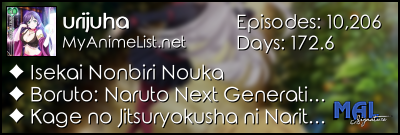
| Hello Do you know how to fix this problem?  I want to set this on right bottom but I don't know how. |
 |
Jul 14, 2014 10:39 AM
#223

| ..I wish I could be able to do half of that, lol. |
Jul 14, 2014 11:55 AM
#224
| http://myanimelist.net/forum/?topicid=563993#msg20492821 I think you should change top and left values for table:hover+.hide in https://dl.dropboxusercontent.com/s/t8g8i1udpkj07zs/mal_pic.css to something different (maybe 90% or something like that) waalex11 said: ..I wish I could be able to do half of that, lol. See this club: http://myanimelist.net/clubs.php?cid=19736 There are a lot of pre-made layouts and tutorials for you |
SerhiykoJul 14, 2014 11:58 AM
   |
Jul 14, 2014 12:20 PM
#225

Serhiyko said: I think you should change top and left values for table:hover+.hide in https://dl.dropboxusercontent.com/s/t8g8i1udpkj07zs/mal_pic.css to something different (maybe 90% or something like that) If it needs to be positioned in the bottom right of the screen I'd say it would be better to replace top and left with bottom and right and then give it a value of whatever he wants. counting up from 0 of course. |
| For those who seek perfection, there can be no rest on this side of the grave. Hope is the first step on the road to disappointment. |
Jul 14, 2014 2:29 PM
#226
Tyrantarmy6 said: If it needs to be positioned in the bottom right of the screen I'd say it would be better to replace top and left with bottom and right and then give it a value of whatever he wants. counting up from 0 of course. Nice idea |
|
Jul 15, 2014 2:39 AM
#228

| Hey, I need some help.. xD on my anime list I decided to make the Scores bold, the problem is now the "On Hold"-title is bold as well.... how can I change only the "On Hold" back to normal? @_@ I really don't know what to do... I tried out several things but nothing works... (I changed the scores with td:nth-of-type(3)) |
Jul 15, 2014 3:22 AM
#229
| @precious : hi, try to change td:nth-of-type(3) to #mal_control_strip td:nth-of-type(3) (with backslash after #mal ^^). |
Jul 15, 2014 5:38 AM
#230
Jul 15, 2014 7:26 AM
#232
| Here is my CSS Code @import "https://dl.dropboxusercontent.com/u/78340470/Club%20layouts/Special/topbarreduxdarkblue.css"; * { text-decoration: none; } body { background-attachment: fixed; background-clip: border-box; background-color: transparent; background-image: url("http://s.wallpaperhere.com/wallpapers/1920x1080/20110805/4e3b87d4c20ea.jpg"); background-position: 33% 0%; background-repeat: no-repeat no-repeat; background-size: cover; } #inlineContent { background-image: url(""); background-repeat: no-repeat no-repeat; display: inline-block !important; height: 3000px !important; left: 0 !important; margin: auto !important; position: fixed; top: 0 !important; width: 3000px !important; z-index: -4; } #list_surround { background-attachment: scroll; background-image: url(""); background-position: 50% 0; background-repeat: no-repeat no-repeat; font-size: 14px; height: 200px; line-height: 1; margin: 0 auto; padding-bottom: 10px; padding-top: 80px; position: absolute; right: 10px; width: 750px; } small { color: #E80083; font-weight: bold; text-shadow: 1px 2px 3px black; } a { color: #FFFFFF; text-shadow: none; } a:hover { color: #007FE8; text-shadow: 1px 2px 5px black; } .table_header:first-of-type { border-radius: 0 0 0 0; } .table_header:nth-of-type(2) { text-align: left; } tr:hover [class^="td"] { background-image: url("https://dl.dropbox.com/s/mh1xxfqpkpebxm8/hl2.png"); background-size: 100% 100%; } tr:hover [class^="td"]:first-of-type { background-image: url("https://dl.dropbox.com/s/1brcvy03yoln0eu/hl3.png"); } tr:hover [class^="td"]:last-of-type { background-image: url("https://dl.dropbox.com/s/p58vjxqufjitetw/hl4.png"); } .table_header, .td1, .td2, .category_totals { background-color: rgba(1, 42, 106, 0.9); border: 0 none; padding: 4px; text-align: center; vertical-align: top; } .table_header, .td1, .td2, .category_totals { color: white; } [cellspacing="0"] { line-height: 17px; } .category_totals { border-radius: 0 0 6px 6px; text-align: center; } .category_totals:hover { background-color: rgba(104, 156, 232, 0.7); color: #FFFFFF; } [class^="header_"] * { font-size: 51px; line-height: 0; margin-top: 20px; padding-bottom: 0; vertical-align: bottom; } .header_title { background-color: rgba(1, 42, 106, 0.9); border-radius: 6px 6px 0 0; color: white; font-style: normal; height: 40px; padding-left: 60px !important; text-align: left; text-shadow: 4px 4px 5px #007FE8; width: auto; } #grand_totals { background-color: rgba(1, 42, 106, 0.9); border: 0 none; border-radius: 3px 3px 3px 3px; color: #FFFFFF; line-height: 20px; min-height: 20px; padding: 8px; text-align: center; vertical-align: middle; } .td1:nth-of-type(2), .td2:nth-of-type(2) { text-align: left; } .status_not_selected:hover { color: white !important; opacity: 1; transition: all 0.4s ease 0s; } .status_not_selected, .status_selected { background-color: rgba(1, 42, 106, 0.9); border: 0 none !important; border-radius: 0 0 0 0; height: auto !important; padding: 4px; text-align: center !important; width: 16.667% !important; } .status_not_selected a, .status_selected a { background-color: rgba(64, 10, 50, 0.8); border-color: rgba(48, 44, 64, 0.5); border-radius: 2px 2px 2px 2px; border-style: solid; border-width: 1px; display: block !important; font-weight: bold; padding: 8px; text-shadow: 0 1px rgba(0, 0, 0, 0.1); } .status_selected a { background-color: rgba(255, 2, 8, 0.7); border-color: rgba(164, 16, 32, 0.5); } .status_not_selected a:hover { background-color: rgba(51, 82, 199, 0.8); border-color: rgba(55, 32, 228, 0.6); box-shadow: 0 1px 1px rgba(0, 0, 0, 0.1); color: white; text-shadow: 0 1px rgba(0, 0, 0, 0.3); } .status_selected a:hover { background-color: #B42030; border-color: rgba(148, 0, 24, 0.5); box-shadow: 0 1px 1px rgba(0, 0, 0, 0.1); text-shadow: 0 1px rgba(0, 0, 0, 0.3); } #copyright:hover { } #copyright:before { color: black; content: " Design by SylakentH_ "; font-size: 12px; padding-right: 10px; } #copyright:after { color: gold; content: " "; padding-left: 20px; } #copyright a { } |
|
Jul 15, 2014 8:02 AM
#233

| Hello, can someone tell me how to move the Totals(exemple, TV: 27, OVA: 4, Movies: 0, Spcl.: 1,etc..) to the top of the list under the Header that says Watching,Completed... because they are located below the respective "completed" "watched" "plan to watch".. and i wanted them on the top, and to be always visible because they are invisible can only be seen when you pass the mouse hover |
Jul 15, 2014 11:53 AM
#234
Jul 15, 2014 12:04 PM
#235
Jul 15, 2014 12:13 PM
#236
| Oh ok, i don't think the anime score but only top mal_strip on bold, ok try this #mal_control_strip td:nth-of-type(3), [class^='td'][width='45'] { font-weight:bold !important; } (with backslash after #mal if you want to see on bold the control strip text too) |
Jul 15, 2014 12:33 PM
#237
| IT WORKS, you are a genius! :D thank you so much :) |
Jul 15, 2014 1:04 PM
#238
Shinsae said: @precious : it works for me. @MadLane : I do not think this is possible to move the category_totals to the top of list. You can change the opacity of .category_totals background and text color with the last number rgba(0,0,0,0) 0 = 0 opacity 255 = 0 transparency ok, i already made it visible, really there is no way to move it? i will try to find it must have a way to do it i have faith >.< |
Jul 16, 2014 12:08 AM
#239
| well you can basically change the position of everything on your list, I'm not the wisest when it comes to coding but something along those lines: .category_totals { background: none repeat scroll 0 0 white; position: absolute !important; right: -30px !important; top: 10px !important; padding: 5px !important; width: 70%; } (or replace .category_totals with "#grand_totals" if you want to adjust that instead) ^that code above needs a lot of fixing though XD (I'm just trying to be somewhat helpful xD) |
Vanessa-Jul 16, 2014 12:13 AM
Jul 16, 2014 8:05 AM
#240
Jul 17, 2014 12:59 AM
#241

| Hey guys, new to MAL and just trying to figure out a few things about my list. The two things I can't figure out are on my anime list and they are 1) I want to move the counts underneath each section to be centred, I swear they were like that to begin with and I don't know what I've done to change them. 2) I want my background image to be fixed/no scrolling and also no repeating, I've set the CSS things to fixed and no-repeat but it's not changing. Any help much appreciated :) |
Jul 17, 2014 1:32 AM
#242
| Hi xNemo, welcome to mal, try this : body { background: url(http://myanimelist.net/images/userwalls/3927391.jpg) top center no-repeat fixed; background-size: cover; } .category_totals { text-align: center; } you can change background's position and size. |
Jul 17, 2014 1:46 AM
#243
Shinsae said: Hi xNemo, welcome to mal, try this : body { background: url(http://myanimelist.net/images/userwalls/3927391.jpg) top center no-repeat fixed; background-size: cover; } .category_totals { text-align: center; } you can change background's position and size. Thanks, that fixed the background image and the totals alignments, but uhh... it caused a few other problems! :( |
Jul 17, 2014 2:53 AM
#244
| Ok, it was really bothering me so I went and changed it back to how it was before... What I did was I copy/pasted the CSS you gave me into the 'advanced style css editor' thingy, in a thing called Style ID#248417... was that what I was supposed to do? >.< It fixed the problems I said but it removed the table completely and only showed text across the entire page. Sorry I'm not very good with these things :( could anyone show me how to fix my background so it doesn't scroll and doesn't repeat, without destroying the rest of the page :D |
Jul 19, 2014 4:15 PM
#246
xNemo said: Anyone? ~Bumpcozneedhalp Hi, i saw you'r List and you don't want the background image to repeat right? so delete the: background-repeat: ; and use the: background-size: 100% 100%; let me know if it works and if is that what you want :) :) |
Sep 16, 2014 6:35 AM
#247
| When ever i get a spoiler i do all the steps get my list its perfect. the only thing is that when i hover over a anime it will not show the picutre, but when i go to other peoples MyAnimeList who have the same cover it shows they have the picture for some reason. idk if its my settings or something. if this also helps where the picture shows it is shaded when i hover over the anime. it seems like the picture is there, but will not show it. |
Sep 16, 2014 7:02 AM
#248
| the images of the series on your list show for me, so it must be an issue on your side. may i ask your display dimensions and which browser you use? |
Sep 16, 2014 7:08 AM
#249
| i use chrome so im not sure if thats the problem and TBH im not sure about how to find my display dimensions. I have also been changing my theme to check if its just that theme and it seems to be because other themes i choose work and show pictures. just the one theme i want does not show the full picture only the boarder of it where it should be. [i]Mod edit: merged double post |
koleareSep 16, 2014 8:52 AM
Sep 16, 2014 7:23 AM
#250
| Gonna assume you're talking about the preview pics on your anime list for now in your custom css edit box instead of using this (delete this line) @import url(https://dl.dropboxusercontent.com/u/78340470/anime.css); replace it with this @import "http://dl.dropbox.com/u/49469857/MAL/premade/anime.css"; or @import "https://googledrive.com/host/0BxjwQr0BBXs-aWFrYzJjVnpoVVE"; then save and pics should show up in preview, if they don't, leave it in so someone can see what went wrong |
|
More topics from this board
» 【 ART THREAD 】Let's share our art! ❤︎ ( 1 2 3 4 5 ... Last Page )mewmewforever - Aug 30, 2024 |
275 |
by waferish
»»
2 hours ago |
|
» Did I go over the top with the stamps on my profile?vermerin - Dec 17 |
9 |
by vermerin
»»
4 hours ago |
|
» Have you ever used a mechanical pencil for drawing?DesuMaiden - Dec 19 |
7 |
by Retro8bit
»»
Yesterday, 5:08 PM |
|
» I made a 'Cultured' higher or lower gameDuxAlbion - Yesterday |
1 |
by Retro8bit
»»
Yesterday, 5:07 PM |
|
» AI-Powered Anime Recommendations + Stats ( 1 2 )ameo___ - May 23, 2022 |
88 |
by therex55213
»»
Yesterday, 4:15 PM |