

New
Jul 3, 2012 2:47 AM
#1

This layout is custom CSS. If you don't know how to install it, use the easy Beginner's Tutorial in this section: http://myanimelist.net/forum/?topicid=419405 The design works on both anime and manga lists, and is the first Square layout. For a full list of all Square layouts and their spin-offs: http://myanimelist.net/forum/?topicid=1226163 For alternative mirrors, use these rehosted versions you copy to your CSS edit box: http://myanimelist.net/forum/?topicid=1198609 Fall 2015 loading fix If your list is suddenly loading slow, go to your CSS code and change http to https in any imports that use Dropbox. Imports are lines in your code that start off with @import. So for example you would change this @import url(http://dl.dropbox.com/u/49469857/MAL/premade/square/style.css); to this: @import url(https://dl.dropbox.com/u/49469857/MAL/premade/square/style.css); Change all the dropbox import links in your code like this. Thanks Kiokuzoku for this tip! Introduction Welcome on the Square Layout information page. The Square Layout is a premade layout you can use for your anime- and mangalist. Here is how it looks like:  Code for the layout displayed on the preview picture: /* Square Layout u531355 - 2012 */ /* 1) Generated covers */ @import url(http://mal-fellow-writer.appspot.com/type/username/?covers=https://dl.dropbox.com/u/49469857/MAL/premade/formats/covers/more); /* 2) Base layout */ @import url(https://dl.dropbox.com/u/49469857/MAL/premade/square/style.css); /* 3) Top-bar icons */ @import url(https://dl.dropbox.com/u/49469857/MAL/premade/square/bars/japan/bar.css); /* 4) Layout theme */ @import url(https://dl.dropbox.com/u/49469857/MAL/premade/square/themes/dark/theme.css); /* 5) Addons - Add as many as you want */ @import url(https://dl.dropbox.com/u/49469857/MAL/premade/square/addons/longcovers/addon.css); /* 6) Options */ /* Determines the number of covers on each row, it should be a multiple of 242px */ #mal_control_strip, #list_surround {max-width: 1452px;} /* Header picture */ #inlineContent {background-image: url(https://dl.dropbox.com/u/49469857/MAL/premade/square/headers/seasons.jpg);} /* Default picture when no cover is found */ .hide {background-image: url();} /* Links color */ a {color: rgb(39, 255, 195);} /* More infos on http://myanimelist.net/forum/?topicid=459189 */ As you can see in the spoiler, there is a lot of @imports. Therefore if you want further customization, I recommend you to download the files, edit them, and reupload them on your own dropbox. Some list settings are required for this layout. For both anime- and manglist, you have to check the first four columns. The Tags column can be checked too but is optional. All other checked columns won't be displayed, but they won't crash the layout either. Picture in the spoiler.  Customization The 6 following steps correspond to the 6 points of the code in the first spoiler. Most of the time you just need to replace a link by another of your liking. 1) Generated Covers The CSS file imported here contains the covers links for animes and mangas on your list. It uses Fellow Writer but you can use something else if you want. Or you can generate your own CSS file so it's not too large. To do that, go on this page: http://myanimelist.net/forum/?topicid=436031 and follow the instructions. 2) Base Layout No customization here, you need to import the following CSS: https://dl.dropbox.com/u/49469857/MAL/premade/square/style.css But you can always download it and change it to your liking. 3) Top-bar Icons You can customize the top-bar icons with one of the followings: - Gnome Top-bar  Link: https://dl.dropbox.com/u/49469857/MAL/premade/square/bars/gnome/bar.css - Japan Top-bar  Link: https://dl.dropbox.com/u/49469857/MAL/premade/square/bars/japan/bar.css - Star Wars Top-bar  Link: https://dl.dropbox.com/u/49469857/MAL/premade/square/bars/sw/bar.css 4) Layout Themes You must choose one of the following themes: - Dark Theme  Link: https://dl.dropbox.com/u/49469857/MAL/premade/square/themes/dark/theme.css - Fire Theme  Link: https://dl.dropbox.com/u/49469857/MAL/premade/square/themes/fire/theme.css - Light Theme  Link: https://dl.dropbox.com/u/49469857/MAL/premade/square/themes/light/theme.css - Nature Theme  Link: https://dl.dropbox.com/u/49469857/MAL/premade/square/themes/nature/theme.css - Ocean Theme  Link: https://dl.dropbox.com/u/49469857/MAL/premade/square/themes/ocean/theme.css 5) Addons Addons are optional. You can import none of them or import them all together. List of addons: - Asuka addon  Effect: Adds two Asukas on both sides of your list. Kinda useless I know ^^ Link: https://dl.dropbox.com/u/49469857/MAL/premade/square/addons/asuka/addon.css - Bar On Right addon  Effect: Puts the top-bar on the right side of your list Link: https://dl.dropbox.com/u/49469857/MAL/premade/square/addons/baronright/addon.css - Long Covers addon  Effect: Makes covers rectangle, not square Link: https://dl.dropbox.com/u/49469857/MAL/premade/square/addons/longcovers/addon.css 6) Options Number of covers on each row One cover needs 242px in width. Therefore you should change this number to a multiple of 242. You can't display less than 3 covers, thus the minimum width is 726px. On a 1920px wide screen, 6 covers is a maximum; which makes 1452px. Header picture The header picture is the big fat picture on top of the layout. You can't miss it. It needs to be 420px high and I recommend it to be at least 1920px wide so it looks good on every resolution. Make your own or choose one among the followings: - https://dl.dropbox.com/u/49469857/MAL/premade/square/headers/codegeass.jpg - https://dl.dropbox.com/u/49469857/MAL/premade/square/headers/dbz.jpg - https://dl.dropbox.com/u/49469857/MAL/premade/square/headers/hxh.jpg - https://dl.dropbox.com/u/49469857/MAL/premade/square/headers/khr.jpg - https://dl.dropbox.com/u/49469857/MAL/premade/square/headers/mikan.jpg - https://dl.dropbox.com/u/49469857/MAL/premade/square/headers/nge.jpg - https://dl.dropbox.com/u/49469857/MAL/premade/square/headers/onepiece.jpg - https://dl.dropbox.com/u/49469857/MAL/premade/square/headers/opm.jpg - https://dl.dropbox.com/u/49469857/MAL/premade/square/headers/rei.jpg - https://dl.dropbox.com/u/49469857/MAL/premade/square/headers/seasons.jpg - https://dl.dropbox.com/u/49469857/MAL/premade/square/headers/toloveru.jpg Default picture when no cover is found This is the picture displayed when there is no cover link for a title in the CSS imported at point 1). Picture in the spoiler.  It should be 220px wide and 240px high. The topmost 20px aren't displayed. Make your own or choose one among the followings: - https://dl.dropbox.com/u/49469857/MAL/premade/square/nopic/codegeass.jpg - https://dl.dropbox.com/u/49469857/MAL/premade/square/nopic/dbz.jpg - https://dl.dropbox.com/u/49469857/MAL/premade/square/nopic/khr.jpg - https://dl.dropbox.com/u/49469857/MAL/premade/square/nopic/mal.jpg - https://dl.dropbox.com/u/49469857/MAL/premade/square/nopic/nge.jpg - https://dl.dropbox.com/u/49469857/MAL/premade/square/nopic/seasons.jpg - https://dl.dropbox.com/u/49469857/MAL/premade/square/nopic/toloveru.jpg Links color and extra-customization Themes have a default link color but you can override it. You can also add all the code you want (backgrounds, additional contents ...) for further customization.[/spoiler] Fixes, mirrors, and alternative styles If you have further problems with the layout not answered in the topic, you can ask in this topic to see if someone can help you. For alternative mirrors, try these rehosted Square layouts codes. You can use these if the Dropbox for the layout crashes: http://myanimelist.net/forum/?topicid=1198609 Just click the link to the style you want, and copy the CSS there to your CSS edit box here on MAL. For other Square layout styles, see the full list of Square-styled layouts this one inspired: http://myanimelist.net/forum/?topicid=1226163 |
u531355Jan 12, 2016 5:28 PM
Jul 3, 2012 2:47 AM
#2
| Feel free to share your themes, top-bars, addons, whatever. |
u531355Jan 14, 2016 9:47 AM
Jul 3, 2012 3:33 AM
#3

u531355 said: Coming today, see my anime/manga -list for a preview, it'll offer a lot of customization. Oh nice, Square Layout is a good name for it. I like the look you have on the Manga List best. |
Jul 3, 2012 2:20 PM
#4

| wow really awesome just playing around with the codes now^^ |
     ...............................  ............................... ...............................I'll do things just like you Yakuza! |
Jul 5, 2012 9:50 PM
#5

| Wow, there are some themes and bars for this theme... I make my own modification of this theme, but it seem that have some little bugs :( Anyway, here is it: http://myanimelist.net/mangalist/al_exs |
Jul 7, 2012 10:29 PM
#6

| Wow, it looks really great, gonna try it for my anime list with slight modifications. Tnx for sharing the code. |
 |
Jul 13, 2012 10:21 PM
#7
| Wow looks like people are having an easy time using and editing this! Good job. I added this thread to my featured lists thread, linked from the front page menu. I would really like to make a Guilty Gear or Blaze Blue version. Its easy since all I need to do is switch the icons and background pic! |
Jul 15, 2012 1:20 PM
#8

| Thanks for sharing the code, I was trying too make a list like that with this code http://dl.dropbox.com/u/82846412/Fate_Style.css but yours is much more easier too edit. ^^ |
 |
Jul 22, 2012 8:21 PM
#9

| Wow it's awesome, thanks for sharing and nice job. Keep it up ! |
 |
Jul 22, 2012 8:36 PM
#10
| Woah, I fell in love with this list style. I'll be using (and customizing) it, thanks! |
Jul 27, 2012 5:13 PM
#11
| Awesome! It's lovely, but I noticed one thing, when I installed the CSS, the background for 'All Anime' was fine, but when I switched to Currently watching, Dropped, etc, the background is a bit messed? Isn't the background suppose to extend all the way down the page? |
   |
Aug 2, 2012 9:53 AM
#12

| This is awesome! Thanks! (^__^) I have a question, though. I want to add a picture of Yuno Gasai on both sides of the list instead of Asuka; how do I do that? If anyone could answer that, I would be very happy. :D |
 |
Aug 4, 2012 4:40 AM
#13
| Thanks all for the positive comments! Meira said: Awesome! It's lovely, but I noticed one thing, when I installed the CSS, the background for 'All Anime' was fine, but when I switched to Currently watching, Dropped, etc, the background is a bit messed? Isn't the background suppose to extend all the way down the page? I don't understand? Which background? FMA-Xorcist said: This is awesome! Thanks! (^__^) I have a question, though. I want to add a picture of Yuno Gasai on both sides of the list instead of Asuka; how do I do that? If anyone could answer that, I would be very happy. :D Create your own css that you put online on dropbox for instance and change the links of Asuka to Gasai. You can also adapt the margin-left, you will find 2 of them in the css, the negative one is for the left picture and the positive one for the right picture |
Aug 9, 2012 2:44 PM
#14

| Damn, this is sick. Nice job! Gonna use it for my manga list with some slight changes. Love it. :D |
 |
Aug 16, 2012 3:22 PM
#15

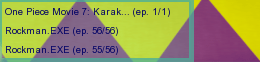
| Hi, I love this layout, but I was wondering if there's a fairly easy way (I'm new to all this) to change the maximum size of everything. I want it to look like the topmost example, or even 'smaller', on every resolution. Unless I zoom out in my browser, it dislays 4 series in a row now. I want it to display 6 or more series in a row on every resolution, making the pictures and other info smaller, if possible. Thanks for a great layout. :) |
     |
Aug 17, 2012 7:54 AM
#16
| @Nickienator This would require to change everything from px to % in the base layout. But I don't think this is anywhere near easy. |
Aug 18, 2012 3:05 PM
#17
| Too bad, but thanks for replying. I'll refrain from trying to do that untill I know a little bit about what I'm doing then. |
|
Aug 19, 2012 12:27 PM
#18
| How do I change de addons? There are no link or back ground image on this part of the code but Asuka still apears, where can I cange the image? |
|
Sep 27, 2012 12:08 PM
#19

| Thanks a lot for this! |
Oct 11, 2012 2:22 AM
#20

| I love the design a lot, but I was wondering if something could be done with the blank anime pictures? I mean, there are some titles that neither the anime picture nor my default picture is showing. Or is this a problem without a solution? |
 |
Oct 11, 2012 5:30 AM
#21
sayami said: I love the design a lot, but I was wondering if something could be done with the blank anime pictures? I mean, there are some titles that neither the anime picture nor my default picture is showing. Or is this a problem without a solution? Here's the solution: http://myanimelist.net/forum/?topicid=442261 |
Oct 11, 2012 11:23 AM
#23
sayami said: ^^Thanks a lot, it works :D No problem :) |
Oct 22, 2012 8:03 AM
#24

| This is awesome, and looks easy to customize. Thanks for sharing it! u531355 said: Default picture when no cover is found This is the picture displayed when there is no cover link for a title in the CSS imported at point 1). Picture in the spoiler.  It should be 220px wide and 240px high. The topmost 20px aren't displayed. Make your own or choose one among the followings: - http://dl.dropbox.com/u/49469857/MAL/premade/square/nopic/codegeass.jpg - http://dl.dropbox.com/u/49469857/MAL/premade/square/nopic/dbz.jpg - http://dl.dropbox.com/u/49469857/MAL/premade/square/nopic/khr.jpg - http://dl.dropbox.com/u/49469857/MAL/premade/square/nopic/mal.jpg - http://dl.dropbox.com/u/49469857/MAL/premade/square/nopic/nge.jpg - http://dl.dropbox.com/u/49469857/MAL/premade/square/nopic/seasons.jpg - http://dl.dropbox.com/u/49469857/MAL/premade/square/nopic/toloveru.jpg One question: While all the animes which doesnt have cover link in the css file shows the default no cover picture, "Another", "Kimi to Boku. 2" and "Kimi to Boku. 3" doesnt show any picture, its blank. It's no big deal but why is that happening? Edit: I noticed those 3 animes have a cover link, but those links aren't opening. I guess i will try to generate my own CSS to fix it some other time. Thanks for the great layout again.^^ |
JinbouOct 22, 2012 8:08 AM
Oct 23, 2012 3:35 AM
#25

Youjinbou said: This is awesome, and looks easy to customize. Thanks for sharing it! u531355 said: Default picture when no cover is found This is the picture displayed when there is no cover link for a title in the CSS imported at point 1). Picture in the spoiler. It should be 220px wide and 240px high. The topmost 20px aren't displayed. Make your own or choose one among the followings: - http://dl.dropbox.com/u/49469857/MAL/premade/square/nopic/codegeass.jpg - http://dl.dropbox.com/u/49469857/MAL/premade/square/nopic/dbz.jpg - http://dl.dropbox.com/u/49469857/MAL/premade/square/nopic/khr.jpg - http://dl.dropbox.com/u/49469857/MAL/premade/square/nopic/mal.jpg - http://dl.dropbox.com/u/49469857/MAL/premade/square/nopic/nge.jpg - http://dl.dropbox.com/u/49469857/MAL/premade/square/nopic/seasons.jpg - http://dl.dropbox.com/u/49469857/MAL/premade/square/nopic/toloveru.jpg One question: While all the animes which doesnt have cover link in the css file shows the default no cover picture, "Another", "Kimi to Boku. 2" and "Kimi to Boku. 3" doesnt show any picture, its blank. It's no big deal but why is that happening? Edit: I noticed those 3 animes have a cover link, but those links aren't opening. I guess i will try to generate my own CSS to fix it some other time. Thanks for the great layout again.^^ I don't know how you write your CSS, but you can try this. I had the exact same problem, but if you follow this topic, it'll be solved. You can check my AnimeList for proof of showing the Another/Kimi to Boku 2 cover. |
Courage is the magic that turns dreams into reality. One of life's greatest blessings, is the freedom to pursue one's goals. We are all walking through a wonderfull dream, a dream called youth. The very key is needed to unlock the courage which resides in everyone. |
Oct 23, 2012 5:23 AM
#26
Sudenri said: Youjinbou said: This is awesome, and looks easy to customize. Thanks for sharing it! u531355 said: Default picture when no cover is found This is the picture displayed when there is no cover link for a title in the CSS imported at point 1). Picture in the spoiler. It should be 220px wide and 240px high. The topmost 20px aren't displayed. Make your own or choose one among the followings: - http://dl.dropbox.com/u/49469857/MAL/premade/square/nopic/codegeass.jpg - http://dl.dropbox.com/u/49469857/MAL/premade/square/nopic/dbz.jpg - http://dl.dropbox.com/u/49469857/MAL/premade/square/nopic/khr.jpg - http://dl.dropbox.com/u/49469857/MAL/premade/square/nopic/mal.jpg - http://dl.dropbox.com/u/49469857/MAL/premade/square/nopic/nge.jpg - http://dl.dropbox.com/u/49469857/MAL/premade/square/nopic/seasons.jpg - http://dl.dropbox.com/u/49469857/MAL/premade/square/nopic/toloveru.jpg One question: While all the animes which doesnt have cover link in the css file shows the default no cover picture, "Another", "Kimi to Boku. 2" and "Kimi to Boku. 3" doesnt show any picture, its blank. It's no big deal but why is that happening? Edit: I noticed those 3 animes have a cover link, but those links aren't opening. I guess i will try to generate my own CSS to fix it some other time. Thanks for the great layout again.^^ I don't know how you write your CSS, but you can try this. I had the exact same problem, but if you follow this topic, it'll be solved. You can check my AnimeList for proof of showing the Another/Kimi to Boku 2 cover. Uh i didnt know how i was going to write it actually. Worked like a charm, thanks^^ |
Oct 23, 2012 6:44 AM
#27
Youjinbou said: Sudenri said: Youjinbou said: This is awesome, and looks easy to customize. Thanks for sharing it! u531355 said: Default picture when no cover is found This is the picture displayed when there is no cover link for a title in the CSS imported at point 1). Picture in the spoiler. It should be 220px wide and 240px high. The topmost 20px aren't displayed. Make your own or choose one among the followings: - http://dl.dropbox.com/u/49469857/MAL/premade/square/nopic/codegeass.jpg - http://dl.dropbox.com/u/49469857/MAL/premade/square/nopic/dbz.jpg - http://dl.dropbox.com/u/49469857/MAL/premade/square/nopic/khr.jpg - http://dl.dropbox.com/u/49469857/MAL/premade/square/nopic/mal.jpg - http://dl.dropbox.com/u/49469857/MAL/premade/square/nopic/nge.jpg - http://dl.dropbox.com/u/49469857/MAL/premade/square/nopic/seasons.jpg - http://dl.dropbox.com/u/49469857/MAL/premade/square/nopic/toloveru.jpg One question: While all the animes which doesnt have cover link in the css file shows the default no cover picture, "Another", "Kimi to Boku. 2" and "Kimi to Boku. 3" doesnt show any picture, its blank. It's no big deal but why is that happening? Edit: I noticed those 3 animes have a cover link, but those links aren't opening. I guess i will try to generate my own CSS to fix it some other time. Thanks for the great layout again.^^ I don't know how you write your CSS, but you can try this. I had the exact same problem, but if you follow this topic, it'll be solved. You can check my AnimeList for proof of showing the Another/Kimi to Boku 2 cover. Uh i didnt know how i was going to write it actually. Worked like a charm, thanks^^ No prob ~ |
Courage is the magic that turns dreams into reality. One of life's greatest blessings, is the freedom to pursue one's goals. We are all walking through a wonderfull dream, a dream called youth. The very key is needed to unlock the courage which resides in everyone. |
Nov 5, 2012 1:57 AM
#28
| I'm curious, is there any way that I can modify the style.css to get my DROPPED anime to show up at the bottom of my list? I reorganized the sections in the css that had those things listed so that my dropped would be at the end of all the lists #list_surround > table:nth-of-type(n+4) ~ .header_cw + table, #list_surround > table:nth-of-type(n+4) ~ .header_completed + table, #list_surround > table:nth-of-type(n+4) ~ .header_onhold + table, #list_surround > table:nth-of-type(n+4) ~ .header_ptw + table, #list_surround > table:nth-of-type(n+4) ~ .header_dropped + table { (i'm not going to post the rest, but the example above shows what I mean. Coder should catch my drift) It doesn't work to reorganize it, however. So I'm looking for a solution that may have to do with something else completely. I don't want anime that I've dropped to show up in the middle of my list. I want it on the bottom of the page... Any help? |
Nov 6, 2012 12:34 AM
#29
| You can't reorganize the list this way. What you did in CSS means only that all the headders had the properties that you specify between the brackets { }, not the order to show the table. It is almost impossible to move a section to the bottom, as far as the list is not made fot things like that, 'cause all single row in the list is a separate table, so to move the entire Dropped section, you need to move all the tables instead and is not as simple as everyone wish... |
Nov 6, 2012 12:48 AM
#30
| That's unfortunate. But I appreciate the quick reply and direct answer. Thanks :) |
Nov 30, 2012 4:55 AM
#31
| may i ask a question? where do i put the picture of asuka in both sides? i tried it in many ways but it doesnt work.. plz help me |
Nov 30, 2012 11:56 AM
#32
SnailActive said: may i ask a question? where do i put the picture of asuka in both sides? i tried it in many ways but it doesnt work.. plz help me Try to add this to the top of your CSS: @import url(http://dl.dropbox.com/u/49469857/MAL/premade/square/addons/asuka/addon.css); |
Nov 30, 2012 5:41 PM
#33
| .... i tried to do as u saiid but it doesnt work either... anway this is my list style you can tell me where to put the url /* Square Layout u531355 - 2012 */ /* 1) Generated covers */ @import url(http://dl.dropbox.com/u/49469857/MAL/premade/anime.css); /* 2) Base layout */ @import url(http://dl.dropbox.com/u/49469857/MAL/premade/square/style.css); /* 3) Top-bar icons */ @import url(http://dl.dropbox.com/u/49469857/MAL/premade/square/bars/japan/bar.css); /* 4) Layout theme */ @import url(http://dl.dropbox.com/u/49469857/MAL/premade/square/themes/light/theme.css); /* 5) Addons - /* 6) Options */ /* Determines the number of covers on each row, it should be a multiple of 242px */ body {max-width: 1452px;} /* Header picture */ #inlineContent {background-image: url(http://dl.dropbox.com/u/49469857/MAL/premade/square/headers/nge.jpg);} /* Default picture when no cover is found */ .hide {background-image: url(http://dl.dropbox.com/u/49469857/MAL/premade/square/nopic/nge.jpg);} /* Links color */ a {color: ;} body{ background-image: url(http://dl.dropbox.com/u/49469857/MAL/premade/square/addons/asuka/addon.css) } |
Nov 30, 2012 6:03 PM
#34
| Like Shishio-kun said, on top of CSS. edit: Also, it works anyway but there should be a */ at the end of the line starting with "5) Addons", I think. Like this; @import url(http://dl.dropbox.com/u/49469857/MAL/premade/square/addons/asuka/addon.css); /* Square Layout u531355 - 2012 */ /* 1) Generated covers */ @import url(http://dl.dropbox.com/u/49469857/MAL/premade/anime.css); /* 2) Base layout */ @import url(http://dl.dropbox.com/u/49469857/MAL/premade/square/style.css); /* 3) Top-bar icons */ @import url(http://dl.dropbox.com/u/49469857/MAL/premade/square/bars/japan/bar.css); /* 4) Layout theme */ @import url(http://dl.dropbox.com/u/49469857/MAL/premade/square/themes/light/theme.css); /* 5) Addons */ /* 6) Options */ /* Determines the number of covers on each row, it should be a multiple of 242px */ body {max-width: 1452px;} /* Header picture */ #inlineContent {background-image: url(http://dl.dropbox.com/u/49469857/MAL/premade/square/headers/nge.jpg);} /* Default picture when no cover is found */ .hide {background-image: url(http://dl.dropbox.com/u/49469857/MAL/premade/square/nopic/nge.jpg);} /* Links color */ a {color: ;} body{ background-image: url(http://dl.dropbox.com/u/49469857/MAL/premade/square/addons/asuka/addon.css) } I tried it on my list, it works for me. |
JinbouNov 30, 2012 6:19 PM
Nov 30, 2012 6:37 PM
#35
| ok...thx a lot |
Dec 2, 2012 12:27 PM
#36

| Thanks! I really liked it But, i know i'm being lazy. But can someone resize this image for me to put as head picture? Because i'm trying but i can't: http://imageshack.us/photo/my-images/7/wallpaperdeaththekidbyn.jpg/ |
Dec 9, 2012 12:02 PM
#37

| Is it possible to make the layout theme invisible or rather to influence the opacity of the layout? Like making the list see-through? With layout theme I refer to the part in the code where you can choose between light or dark theme (so on), btw. |

Dec 9, 2012 1:27 PM
#38
SylakentH_ said: Is it possible to make the layout theme invisible or rather to influence the opacity of the layout? Like making the list see-through? With layout theme I refer to the part in the code where you can choose between light or dark theme (so on), btw. You can try to add opacity codes to parts you want more see-through. Firebug add on makes it easier to test and find names of parts you want to add the code too. not see thru (default setting) opacity: 1; half see thru opacity: .5; all see thru opacity: .0; |
Dec 23, 2012 7:37 AM
#39
| I have some problem with this layout: It won´t work on my Manga list. If I try to add the style, the right pictures won´t show, and random pictures is present instead. Like the Cover for Full Metal Panic shows up instead of the cover for a Shoujo Manga. How do I fix it? |
Dec 23, 2012 10:31 AM
#40
QueenCythia said: I have some problem with this layout: It won´t work on my Manga list. If I try to add the style, the right pictures won´t show, and random pictures is present instead. Like the Cover for Full Metal Panic shows up instead of the cover for a Shoujo Manga. How do I fix it? You don't have any CSS on your manga list atm so its hard to identify what's wrong without seeing. It sounds like you added the anime list to both lists or used the anime cover for the manga list. Try to add the manga style with manga covers CSS to the manga list separate. If you don't know how to add the manga covers, look in the parenthesis under Generated Covers, replace whats in parenthesis with this http://dl.dropbox.com/u/49469857/MAL/premade/manga.css Also you learn how to add manga list style CSS separately here: http://myanimelist.net/forum/?topicid=485001 |
Dec 23, 2012 11:27 AM
#41
Shishio-kun said: QueenCythia said: I have some problem with this layout: It won´t work on my Manga list. If I try to add the style, the right pictures won´t show, and random pictures is present instead. Like the Cover for Full Metal Panic shows up instead of the cover for a Shoujo Manga. How do I fix it? You don't have any CSS on your manga list atm so its hard to identify what's wrong without seeing. It sounds like you added the anime list to both lists or used the anime cover for the manga list. Try to add the manga style with manga covers CSS to the manga list separate. If you don't know how to add the manga covers, look in the parenthesis under Generated Covers, replace whats in parenthesis with this http://dl.dropbox.com/u/49469857/MAL/premade/manga.css Also you learn how to add manga list style CSS separately here: http://myanimelist.net/forum/?topicid=485001 I changed it to the list style again so you can see what I mean. When I add the style to my Manga list, Random pictures shows up that dosen´t have anything to do with the Manga. While my Anime list works fine? (Sorry I´m rather confused about this...But I´m not that good with CCS codes) |
Dec 23, 2012 11:53 AM
#42
QueenCythia said: Shishio-kun said: QueenCythia said: I have some problem with this layout: It won´t work on my Manga list. If I try to add the style, the right pictures won´t show, and random pictures is present instead. Like the Cover for Full Metal Panic shows up instead of the cover for a Shoujo Manga. How do I fix it? You don't have any CSS on your manga list atm so its hard to identify what's wrong without seeing. It sounds like you added the anime list to both lists or used the anime cover for the manga list. Try to add the manga style with manga covers CSS to the manga list separate. If you don't know how to add the manga covers, look in the parenthesis under Generated Covers, replace whats in parenthesis with this http://dl.dropbox.com/u/49469857/MAL/premade/manga.css Also you learn how to add manga list style CSS separately here: http://myanimelist.net/forum/?topicid=485001 I changed it to the list style again so you can see what I mean. When I add the style to my Manga list, Random pictures shows up that dosen´t have anything to do with the Manga. While my Anime list works fine? (Sorry I´m rather confused about this...But I´m not that good with CCS codes) OK it looks like you're using the anime list CSS on the manga list. You can do that you just need to have the CSS you put on the manga list with a switched out code (see below). You do have- two different CSS edit boxes right- one for the anime list and one for the manga list? In the manga list's CSS edit box you have to switch the part I told you about, go to the box where you put in the manga list code and look in the parenthesis under Generated Covers, replace whats in parenthesis with this http://dl.dropbox.com/u/49469857/MAL/premade/manga.css |
Dec 23, 2012 12:01 PM
#43
Shishio-kun said: QueenCythia said: Shishio-kun said: QueenCythia said: I have some problem with this layout: It won´t work on my Manga list. If I try to add the style, the right pictures won´t show, and random pictures is present instead. Like the Cover for Full Metal Panic shows up instead of the cover for a Shoujo Manga. How do I fix it? You don't have any CSS on your manga list atm so its hard to identify what's wrong without seeing. It sounds like you added the anime list to both lists or used the anime cover for the manga list. Try to add the manga style with manga covers CSS to the manga list separate. If you don't know how to add the manga covers, look in the parenthesis under Generated Covers, replace whats in parenthesis with this http://dl.dropbox.com/u/49469857/MAL/premade/manga.css Also you learn how to add manga list style CSS separately here: http://myanimelist.net/forum/?topicid=485001 I changed it to the list style again so you can see what I mean. When I add the style to my Manga list, Random pictures shows up that dosen´t have anything to do with the Manga. While my Anime list works fine? (Sorry I´m rather confused about this...But I´m not that good with CCS codes) OK it looks like you're using the anime list CSS on the manga list. You can do that you just need to have the CSS you put on the manga list with a switched out code (see below). You do have- two different CSS edit boxes right- one for the anime list and one for the manga list? In the manga list's CSS edit box you have to switch the part I told you about, go to the box where you put in the manga list code and look in the parenthesis under Generated Covers, replace whats in parenthesis with this http://dl.dropbox.com/u/49469857/MAL/premade/manga.css So many thanks! ^_^ Now it works! |
Jan 10, 2013 6:31 PM
#44

| I was wondering when you are going to update your premade code beyond 4500 entries for the anime and manga lists. Or is their a way for us to do that manually? For the photo's that have the default pictures displayed instead of the correct images. |
  |
Jan 11, 2013 1:37 AM
#45
| You can generate your own CSS file with all your personal entries with the following program: http://myanimelist.net/forum/?topicid=436031 Also I see people having trouble with dead links in the premade code. It's because sometimes MAL changes the pictures of an entry and the old one is no longer available. I update this file from time to time (last update was the 24th of december) so that there is no more dead links. But if you want you can update it yourself with the program. All you need to do is delete the 4 CSS files coming in the ZIP archive. It'll then regenerate all the CSS links from scratch and ensure there is no dead links. Otherwise if you generate your personal CSS it'll search for the links already existing in the other CSS files, for performance reasons. |
Jan 11, 2013 2:33 PM
#46
ArtimesGamerJan 11, 2013 3:44 PM
| |
Jan 19, 2013 3:27 PM
#47
Jan 26, 2013 11:08 AM
#48
| Is it posible to align the covers to the center because when its a smaller screen and it shows only 3 covers there will be empty space on the side because it could just barley not fit a 4th cover in there. Example  |
Jan 26, 2013 1:47 PM
#49
Fynov said: Is it posible to align the covers to the center because when its a smaller screen and it shows only 3 covers there will be empty space on the side because it could just barley not fit a 4th cover in there. Example Try adding this at the bottom of the CSS edit box: #list_surround { margin: 526px 0 43px 105px !important; width: 70% !important; } Let me know if it works for you, not sure since most of the CSS is imported. |
Jan 26, 2013 2:33 PM
#50
Shishio-kun said: Try adding this at the bottom of the CSS edit box: #list_surround { margin: 526px 0 43px 105px !important; width: 70% !important; } Let me know if it works for you, not sure since most of the CSS is imported. Nope, did not have the desired effect all it did was make the area for the cover smaller so it could only fit 2 per row and it still had the empty area. My biggest problem is i have 2 screens difrent sizes and i also want for it to always neatly fit no matter the screen size so i can't do it by just massing with the margins. I'm looking if there is a way to just align the covers to the center like there is with text-align, if there isn't i'm just gona have to deal with my ocd =) |
More topics from this board
» theme helpthreat - Jul 5 |
5 |
by Zaryf
»»
Aug 21, 5:46 AM |
|
» [CSS - Modern] 🍰 Clarity by V.L ( 1 2 3 4 5 ... Last Page )Valerio_Lyndon - Apr 19, 2018 |
1261 |
by KiranaStarr
»»
Aug 16, 5:48 PM |
|
» [CSS] ⭐️ Customize your List Cursor + Cursor FixesShishio-kun - Mar 8, 2021 |
30 |
by Shishio-kun
»»
Jul 28, 3:17 AM |
|
» How To Have Different Banner/Cover image & Background Image For Manga & Anime ListsYasminaRegina - Jul 25 |
2 |
by YasminaRegina
»»
Jul 26, 1:02 AM |
|
Sticky: » 💚 [REPAIR STICKY] Repair/speed up layouts + Request layout fixes ( 1 2 )Shishio-kun - Nov 17, 2023 |
52 |
by LucaBalsa
»»
Jul 6, 2:02 PM |