













Forum Settings
Forums
New
Reply Disabled for Non-Club Members
Pages (5) « First ... « 2 3 [4] 5 »
Feb 3, 2017 9:38 PM

Offline
Jul 2011
277
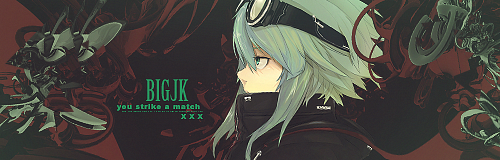
@silverwhirlwind Hm... I think I know what you mean. Definitely room for improvement there qmq I just wanted to let the c4d look like it's merging with here body / head. Seems like it didn't end up that well. Next time I will try to make the transition between face and c4d better! ( •̀ᄇ• ́)ﻭ✧
Feb 4, 2017 1:46 AM
Offline
Jul 2018
561541
@BigJk
I like both of them :D the gradient in the font looks nice, I'm gonna be trying to replicate that :p
Other than that, I think silver has already pointed out most of it. The shade of green is a little... pointy? (Idk what to call it)
Feb 4, 2017 5:21 AM

Offline
Jul 2011
277
@Red_Salmon Thanks :3 The gradient on the font shouldn't be that hard for you to replicate :P Just pick a font with a good amount of surface and then take a lighter shade of one of the main colors for the top and a darker one at the bottom. I also used a shadow to let the text stand out a bit more ;D That's it.
Feb 4, 2017 5:39 AM
Offline
Jul 2018
561541
BigJk said:
@Red_Salmon Thanks :3 The gradient on the font shouldn't be that hard for you to replicate :P Just pick a font with a good amount of surface and then take a lighter shade of one of the main colors for the top and a darker one at the bottom. I also used a shadow to let the text stand out a bit more ;D That's it.


Hmmm! Sounds simple. Gives it a techno/sci-fi feel...
Will give it a whirl :p m almost done with the AWC badges. Also making some pokemon themed badges for the pokemon battles in the other club. Will share soon! :)
Feb 4, 2017 7:13 AM

Offline
Jul 2011
277
@Red_Salmon I will wait! (⌐■_■)
Feb 5, 2017 6:38 PM
Offline
Jul 2018
561541
Well, I was going to ask some thought over some of the edits I did for now... >-< and well I got a Photoshop that worked for advance settings so, I dunno... any thoughts on this?

Feb 5, 2017 8:49 PM

Offline
May 2016
475
@Symphyon Nice and simple. The glow around the render is a bit odd looking, to me it makes the render stand out from the signature too much. Other than that the background is nice, text matches, maybe you could try a gradient or style for it might add some flare.
Feb 9, 2017 4:09 PM

Offline
Jul 2011
277
@silverwhirlwind @Red_Salmon

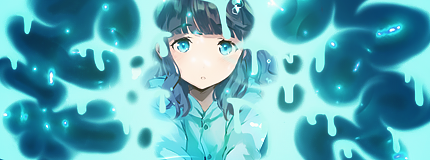
First try @ smudge... Not really happy how the render is worked in but I think I started to understand a bit more about smudge

Feb 9, 2017 6:23 PM

Offline
May 2016
475
@BigJk :O Nice I like the drippy look! did you use just a brush and smudge tool for that?
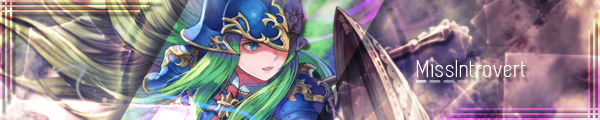
Also Any thought in this? I was trying to do some metaball stuff idk what I think of it. I tried adding text but it was hard to add so I took it out.


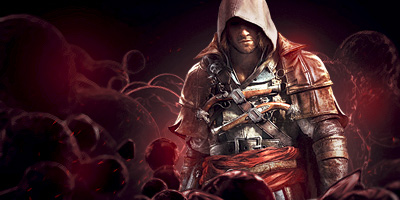
Also I think this one turned out well, it was a request. Thoughts?
MissIntrovertFeb 9, 2017 8:53 PM
Feb 10, 2017 12:03 AM

Offline
Jul 2011
277
@silverwhirlwind I just used a Graphic Tablet and a smudge brush. Everything is smudged and drawn by hand (exept the render ofc) ^-^

I like the first one. Having balls infront and behind the render create a bit of depth which is cool and I can see how adding a text could be a bit tricky :P You could have maybe tried to add a bit more background because of the flat black at the top... looks a lil bit empty, but still good work! :3

Can't say much to the second one. Looks solid :D
BigJkFeb 11, 2017 10:08 AM
Feb 10, 2017 11:04 AM

Offline
May 2016
475
@BigJk I understand what you mean by the flat black part. I don't know what I can do for it though any suggestions? From anyone? Lol do people even read these?
Feb 10, 2017 11:33 AM
Offline
Jul 2018
561541
I just peek in here at times and am left speechless at the skill level of you guys :p I gotta practice more.
Feb 10, 2017 5:15 PM

Offline
May 2016
475
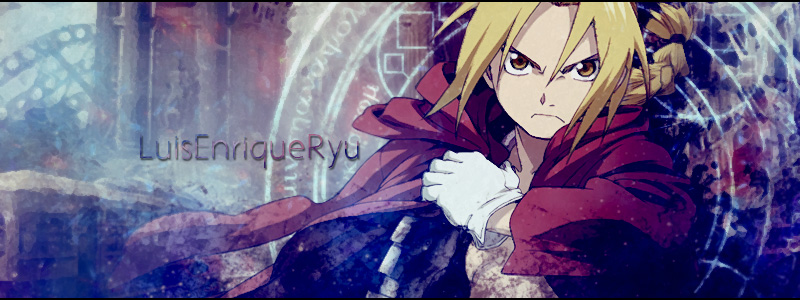
@Red_Salmon Yours look really good too! I usually find some tutorials I like and try to make a graphic using whatever they are teaching. So I just made up the Edward one I used this tutorial. Here are some of the people I recommend and like.

https://www.youtube.com/user/HadesTut0rials/videos
He has some really nice signature tutorials for the darker, more c4dish ones. He's my go to for creativity, I really like his tutorials.

https://www.youtube.com/user/TheGraphicsFlow
Has really nice explinations and fundamentl things. All of his work is very clean cut.

@BigJk This guy has some awesome smudge tutorials if you want to check him out since you are trying to smudge.
https://www.youtube.com/user/Matrix8521/videos
Feb 11, 2017 1:21 AM
Offline
Jul 2018
561541
Roger that senpai :p
Will give em a whirl soon
Feb 11, 2017 3:24 AM

Offline
Jul 2011
277
@Red_Salmon Awww, thanks :3

@silverwhirlwind Thanks :D Already saw his videos, but will give everything a second try now that I'm back at my real pc! :3
Feb 11, 2017 3:33 AM
Offline
Jul 2018
561541
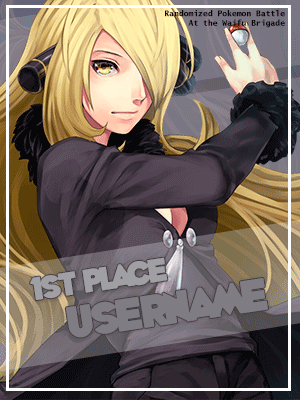
Made this a week ago. Need to improve. Its too bland, I think.


Made another one, will upload tonight.
Feb 11, 2017 4:58 AM

Offline
Jul 2011
277
@Red_Salmon I think this one isn't too bland o: I think it fits the purpose very well and the animation is cool :3 Sometimes less is more!
Feb 11, 2017 8:17 AM
Offline
Jul 2018
561541
Hmmm! Well you're kinda right about that @BigJk
But my only concern was that the sprite does not feel like it's moving (to me at least) Maybe I should've used some movement in the background...


Here's the other one. I couldn't get the font to feel nice :/ maybe I should use that gradient and depth thing you used in your previous work. Btw, these two are my first attempts at GIFs. So any gif related tips will be appreciated.
@silverwhirlwind your input will be greatly appreciated :)
Feb 11, 2017 10:07 AM

Offline
Jul 2011
277
@Red_Salmon Ok, maybe the movement could really be a bit more movement-like.

To the other one: It's quite cool, but the placement of "1 st place" bugs me a little... Maybe it was on purpose but I would have preferred it to be more centered (vertically). I can't give you any tips about gif's because I actually never really worked with animating them myself xD I know how it's done and people create awesome gifs but I don't really like to do them :3

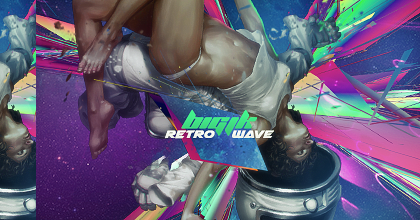
@silverwhirlwind I took a break from Smudging (kinda frustrating even with a graphic tablet Q_Q) and made some basic "abstract" stuff. Not really special but It was fun to do :3

Feb 21, 2017 2:23 AM

Offline
May 2016
475
@BigJk I like the look of it but I have no idea what its supposed to be XD I really like how you got the text to fit like that... it helps my OCD....

I've been working on some requests for people any comments on my progress? ANYONE THERE? XD


Feb 21, 2017 4:44 AM
Offline
Jul 2018
561541
@silverwhirlwind
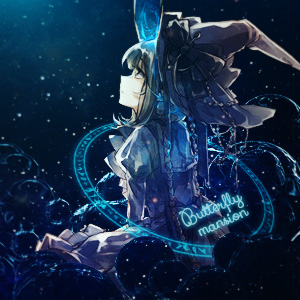
they're all so pretty, but the one for Butterfly mansion is so so great, just, wow. I just adore the combination of a glowing blue on dark background :3
Feb 21, 2017 9:21 AM

Offline
Sep 2015
1112
Damn @silverwhirlwind you've gotten better since the early days. I really like the ICARENOT one.
Feb 21, 2017 9:27 AM

Offline
May 2016
475
Lol thanks guys :P
@moissi I really liked how that one turned out to :D I'm glad others think so too!
I watched a tutorial on metaballs and I have grown to like using them. They help fill blank space and make a picture look more sparkly/ light because of all the cool reflections.

@HecticLeo I really have fun making graphics with gifs but OMG they are so finicky!!!! I mad one for them awhile ago that looked like this but I like the newer one better to :D Are you still making graphics? You had some pretty cool layouts before.
Feb 22, 2017 8:44 AM

Offline
Jul 2011
277
@silverwhirlwind Seems like you got your skills back + some new :P All of the ones you posted look good, but I especially like the Butterfly one. Love the Atmosphere and just looks so good! :3
Feb 22, 2017 12:00 PM
Offline
Jul 2018
561541
I'm new to all this.
Installed GIMP and tried making cards for member in a community I created.
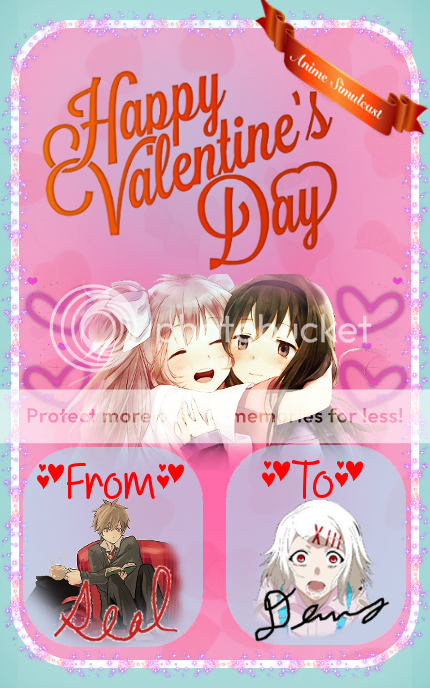
Here's an example:


Also I made a survey before Valentines and some members requested recipients. So I used this template to make cards for them and their friends/parters and sent it out.
I had no idea what I was doing. But it made our members feel happy.
Any critiques would be much appreciated, I'm sure I'm doing this all wrong.
removed-userFeb 22, 2017 12:38 PM
Feb 22, 2017 8:35 PM

Offline
May 2016
475
@BigJk thanks :P I'm really into these metaballs, they just look so good! really nice for shiny magical stuff so when the person requested a magical girl I was like I KNOW WHAT I AM DOING!!!!

@seal308 there are some really good GIMP tutorials out there on youtube! You should watch some to get an idea (thats what I do). And as long as you have fun making graphics I see not problem to showcase what you have done no matter what you think of it you can only get better :)

P.S. You don't have anything in your spoiler so there is nothing for me to critique :(
Feb 22, 2017 10:50 PM
Offline
Jul 2018
561541
silverwhirlwind said:


@seal308 there are some really good GIMP tutorials out there on youtube! You should watch some to get an idea (thats what I do). And as long as you have fun making graphics I see not problem to showcase what you have done no matter what you think of it you can only get better :)

P.S. You don't have anything in your spoiler so there is nothing for me to critique :(


Really? Here's the direct link I used: http://i927.photobucket.com/albums/ad111/seal308/sealToDennis_zps8ffjntcj.png
I just put that in my img tags.
Also I can't seem to log into photobucket, wonder if it's down or something.
Feb 23, 2017 3:21 PM

Offline
May 2016
475
@seal308 idk you can try isitdown.com sometimes that works. I can't pull up your image either so its probably the website u.u

Also make sure you code looks like this if you have a spoiler and image
[spoiler][img]url_here[/img][/spoiler]

It should look like this
Feb 23, 2017 3:31 PM
Offline
Jul 2018
561541
silverwhirlwind said:
@seal308 idk you can try isitdown.com sometimes that works. I can't pull up your image either so its probably the website u.u

Also make sure you code looks like this if you have a spoiler and image
[spoiler][img]url_here[/img][/spoiler]

It should look like this


Yes I did it that way, does the direct link not work? : http://i927.photobucket.com/albums/ad111/seal308/sealToDennis_zps8ffjntcj.png
and "isitdown" says photobucket is up
Feb 23, 2017 3:33 PM

Offline
Jul 2011
277
@seal308 I personally dislike sites like Photobucket... they always want to get the user to visit their website and that's why often it's hard to find the direct link to your pictures that u upload. I can recommend just making an http://imgur.com account and uploading it there, but could also be just my preference :P
Feb 23, 2017 7:31 PM

Offline
May 2016
475
I use imgur as well, free easy upload and easy organizing! As well as short url's so it doesn't make a mess of the code :P
Feb 23, 2017 10:01 PM
Offline
Jul 2018
561541
silverwhirlwind said:
I use imgur as well, free easy upload and easy organizing! As well as short url's so it doesn't make a mess of the code :P


Ok I got an imgur account.
Can you see it now?
Feb 24, 2017 9:31 AM
Offline
Jul 2018
561541
seal308 said:
silverwhirlwind said:
I use imgur as well, free easy upload and easy organizing! As well as short url's so it doesn't make a mess of the code :P


Ok I got an imgur account.
Can you see it now?


I use imgur too. Clean and simple interface :) plus theres a button there to automatically copy bbcode for the image. Sugoi right! :D

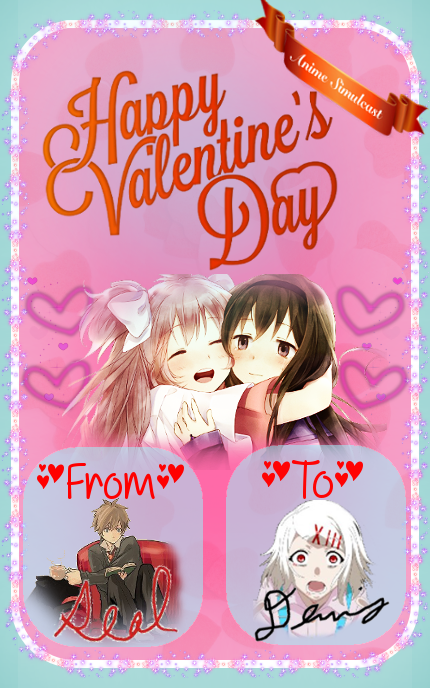
I will premise by saying that don't feel bad about my opinions here. Try improving little by little. So first off the light blue outside the card makes the image look kinda bad (in my opinion) Blue and pink don't really work well together. At least in this shade. The shade used inside works a little better. Setting the bg outside the border to pink or white would fix it.

Secondly, I don't feel that the card looks as one, as a whole. What i mean by that is that the individual parts of the card don't feel like they are connected. Some uniformity is required. Maybe use similar fonts. Or try something else new :) experiment.

Will be looking forward to your post again :)
Feb 24, 2017 9:34 AM
Offline
Jul 2018
561541


I love this *^*
Sugoi!
Feb 24, 2017 4:37 PM
Offline
Jul 2018
561541
[quote=Red_Salmon message=49777269]
seal308 said:
[quote=silverwhirlwind message=49772621

I will premise by saying that don't feel bad about my opinions here. Try improving little by little. So first off the light blue outside the card makes the image look kinda bad (in my opinion) Blue and pink don't really work well together. At least in this shade. The shade used inside works a little better. Setting the bg outside the border to pink or white would fix it.

Secondly, I don't feel that the card looks as one, as a whole. What i mean by that is that the individual parts of the card don't feel like they are connected. Some uniformity is required. Maybe use similar fonts. Or try something else new :) experiment.

Will be looking forward to your post again :)


Woah tell me how you really feel! JK, thx I appreciate the criicism, that's why I'm here.
Would a bright blue work with the pink?
And I know nothing about colours, how do you know which colours work together?

You're right about the card lacking uniformity. I took the "Happy Valentine" title from the net. Changed the color on it a bit.
Feb 24, 2017 5:02 PM
Offline
Jul 2018
561541
Actually I found a great video on color for graphic design: https://www.youtube.com/watch?v=_2LLXnUdUIc

Recently made a website for my group, and one of the "Don'ts" they mention in the video I definely did!.
Feb 24, 2017 10:51 PM
Offline
Jul 2018
561541
seal308 said:
Actually I found a great video on color for graphic design: https://www.youtube.com/watch?v=_2LLXnUdUIc

Recently made a website for my group, and one of the "Don'ts" they mention in the video I definely did!.


Wow, that's a pretty good video man. It covers all the basic concepts of color theory. I used this site to learn about color theory. They have plenty of webpage examples. I don't think there's something extra in there as compared to that video though. You might wanna just skim through.

As I said before... hope to see how your image ends up like :)
Feb 25, 2017 12:02 AM

Offline
May 2016
475
@Red_Salmon
@seal308
Lol i feel so inadequate here.... I ook like 1 art class like 4 years ago and learne da little there and hats it... maybe it's time I just brushed up on my theory???

I usually just take what I think looks good. Most of the time you don't want bright colors that clash too much. Maybe one or two nice bright colors with some more softer dark tones as the background.
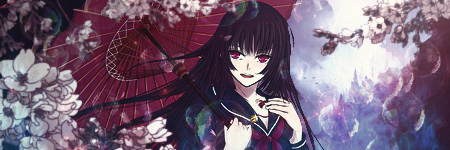
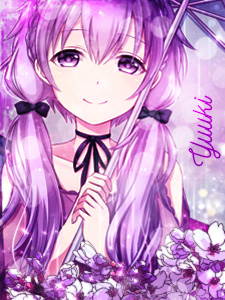
I used pink and blue in this signature request (colors asked for by the requester) but I think it turned out okay.

I think a lot of it comes down to personal preference, But I think it would look cool without the blue background at all and you would have the sparkles like coming out of the card, but if you like what you have then there is no reason for you to change to other peoples preferences :)

P.S. I also really liked that signature but I didn't know what to do for the background So I just tried to match colors but it didn't work very well >.>
Feb 25, 2017 12:38 AM
Offline
Jul 2018
561541
@silverwhirlwind
Experience goes a long way imo. Learning color theory just gives a head start to us beginners :p The color schemes @BigJk uses (i.e. Vibrant green and Red) is an extremely complex mesh. I couldn't have come up with that stuff. Am impressed with it.

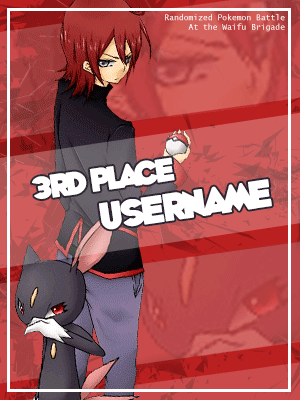
So anyways. Need thoughts on these cards I made today :)

Feb 25, 2017 12:50 AM

Offline
Sep 2015
3411
@Red_Salmon
Everything is good except for the background of the third one.
You should've used a higher quality picture.

I made a new sig feel free to tell me what you guys think :)
TaintedFeb 25, 2017 1:36 AM
Feb 25, 2017 12:51 AM

Offline
May 2016
475
@Red_Salmon I like how you mixed the depth of the stripes, looks good and clean, the only thing is the red render looks a bit too sharp compared to the others, the lines look jaggedy near the pants and the white likes on the hair look like they were over sharpened. One way to fix the edges is to select the render and go to refine edge to soften it out (in the marque tool). Idk about the sharpness of it though whenever I sharpen something I always fade it to about 50% now since I realized the normal sharpen filter sharpens too much

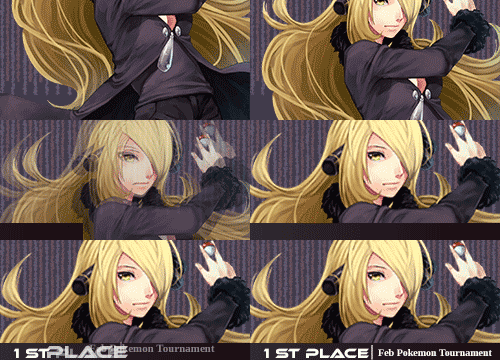
P.S. Really like the 1st one! What can I say I'm a fan of Cynthia and Garchomp
Feb 25, 2017 1:09 AM
Offline
Jul 2018
561541
Tainted said:
@Red_Salmon
Everything is good except for the background of the third one.
You should've used a higher quality picture.

I made a new sig feel free to tell me what you think :)


I had a feeling that'll stand out :p
Is there any way to sharpen the image? or maybe I could add some basic filter. Suggestions?
As for your signature. I love it :D The color scheme is well executed and the character stands out in the image perfectly. *thumbs up* good job! :)

silverwhirlwind said:
@Red_Salmon I like how you mixed the depth of the stripes, looks good and clean, the only thing is the red render looks a bit too sharp compared to the others, the lines look jaggedy near the pants and the white likes on the hair look like they were over sharpened. One way to fix the edges is to select the render and go to refine edge to soften it out (in the marque tool). Idk about the sharpness of it though whenever I sharpen something I always fade it to about 50% now since I realized the normal sharpen filter sharpens too much

P.S. Really like the 1st one! What can I say I'm a fan of Cynthia and Garchomp


Yea! My pal who requested the cards absolutely loves Cynthia too :p She has an aura of elegance around her.
Refine edge ehh? Will give it a try. The pants really do look off now that I look closely >.>
Feb 25, 2017 1:47 AM

Offline
Sep 2015
3411
@Red_Salmon
Sharpening will only make it worse try using blur instead.

Thanks :)
Feb 25, 2017 10:32 AM

Offline
Jul 2011
277
@Red_Salmon You should really try to use a (Gaussian) Blur on the faces that are in the background of the third one ;) Also the edges of the Render looks a bit unclean... but the first 2 are very well done! Good Job :D
Feb 25, 2017 10:37 AM
Offline
Jul 2018
561541
Tainted said:
@Red_Salmon
Sharpening will only make it worse try using blur instead.

Thanks :)
BigJk said:
@Red_Salmon You should really try to use a (Gaussian) Blur on the faces that are in the background of the third one ;) Also the edges of the Render looks a bit unclean... but the first 2 are very well done! Good Job :D

Thanks guys! I will do the blur thing. Will re-post in the morning. Gotta make 2 more cards for this event as well.
Feb 26, 2017 12:40 AM

Offline
May 2016
475
@Tainted Looks good, but he black on the sides are a bit much. There is a lot of empty space there you could fill with like c4ds or something else, I think there's stuff there but I can't really tell for sure. The middle part looks good though, nice and eerie.
Feb 26, 2017 4:56 AM

Offline
Sep 2015
3411
silverwhirlwind said:
@Tainted Looks good, but he black on the sides are a bit much. There is a lot of empty space there you could fill with like c4ds or something else, I think there's stuff there but I can't really tell for sure. The middle part looks good though, nice and eerie.

Yeah, I added some insect legs at the sides to make it look creepy but it looks like I made it too dark.
thanks for telling me :)
Feb 26, 2017 7:15 AM

Offline
Nov 2016
552
Hi! I'd like your opinions on these profile pictures that I made for a friend. There wasn't really much work into it though.


also which blending option looks better? Left is Lighten and Right is Overlay, both at 30%. I'm not sure when to use which and what's the best setting for it.
Feb 26, 2017 7:40 AM

Offline
Jul 2011
277
@RavenSkye I would go with Overlay. Overlay pushes the colors and contrasts a bit more while lighten makes it just lighter (xD) + a bit of a white touch over it... if u know what I mean. So I like overlay in this one more :3
Feb 26, 2017 7:55 AM

Offline
Nov 2016
552
@BigJk Oh. So would it be safe to use overlay as a default at most circumstances? and doesn't lighten blending option go very well exposure, creating a more toned-down color (not sure with that term) or something a bit more flat?
or will it just duplicate the purpose of exposure?

And also I didn't catch the white touch, do people place solid colors above and tweak it?
RavenSkyeFeb 26, 2017 8:00 AM
Reply Disabled for Non-Club Members
Pages (5) « First ... « 2 3 [4] 5 »

More topics from this board

» [Member Card] Red Edition by BigJk [♥] [CLOSED due to lost filies]

BigJk - Jun 19, 2016

42 by BigJk »»
Aug 20, 2017 6:49 AM

Sticky: Poll: » Let's pretend we are social and introduce ourselves! ( 1 2 3 )

MissIntrovert - Jun 15, 2016

130 by SweetMelancholy »»
Aug 20, 2017 3:27 AM

Sticky: » Graphics Help

MissIntrovert - Jun 28, 2016

49 by MissIntrovert »»
Jun 25, 2017 2:21 PM

» Talk about anything and everything! ( 1 2 3 4 )

MissIntrovert - Jun 21, 2016

180 by Rikku »»
Mar 1, 2017 5:52 PM

» Discord Server

HecticLeo - Feb 27, 2017

4 by HecticLeo »»
Feb 28, 2017 12:03 AM
It’s time to ditch the text file.
Keep track of your anime easily by creating your own list.
Sign Up Login