
New
Apr 26, 9:33 AM
#7901

Reply to excuusemee
Hello,
I'm trying to figure out how Valerio_Lyndon got the the Studio tags on their own anime list to have different images? Can't figure out how they managed to get different images for different studio tags.
I'm trying to figure out how Valerio_Lyndon got the the Studio tags on their own anime list to have different images? Can't figure out how they managed to get different images for different studio tags.
| @excuusemee He uses selectors like this. The producer number (11 for example) is on the studio's page Madhouse https://myanimelist.net/anime/producer/11 /* Madhouse */
a[href="/anime/producer/11"] {
background-image: url(https://i.postimg.cc/Jz1CNhsD/1574765748418.png);
background-size: cover;
}
/* Magic Bus */
a[href="/anime/producer/207"] {
background-image: url(https://i.postimg.cc/Jz1CNhsD/1574765748418.png);
background-size: cover;
}
/* Mushi Production */
a[href="/anime/producer/68"] {
background-image: url(https://i.postimg.cc/Jz1CNhsD/1574765748418.png);
background-size: cover;
}
/* MAPPA */
a[href="/anime/producer/569"] {
background-image: url(https://i.postimg.cc/Jz1CNhsD/1574765748418.png);
background-size: cover;
} |
 |
Apr 27, 9:27 AM
#7902
| @keroroslayer I don't know what images were originally uploaded? The wayback machine isnt restoring them. I didn't write those notes and I never used that Russian site, so this isn't my code. Given it's Russian I'm thinking it's Veriti or Hahaido's design. There's a few topbars like this it could be. Let me know if any are familiar. https://myanimelist.net/forum/?topicid=2130239 https://myanimelist.net/forum/?topicid=2130658 |
|
Apr 27, 9:32 AM
#7903
| @keroroslayer Or is it the bar from the bottom of the page here? https://cdn.myanimelist.net/s/common/bbcode/a42f892b-f612-424b-8639-0f00c3b71337?s=0eabaed432c30358d9519b9bf3e1a85f  |
|
Apr 27, 9:44 AM
#7904

Reply to Shishio-kun
@keroroslayer Or is it the bar from the bottom of the page here?
https://cdn.myanimelist.net/s/common/bbcode/a42f892b-f612-424b-8639-0f00c3b71337?s=0eabaed432c30358d9519b9bf3e1a85f
https://cdn.myanimelist.net/s/common/bbcode/a42f892b-f612-424b-8639-0f00c3b71337?s=0eabaed432c30358d9519b9bf3e1a85f
| @Shishio-kun YES , that's it ! Now that i see am also missing top one i.e. "watching" sign. How do i get it ? coz there was this yet non - existent https://myanimelist.net/forum/?goto=post&topicid=412713&id=43817314 btw. that's how i found u "Custom CSS by Veriti. Background edit by Shishio-kun. Google 'Shishio's Custom List'" btw. how to change notification color ? right to bell with certain number of notifi. btw2. my signature list stopped showing current history , would you help out ? |
keroroslayerApr 27, 10:05 AM
 |
Apr 27, 10:22 AM
#7905
Reply to keroroslayer
@Shishio-kun YES , that's it ! Now that i see am also missing top one i.e. "watching" sign. How do i get it ? coz there was this yet non - existent https://myanimelist.net/forum/?goto=post&topicid=412713&id=43817314
btw. that's how i found u "Custom CSS by Veriti. Background edit by Shishio-kun. Google 'Shishio's Custom List'"
btw. how to change notification color ? right to bell with certain number of notifi.
btw2. my signature list stopped showing current history , would you help out ?
btw. that's how i found u "Custom CSS by Veriti. Background edit by Shishio-kun. Google 'Shishio's Custom List'"
btw. how to change notification color ? right to bell with certain number of notifi.
btw2. my signature list stopped showing current history , would you help out ?
| @keroroslayer The notif codes are in here. https://userstyles.world/style/8321/comfortable-dark-mode-easy-to-edit ctrl+F then search "notif" and you can try those codes with w/e colors in a stylus theme you edit. btw they're going to change the notif color back to normal after the Easter event dynamic sigs require manual editing these days. Just use MALsignature if you can its more reliable https://myanimelist.net/forum/?topicid=1909024 There's some way to manually edit the MySignature on the site you're using but I don't remember. I think I went over it in one of the signature or Bbcode videos posted in the stickies. I think it was you have to go to this page for your sig everytime and refresh it then update it on your settings, bouncing between the two signature types and reuploading/refreshing them https://myanimelist.net/signature/keroroslayer.png https://cdn.myanimelist.net/signature/keroroslayer.png |
|
Apr 27, 10:37 AM
#7906
Reply to Shishio-kun
@keroroslayer
The notif codes are in here.
https://userstyles.world/style/8321/comfortable-dark-mode-easy-to-edit
ctrl+F then search "notif" and you can try those codes with w/e colors in a stylus theme you edit. btw they're going to change the notif color back to normal after the Easter event
dynamic sigs require manual editing these days. Just use MALsignature if you can its more reliable
https://myanimelist.net/forum/?topicid=1909024
There's some way to manually edit the MySignature on the site you're using but I don't remember. I think I went over it in one of the signature or Bbcode videos posted in the stickies.
I think it was you have to go to this page for your sig everytime and refresh it then update it on your settings, bouncing between the two signature types and reuploading/refreshing them
https://myanimelist.net/signature/keroroslayer.png
https://cdn.myanimelist.net/signature/keroroslayer.png
The notif codes are in here.
https://userstyles.world/style/8321/comfortable-dark-mode-easy-to-edit
ctrl+F then search "notif" and you can try those codes with w/e colors in a stylus theme you edit. btw they're going to change the notif color back to normal after the Easter event
dynamic sigs require manual editing these days. Just use MALsignature if you can its more reliable
https://myanimelist.net/forum/?topicid=1909024
There's some way to manually edit the MySignature on the site you're using but I don't remember. I think I went over it in one of the signature or Bbcode videos posted in the stickies.
I think it was you have to go to this page for your sig everytime and refresh it then update it on your settings, bouncing between the two signature types and reuploading/refreshing them
https://myanimelist.net/signature/keroroslayer.png
https://cdn.myanimelist.net/signature/keroroslayer.png
| @Shishio-kun you mentioned way back machine , can it retrieve icons for FB , TWITTER , WEBPAGE from my page too ? bout signature , it's a simple code yet it is not changing k. |
| |
Apr 27, 10:44 AM
#7907
Reply to keroroslayer
@Shishio-kun you mentioned way back machine , can it retrieve icons for FB , TWITTER , WEBPAGE from my page too ?
bout signature , it's a simple code yet it is not changing k.
bout signature , it's a simple code yet it is not changing k.
| @keroroslayer keroroslayer said: you mentioned way back machine , can it retrieve icons for FB , TWITTER , WEBPAGE from my page too ? idk, you need to try for yourself, depends on the page and icon. "My page" could be many things keroroslayer said: bout signature , it's a simple code yet it is not changing k. I think you gotta keep switching and updating to this one and back https://myanimelist.net/signature/keroroslayer.png until you find what updates your signature. The link above is more updated than the one in your signature atm. Might need time too, it's why I recommended the MALsig instead |
|
Apr 27, 10:45 AM
#7908
Reply to Shishio-kun
@keroroslayer Or is it the bar from the bottom of the page here?
https://cdn.myanimelist.net/s/common/bbcode/a42f892b-f612-424b-8639-0f00c3b71337?s=0eabaed432c30358d9519b9bf3e1a85f
https://cdn.myanimelist.net/s/common/bbcode/a42f892b-f612-424b-8639-0f00c3b71337?s=0eabaed432c30358d9519b9bf3e1a85f
| @Shishio-kun how bout department "watching" on top and bottom. |
| |
Apr 27, 10:48 AM
#7909
Reply to Shishio-kun
@keroroslayer
idk, you need to try for yourself, depends on the page and icon. "My page" could be many things
I think you gotta keep switching and updating to this one and back
https://myanimelist.net/signature/keroroslayer.png
until you find what updates your signature. The link above is more updated than the one in your signature atm. Might need time too, it's why I recommended the MALsig instead
keroroslayer said:
you mentioned way back machine , can it retrieve icons for FB , TWITTER , WEBPAGE from my page too ?
you mentioned way back machine , can it retrieve icons for FB , TWITTER , WEBPAGE from my page too ?
idk, you need to try for yourself, depends on the page and icon. "My page" could be many things
keroroslayer said:
bout signature , it's a simple code yet it is not changing k.
bout signature , it's a simple code yet it is not changing k.
I think you gotta keep switching and updating to this one and back
https://myanimelist.net/signature/keroroslayer.png
until you find what updates your signature. The link above is more updated than the one in your signature atm. Might need time too, it's why I recommended the MALsig instead
| @Shishio-kun i ment those 3 missing icons on top next to instagram. btw. i updated my sig in settings and it shows new positions each time but only there. |
| |
Apr 27, 11:00 AM
#7910
Reply to keroroslayer
@Shishio-kun i ment those 3 missing icons on top next to instagram.
btw. i updated my sig in settings and it shows new positions each time but only there.
btw. i updated my sig in settings and it shows new positions each time but only there.
| @keroroslayer keroroslayer said: i ment those 3 missing icons on top next to instagram. You need to provide screenshots, links, etc. No idea what you're referring to or what page keroroslayer said: btw. i updated my sig in settings and it shows new positions each time but only there. Yeah, I don't remember exactly how to update it. But it somehow uses those different images iirc. You gotta keep switching and editing until you find what works. keroroslayer said: how bout department "watching" on top and bottom. I don't understand what you mean here Anyways, here's the repaired alpha code! :D The assets are here thanks to probably Valerio_Lyndon for extracting them back in the day https://pastebin.com/raw/41VRynV2 or here /* MAIN BACKGROUND AND FONT SETTINGS*/ body{ background-image: url("https://i.postimg.cc/VkFy04jb/i-imgur-com-496-JTE9.jpg"); background-position: 60% 18%; font-family: 'Segoe UI', 'Century Gothic', sans-serif; font-size: 11px; } /* TOP BAR SETTINGS the numbers in parenthesis change the color and opacity of the bar. Get a color number easily from this page: http://www.css3maker.com/css-3-rgba. Change position to absolute to make the bar not scroll with the page. Change the background image out with the url in parenthesis. */ #mal\_control\_strip { background-color: rgba(1,1,1,.5) !important; background-image: url('') !important; position:fixed; } /* LIST SIZE */ #list_surround{ margin: -25px auto 0; width: 950px; } /* HEADER*/ .table_header { background-color: rgba(0,0,0,0.4); border-color: rgba(255,255,255,0.25); } .table_header, .table_headerLink{ /* Color of the sort links. */ color: #FFF; /* Remove the following line if you want links to be underlined */ text-decoration: none; } .table_headerLink:hover{ /* This configures a light white glow on hovered links */ text-shadow: rgba(255,255,255,0.4) -1px -1px 3px, rgba(255,255,255,0.4) 1px 1px 3px; } /* ROW COLOR */ .td1, .td2{ background-color: rgba(0,0,0,0.6); border-color: rgba(255,255,255,0.25); color: #FFF; } /* This is for the links in the rest of the */ .td1 a, .td2 a{ text-decoration: none; color: #ffc700; } /*List row color on hover*/ tr:hover [class^=td] { background-color: rgba(4, 150, 100, 0.9) !important; } /* Glow effect on link hover. The same text-shadow property */ .td1 a:hover, .td2 a:hover{ text-shadow: #9d9d31 -1px -1px 3px, #9d9d31 1px 1px 3px; } /* OTHER CODES*/ #list_surround td[class^=td]:first-child, #list_surround td[class^=td]:nth-child(n+3), .animetitle{font-weight:bold} .header_title{ background-image: url(https://i.postimg.cc/Rh4WMg9V/i-imgur-com-VIm-NB.png); } .category_totals{ background-color: rgba(0,0,0,0.5); border-color: rgba(255,255,255,0.25); color: #fff; font-weight: bold; text-shadow: orange 1px 1px 2px,cyan -1px -1px 2px; } /* Text displaying global totals */ #grand_totals{ color: #fff; font-size: larger; font-weight: bold; text-shadow: #c51 -1px -1px 3px, #c51 1px 1px 3px, #c51 1px -1px 4px, #c51 -1px 1px 3px; /* The following line makes it ALL-CAPS */ text-transform: uppercase; } #copyright{ background-color: rgba(0,0,0,0.6); border-color: rgba(255,255,255,0.25); } #copyright:after { content: "Custom CSS by Veriti, with edits by Shishio-kun and Al_exs. Google 'Shishio's Custom Lists' for more info."; } #copyright, #copyright a{ color: #FFF; } .status_not_selected a, .status_selected a{ background-image: url('https://i.postimg.cc/vTV0sHYd/i-imgur-com-r-Sgq-F.png'); } /*FIX FOR 2015*/ body{ background-repeat: no-repeat; background-attachment: fixed; background-color: black; background-size: cover; color: #000; -moz-background-size: cover; } /* ---------- LAYOUT ---------- */ /* header & sort links */ .table_header{ border-bottom: 0px !important; border-style: solid; border-width: 1px 1px 0px 0px; padding: 2px; } .table_headerLink{ color: #FFF; text-decoration: none; } .table_headerLink:visited{ color: #FFF; } /* List body content (anime titles) */ .td1, .td2{ border-style: solid; border-width: 1px 1px 0 0; padding: 2px; } /* Highlighting hovered row */ t\d{ -o-transition: background-color .2s linear; -moz-transition: background-color .2s linear; -webkit-transition: background-color .2s linear; transition: background-color .2s linear; } /* Brackets for small text like 'rewatching' or 'airing' */ .td1 small:before, .td2 small:before{ content:'('; } .td1 small:after, .td2 small:after{ content:')'; } /* This makes all text in list body bold except for Edit - More */ #list_surround td[class^='td']:first-child, #list_surround td[class^='td']:nth-child(n +3), .animetitle{font-weight:bold} .borderRBL{ border-width: 1px 1px 0 36px !important; } /* Header image for Currently Watching, Completed, Dropped, etc... */ .header_title{ color: transparent; content: none; height: 60px; margin-bottom: 5px; margin-left: auto; margin-right: auto; margin-top: 25px; width: 520px; } .header_cw di\v{ background-position: 0px 0px; } .header_completed di\v{ background-position: 0px -60px; } .header_onhold di\v{ background-position: 0px -120px; } .header_dropped di\v{ background-position: 0px -240px; } .header_ptw di\v{ background-position: 0px -180px; } /* Block displaying category totals */ .category_totals{ padding-left: 37px !important; padding: 2px; } /* Text displaying global totals */ #grand_totals{ display: block; padding: 5px; text-align: center; } /* Modifying copyright section */ #copyright{ border: 1px solid rgba(255,255,255,0.25); margin-bottom: 40px; padding: 2px; } #copyright a{color: #FFF} #copyright br{display:none} /* ---------- BAR AT BOTTOM ---------- */ /* Setting a position */ #list_surround tab\le:first-of-type { bottom: 0; margin-left: -25px; position: fixed; width: 1000px; z-index: 1 !important; } /* Setting elements to display pure image */ #list_surround tab\le:first-of-type t\d { background-color: transparent; border-width: 0 !important; } .status_not_selected, .status_selected{ border-width: 0 !important; padding: 0 !important; width: auto !important; } .status_not_selected a, .status_selected a{ color: transparent !important; content: none; display: block; height: 30px; width: 150px; } /* Override size for wider parts */ .status_not_selected a[href*="status=1"],.status_selected a[href*="status=1"], .status_not_selected a[href*="status=7"], .status_selected a[href*="status=7"]{ width: 200px; } /* Currently watching */ .status_not_selected a[href*="status=1"]{background-position: 0px 0px} .status_not_selected a[href*="status=1"]:hover{background-position: 0px 30px} .status_not_selected a[href*="status=1"]:active, .status_selected a[href*="status=1"] {background-position: 0px 60px} /* Completed */ .status_not_selected a[href*="status=2"]{background-position: -200px 0px} .status_not_selected a[href*="status=2"]:hover{background-position: -200px 30px} .status_not_selected a[href*="status=2"]:active, .status_selected a[href*="status=2"] {background-position: -200px 60px} /* On Hold */ .status_not_selected a[href*="status=3"]{background-position: -350px 0px} .status_not_selected a[href*="status=3"]:hover{background-position: -350px 30px} .status_not_selected a[href*="status=3"]:active, .status_selected a[href*="status=3"] {background-position: -350px 60px} /* Dropped */ .status_not_selected a[href*="status=4"]{background-position: -500px 0px} .status_not_selected a[href*="status=4"]:hover{background-position: -500px 30px} .status_not_selected a[href*="status=4"]:active, .status_selected a[href*="status=4"] {background-position: -500px 60px} /* Plan to watch */ .status_not_selected a[href*="status=6"]{background-position: -650px 0px} .status_not_selected a[href*="status=6"]:hover{background-position: -650px 30px} .status_not_selected a[href*="status=6"]:active, .status_selected a[href*="status=6"] {background-position: -650px 60px} /* All Anime */ .status_not_selected a[href*="status=7"]{background-position: -800px 0px} .status_not_selected a[href*="status=7"]:hover{background-position: -800px 30px} .status_not_selected a[href*="status=7"]:active, .status_selected a[href*="status=7"] {background-position: -800px 60px} /* OTHER CODES */ #mal\_control\_strip { background-position: bottom !important; top: -16px; height: 1px !important;} #mal\_control\_strip di\v {display:inline} #mal\_cs\_pic img {height: 24px !important; width: auto !important} #mal\_cs\_listinfo { width: 26% !important; height: 0 !important; padding-bottom: 18px !important; padding-top: 27px !important; background: ; position: absolute; top:-5px; border-right-color: rgba(0,0,0,0.8) !important;} #mal\_cs\_listinfo div:first-of-type:before {content:'Logged in as '} #mal\_cs\_listinfo div:last-of-type a {text-decoration: none} #mal\_cs\_listinfo div:last-of-type a:hover {text-decoration: underline} #mal\_cs\_listinfo div:last-of-type:before {font-weight:normal;content:'('} #mal\_cs\_listinfo div:last-of-type:after {font-weight:normal;content:')'} #mal\_cs\_links { width: 92px !important; height: 0 !important; padding-bottom: 20px !important; padding-top: 27px !important; left: 28%; top: -7px; position: absolute; border-right-color: rgba(0,0,0,0.8) !important;} #mal\_cs\_links a { background-image: url(https://i.postimg.cc/d1xJfn1x/i-imgur-com-PAEW4-Q8.png) !important; width:16px;height:16px;content:none; display: inline-block !important;color: transparent !important; letter-spacing: -1ex;font-size:xx-small} #mal\_cs\_links div:first-of-type:after {content: '\a0'} #mal\_cs\_links div:first-of-type a:first-of-type {background-position: 0px 0px} #mal\_cs\_links div:first-of-type a:last-of-type {background-position: -16px 0px} #mal\_cs\_links div:last-of-type a:first-of-type {background-position:-32px 0px} #mal\_cs\_links div:last-of-type a:last-of-type {background-position:-48px 0px} #mal\_cs\_otherlinks strong{ width: 25% !important; height: 0 !important; padding-bottom: 20px !important; padding-top: 27px !important; left:28%; margin-left: 130px; top: -5px; position: absolute; border-right-color: rgba(0,0,0,0.8) !important;} #mal\_cs\_otherlinks div:last-of-type {float:right;padding-right:150px; margin-top: 19px;} #mal\_cs\_otherlinks div:first-of-type {float:left} #mal\_cs\_powered img {display:none} #searchBox {margin-top: 15px !important; width: 135px !important} #mal\_control\_strip img { margin-top: 15px !important; } #mal\_cs\_links a {background-image: url('https://i.postimg.cc/d1xJfn1x/i-imgur-com-PAEW4-Q8.png') !important;} #mal_cs_links { width: 156px !important; padding: 0 1em; } form[action*="logout"] { display: inline; } The images are here in case you need them, including the manga theme https://postimg.cc/gallery/X7XLFrt/ab054fb7 |
|
Apr 27, 11:31 AM
#7911
Reply to keroroslayer
@Shishio-kun i ment those 3 missing icons on top next to instagram.
btw. i updated my sig in settings and it shows new positions each time but only there.
btw. i updated my sig in settings and it shows new positions each time but only there.
| @keroroslayer When I used this for my own sig, it switched to updates from an hour ago  [url=https://myanimelist.net/animelist/keroroslayer&sclick=1][IMG]https://myanimelist.net/signature/keroroslayer.png[/IMG][/url] Notice this is https://myanimelist.net/signature/keroroslayer.png not the usual https://cdn.myanimelist.net/signature/keroroslayer.png So you probably gotta keep regenerating and trying the image (or switching). It's a such a pain tho, its not worth it imo |
Shishio-kunApr 27, 9:07 PM
|
May 1, 9:58 AM
#7912
Reply to Shishio-kun
@keroroslayer
The notif codes are in here.
https://userstyles.world/style/8321/comfortable-dark-mode-easy-to-edit
ctrl+F then search "notif" and you can try those codes with w/e colors in a stylus theme you edit. btw they're going to change the notif color back to normal after the Easter event
dynamic sigs require manual editing these days. Just use MALsignature if you can its more reliable
https://myanimelist.net/forum/?topicid=1909024
There's some way to manually edit the MySignature on the site you're using but I don't remember. I think I went over it in one of the signature or Bbcode videos posted in the stickies.
I think it was you have to go to this page for your sig everytime and refresh it then update it on your settings, bouncing between the two signature types and reuploading/refreshing them
https://myanimelist.net/signature/keroroslayer.png
https://cdn.myanimelist.net/signature/keroroslayer.png
The notif codes are in here.
https://userstyles.world/style/8321/comfortable-dark-mode-easy-to-edit
ctrl+F then search "notif" and you can try those codes with w/e colors in a stylus theme you edit. btw they're going to change the notif color back to normal after the Easter event
dynamic sigs require manual editing these days. Just use MALsignature if you can its more reliable
https://myanimelist.net/forum/?topicid=1909024
There's some way to manually edit the MySignature on the site you're using but I don't remember. I think I went over it in one of the signature or Bbcode videos posted in the stickies.
I think it was you have to go to this page for your sig everytime and refresh it then update it on your settings, bouncing between the two signature types and reuploading/refreshing them
https://myanimelist.net/signature/keroroslayer.png
https://cdn.myanimelist.net/signature/keroroslayer.png
Shishio-kun said: The notif codes are in here. https://userstyles.world/style/8321/comfortable-dark-mode-easy-to-edit ctrl+F then search "notif" and you can try those codes with w/e colors in a stylus theme you edit. btw they're going to change the notif color back to normal after the Easter event um ye was purple now back to blue red huh how to change it yet again ? |
| |
May 1, 10:21 AM
#7913
Reply to keroroslayer
Shishio-kun said:
The notif codes are in here.
https://userstyles.world/style/8321/comfortable-dark-mode-easy-to-edit
ctrl+F then search "notif" and you can try those codes with w/e colors in a stylus theme you edit. btw they're going to change the notif color back to normal after the Easter event
The notif codes are in here.
https://userstyles.world/style/8321/comfortable-dark-mode-easy-to-edit
ctrl+F then search "notif" and you can try those codes with w/e colors in a stylus theme you edit. btw they're going to change the notif color back to normal after the Easter event
um ye was purple now back to blue red huh how to change it yet again ?
| @keroroslayer It was MAL who changed it for the Easter event, but you can adjust it back with this code to what color you want. .page-common .header-notification-button { color: green;} I'd need a notif to see the color for the rung bell but I've turned most of mine off along with non-friend messages/comments as I get too many otherwise. Looking into the code looks like the colors for the bell are in here you'd have to experiment with them .page-common .header-notification-button { color: green;} .page-common .header-notification-button:active,.page-common .header-notification-button:visited { color: #2e51a2 } .page-common .header-notification-button:hover { color: #8ba4de } .page-common .header-notification-button.new,.page-common .header-notification-button.has-unread { color: #2e51a2 } .page-common .header-notification-button.new:hover,.page-common .header-notification-button.has-unread:hover { color: #8ba4de } .page-common .header-notification-button.has-unread { color: #2e51a2 } .page-common .header-notification-button.has-unread:hover { color: #8ba4de } .page-common .header-notification-button.has-unread:after { background-color: #6486df; color: #fff; } .page-common .header-notification-button.new:after { background-color: #df1212; color: #fff } |
Shishio-kunMay 1, 10:28 AM
|
May 2, 10:59 AM
#7914
Reply to Shishio-kun
@keroroslayer
It was MAL who changed it for the Easter event, but you can adjust it back with this code to what color you want.
.page-common .header-notification-button {
color: green;}
I'd need a notif to see the color for the rung bell but I've turned most of mine off along with non-friend messages/comments as I get too many otherwise.
Looking into the code looks like the colors for the bell are in here you'd have to experiment with them
.page-common .header-notification-button {
color: green;}
.page-common .header-notification-button:active,.page-common .header-notification-button:visited {
color: #2e51a2
}
.page-common .header-notification-button:hover {
color: #8ba4de
}
.page-common .header-notification-button.new,.page-common .header-notification-button.has-unread {
color: #2e51a2
}
.page-common .header-notification-button.new:hover,.page-common .header-notification-button.has-unread:hover {
color: #8ba4de
}
.page-common .header-notification-button.has-unread {
color: #2e51a2
}
.page-common .header-notification-button.has-unread:hover {
color: #8ba4de
}
.page-common .header-notification-button.has-unread:after {
background-color: #6486df;
color: #fff;
}
.page-common .header-notification-button.new:after {
background-color: #df1212;
color: #fff
}
It was MAL who changed it for the Easter event, but you can adjust it back with this code to what color you want.
.page-common .header-notification-button {
color: green;}
I'd need a notif to see the color for the rung bell but I've turned most of mine off along with non-friend messages/comments as I get too many otherwise.
Looking into the code looks like the colors for the bell are in here you'd have to experiment with them
.page-common .header-notification-button {
color: green;}
.page-common .header-notification-button:active,.page-common .header-notification-button:visited {
color: #2e51a2
}
.page-common .header-notification-button:hover {
color: #8ba4de
}
.page-common .header-notification-button.new,.page-common .header-notification-button.has-unread {
color: #2e51a2
}
.page-common .header-notification-button.new:hover,.page-common .header-notification-button.has-unread:hover {
color: #8ba4de
}
.page-common .header-notification-button.has-unread {
color: #2e51a2
}
.page-common .header-notification-button.has-unread:hover {
color: #8ba4de
}
.page-common .header-notification-button.has-unread:after {
background-color: #6486df;
color: #fff;
}
.page-common .header-notification-button.new:after {
background-color: #df1212;
color: #fff
}
| @Shishio-kun gonna try them , thx again btw. you know how to set bots on vps for discord ? |
| |
May 2, 12:26 PM
#7915
Reply to keroroslayer
@Shishio-kun gonna try them , thx again btw. you know how to set bots on vps for discord ?
| @keroroslayer Nope! I'm sure any of the discord admins on the site know how to do that. Many aren't tech savy and do it, so it can't be hard. |
|
May 3, 7:54 AM
#7916
Reply to Shishio-kun
@keroroslayer Nope! I'm sure any of the discord admins on the site know how to do that. Many aren't tech savy and do it, so it can't be hard.
| @Shishio-kun they won't help xd asked anywayyy last thing. can i somehow make the notifi count disappear if i click on them to open in new tab ? had 4 - did so yet it just turned them from red to blue. only manually clicking on "mark as read" helps. |
| |
May 3, 10:25 AM
#7917
Reply to keroroslayer
@Shishio-kun they won't help xd asked anywayyy last thing. can i somehow make the notifi count disappear if i click on them to open in new tab ? had 4 - did so yet it just turned them from red to blue. only manually clicking on "mark as read" helps.
| @keroroslayer Not the MAL Discord admins: ppl with discords, there's thousands on this site or you can google for help I did and theres tons of tutorials on Discord bots Yeah thats probably possible using the notif codes and transparent, active codes, etc, learn about it from CSS3 schools and rip the codes from the dark theme I posted earlier |
|
May 3, 1:06 PM
#7918
Reply to Shishio-kun
@keroroslayer Not the MAL Discord admins: ppl with discords, there's thousands on this site or you can google for help I did and theres tons of tutorials on Discord bots
Yeah thats probably possible using the notif codes and transparent, active codes, etc, learn about it from CSS3 schools and rip the codes from the dark theme I posted earlier
Yeah thats probably possible using the notif codes and transparent, active codes, etc, learn about it from CSS3 schools and rip the codes from the dark theme I posted earlier
| @Shishio-kun Yeah thats probably possible using the notif codes and transparent, active codes, etc, learn about it from CSS3 schools and rip the codes from the dark theme I posted earlier i'm to stupid. it's even more stupid to have to click "mark as read" even if you clicked on the notifi already just to get notifi number go 0. |
| |
Sep 18, 12:18 AM
#7919

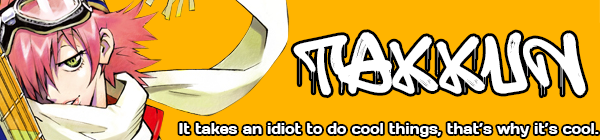
| While this isn't specifically about my list, I was curious if anyone else has encountered an issue with the About Me section of their profile and images being resized? The image I use has been shrunken to a new size, and not even the [img width= height=] edit can revert it back to its full width. It's as if this is the maximum size the image can go. I tried uploading a test image to fit the full width of the column, and it worked fine. Which leads me to believe that there was some update, and now my image is too long to be full sized in my About Me section. The original image is 798x6600. The new image is around 267px in width. Appreciate any insight I can get. |
Sep 19, 4:32 AM
#7920

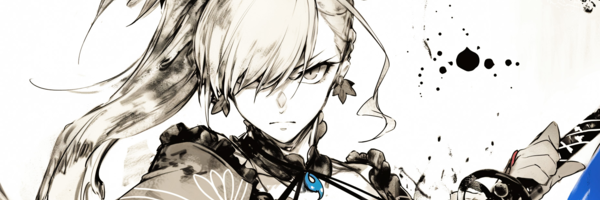
| @Shishio-kun do you know what is going on with Myanimelist reszing 50% of what I have uploaded on my profile. I think it started last day or the day before that. it looks ok on phone but not on computer. 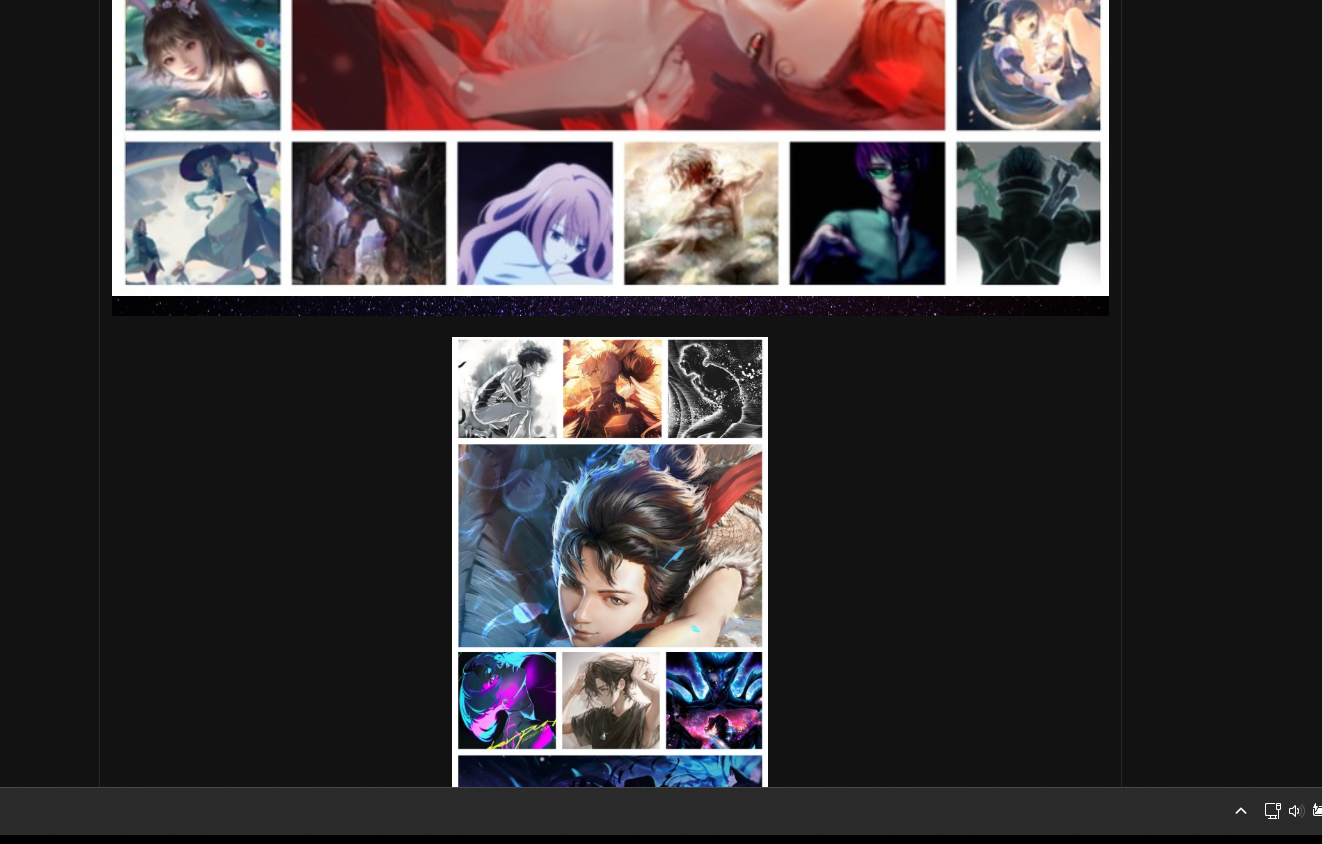 |
 |
Sep 19, 10:11 AM
#7921
| https://myanimelist.net/forum/?topicid=2233364 @Nillwas @takkun_ I've reported here with a temporary solution if you can cut these profile graphics into pieces |
|
Sep 19, 9:54 PM
#7922
Reply to Shishio-kun
https://myanimelist.net/forum/?topicid=2233364
@Nillwas
@takkun_
I've reported here with a temporary solution if you can cut these profile graphics into pieces
@Nillwas
@takkun_
I've reported here with a temporary solution if you can cut these profile graphics into pieces
| @Shishio-kun Appreciate the follow up. I plan on updating the graphic anyway, so the next one I will cut into several pictures. But it sounds as though a fix is on the way too. |
Sep 23, 8:16 AM
#7923
Reply to takkun_
@Shishio-kun Appreciate the follow up. I plan on updating the graphic anyway, so the next one I will cut into several pictures. But it sounds as though a fix is on the way too.
| @takkun_ It's a good thing you made the graphic fire because a lot of ppl probably clicked on the example and it has your name on it 🙏🙂 |
|
Sep 23, 8:46 PM
#7924
Reply to Shishio-kun
@takkun_ It's a good thing you made the graphic fire because a lot of ppl probably clicked on the example and it has your name on it 🙏🙂
| @Shishio-kun Haha, thanks! Means a lot coming from the master of list designs! I've been cooking up a brand new graphic these past few weeks, which is how I ended up discovering this bug. Will likely cut it into multiple pictures just in case. |
Sep 24, 1:50 AM
#7925
Oct 13, 10:21 AM
#7926

| Hello, I've been using a classic layout for over ten years, way before I created this account, that I edited a bit by lurking the club back in the day and restored with Photoshop once things started to break. It still works perfectly well, but my use of window tiling and phones has been increasing, and I noticed that the covers are cut off on smaller screens. Is there a way to work around this without changing the look of the list? Like being able to scroll left or something? I looked around but didn't find any related thread. |
 |
More topics from this board
» [CSS- MODERN] ⭐ Minimal Dashboard layout by 5cm ~ Compact and convenient! ( 1 2 3 )Shishio-kun - Sep 4, 2020 |
133 |
by Shishio-kun
»»
Dec 2, 10:24 AM |
|
» ⭐Ready to be amazed? View the Bunkasai graphic and list design contest (VOTE YOUR FAVES!)Shishio-kun - Nov 22 |
3 |
by Shishio-kun
»»
Nov 28, 9:02 PM |
|
Sticky: » [ BBCODE ] All 2023 BBcodes, Guides, and Templates ( 1 2 )Shishio-kun - Feb 16, 2023 |
65 |
by F124N
»»
Nov 11, 1:31 AM |
|
» ✳️[9-7-24] New even higher quality Cover Imports! + Fixes for Takana Grids and moreShishio-kun - Sep 7, 2024 |
37 |
by Shishio-kun
»»
Oct 30, 4:42 AM |
|
» [CSS - MODERN] ⚡️ Fully-Customizable Layouts (2024 updates!) ( 1 2 3 4 5 ... Last Page )Shishio-kun - Jul 21, 2017 |
388 |
by Shishio-kun
»»
Oct 14, 1:27 PM |