

Forum Settings
Forums
New
Jun 21, 2016 10:40 AM
#1

Offline
May 2016
475
Because we are a graphics club I thought I would make this Feedback thread! We will be able to post graphics, images, ect. here and get feedback from other members. Please make this constrictive criticism, not just "I don't like it" list ways they could improve it.

When you post an image please put it in a spoiler and when you reply tag the user instead of quoting everything. Just a way to keep the thread looking clean also saves space if someone wants to look at the image and review it.
To tag the user just
@copy and paste username here

Here would be the code to add a spoiler if you don't know it
[spoiler][img]image url here[/img][/spoiler]
MissIntrovertJun 24, 2016 10:27 PM
Reply Disabled for Non-Club Members
Pages (5) [1] 2 3 » ... Last »
Jun 21, 2016 10:42 AM
#2

Offline
May 2016
475
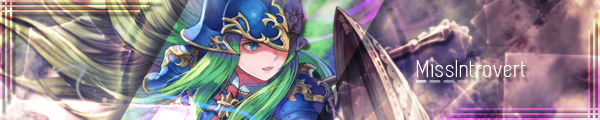
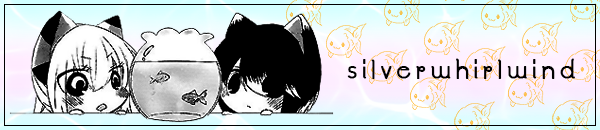
I guess I will go first to start off I just made myself a new welcome banner for my profile and a new signature for forums what do you guys think?

MissIntrovertJun 29, 2016 9:12 AM
Jun 21, 2016 12:22 PM
#3

Offline
Sep 2015
1112
@silverwhirlwind

I think they look good! Nice and simple designs, nothing too showy. They're very cute. The only issue I have is in your signature the font makes the letter "r" look like a "p". You can figure it says "silverwhirl" but now when I look at it I see "silvepwhipl". XD

What about this little graphic I made for my showcase? My showcase will be an area where I just create similar graphics to this to represent my favorite anime. I'm trying to get kind of a poster feel to it and to showcase amazing artwork.

Jun 21, 2016 2:27 PM
#4

Offline
May 2016
475
@HecticLeo not much I can do about that and I really like that font T.T oh well i'll just have to be silverwhiplwind XD

As for your graphic it looks really nice I like the color scheme a lot but there is a lot of blue in it maybe if you switched the background hue to maybe a purpleish? that would make zen's border stand out more. Just a thought :)
Jun 21, 2016 2:57 PM
#5

Offline
May 2016
475
Merged @HecticLeo's Post:
Starting a few days ago I decided to start a little personal project of mine to see how far I can go. Consisting of my favorite anime, and there are a lot of them, I'm going to try my best to showcase the shows that I love. My lovely assistant Serina Nishiyama can guide you to the future showroom or you can just click the button below it, same thing.


@BigJk Replies:
On the first picture I really like that the renders come out of their "boxes", thats a really cool effect, besides that there isn't much to say. Simple but nice design :3

To the second picture... did you scratch the Madoka Image? The proportions look kinda weird o:

@HecticLeo Replies:
I did stretch it but kept the porportion the same. That's just how the original image looked. It is weird to me too but I needed something to look at for now.

@BigJk Replies:
Maybe move from one image to separate render for every character? o:
Jun 21, 2016 3:11 PM
#6

Offline
May 2016
475
@HecticLeo even though you sent me a PM I thought I should put this in here but I made this thread after you sent me the message XD

Lol just keep in mind this is my subjective opinion so if you don't like what I have to say don't take it to heart if you don't care for what I have to say :P

For your 1st picture I really enjoy the background but it almost looks like you took two different smoke pictures and put them side by side. If you can I would try to blend them together more, there is a purpleish spot in the center bottom but closer to the top it looks like they just hit a straight line and split.
The only other thing that bothers me in this one is the right most thumbnail's border. It looks like you put more opacity on it than the others the orange isn't as bright as the other borders, or maybe you used a darker color. I would suggest making it less opaque to match your other borders. (It might just be because its right on top of a bright blue flare thing). It is also sort of hard to read the text in the upper right corner. I don't know what you con do about it but just to let you know.

For the 2nd one There is not much too say about it for me. I think it looks very well put together. The only thing is I haven't seen fate/stay night so is there supposed to be some relation between Rin and Archer? If its made for people who have seen this show before don't worry about it probably. Just know it is a bit confusion for me since I have never seen it.

For the 3rd one I like the pictures you put around the edges but I don't know if I like the lines that you put to connect the information. Maybe if you centered them under/over the picture more without the lines it would look better? Maybe shift some of the outside pictures to accommodate that but I'm just not really a fan of those slanted lines.

Other than those small things I think they look pretty great!
Jun 22, 2016 12:50 AM
#7

Offline
Jul 2011
277
@HecticLeo

You currently really love to make this showcase (window + information) style pictures? :D

and I think they get better from picture to picture :3 Really like how you made the background a bit more interesting with the both Chars blend in into the background. Oh and also the smaller fonts look a bit more readable in comparison to the last ones, which is good ^-^
Jun 22, 2016 1:27 AM
#8

Offline
May 2016
475
I decided to make a profile layout for my profile and I'm stuck and don't know what to add any ideas? Here's what it looks like so far (please ignore the color pallet I forgot to turn it off before uploading it)
Jun 22, 2016 7:12 AM
#9

Offline
Jul 2011
277
- What Anime show are your favorites?
- What Characters are your favorites? (Put pictures of them on there)
- What Type of music you like?
- Any Hobbies besides HP?

That's what I put on my Profile o: Just check other profiles and check what they got on there and let yourself get inspired *^*
Jun 22, 2016 8:39 AM

Offline
Sep 2015
1112
@BigJk

It doesn't take long for me to make one and I'm jist doing it as much as I can for practice. Plus I like how it looks, reminds me of like a museum. But that's not the only thing...

@silverwhirlwind

*heavy breathing*
Jun 22, 2016 8:50 AM

Offline
May 2016
475
lol @HecticLeo what do you think I should add to it? I don't have anymore ideas on what to put in the boxes >.<
Jun 22, 2016 4:58 PM

Offline
May 2016
475
OMG I just finished my first profile layout!!!! (took so long) Its on my profile right now but here is the link:
http://i.imgur.com/NoYDZMy.png

What do you guys think? I don't have much to put on but I tired to make it look full I would love some opinions on this!!! XD
P.S. I'm sorta bummed that it goes below the arrow thing I tried to make it so it wouldn't do that oh well :P

Edit: fixed some spelling errors and re uploaded the link
MissIntrovertJun 23, 2016 11:02 AM
Jun 22, 2016 6:10 PM

Offline
May 2016
7527
@silverwhirlwind It looks good. ^^ I really like the top part with the box 'cause it reminds me of my wallpaper. XD
Jun 22, 2016 7:41 PM

Offline
Sep 2015
1112
@silverwhirlwind

I meant to reply like 6 hours ago but I forgot lol. That layout looks pretty dope, that's what the kids are saying nowadays, I like the anticipated anime list on the left hand side and the colours and textures has a very you vibe to it. The only thing that bugs me is where you put the club's info, the text and the graphic, it feels kind of weird to me like it's cutting off the flow. Hard to explain but I feel like I'm running into a wall.

I would have also done something like the anticipated anime box but with your favorite: anime/character, using he poster images as well. Looks pretty good, big improvements from your powerpoint days.
Jun 23, 2016 4:05 AM

Offline
May 2016
475
@Haru_27 thanks! your profile looks awesome! Are you sure you are a beginner?!
@HecticLeo lol I don't say dope XD just wanted to ask what vibe do I give...?
As for the club portion I didn't really know where to put it except for there because it didn't really fit anywhere else. I thought about doing a favorite character/anime section but I honestly can't decide on them I only put some of them down in my list I wouldn't be able to fit all of them in my profile :P
Jun 23, 2016 4:17 AM

Offline
May 2016
7527
@silverwhirlwind Really? Thanks. I really am, I just started this month. XD
Jun 23, 2016 6:30 AM

Offline
Jul 2011
277
@Haru_27 I also think it's really good. Not the kind of style or colors I like but that's just personal preference. Definitely not thought you only started a month ago o:
Jun 23, 2016 6:59 AM

Offline
May 2016
7527
@BigJk Haha, thanks. ^^ We learned Photoshop 3 years ago but I wasn't interested in it so I forgot everything they taught. XD I think I'm getting the hand of it though. ^^
Jun 23, 2016 8:29 PM

Offline
Sep 2015
1112
Inspired by silvepwhiplwind, I spent a bit of time today and made this. For the first time I am actually quite pleased with how something turned out. Hit me with all the feedback you can get.
Jun 23, 2016 10:29 PM

Offline
May 2016
475
@HecticLeo first of all really you're gonna call me that XD and I inspired someone O.o :D

Onto the feedback, I really like it! The color scheme is nice, I really like the format of that middle blue section, putting the links in was nice the header looks great.
The only thing that I don't get is the random pictures, maybe it would be better as favorite moments or gallery. You don't have to change that just what I think :)
How long did this take you to make? and how dod you cut it up like that to do the links I was going to do that on mine but didn't know how
Jun 23, 2016 10:40 PM

Offline
Sep 2015
1112
@silverwhirlwind

Yah I had that extra space and didn't know what else to put so I just put in some stuff for now while I think about it. Took me about 5 hours. Assuming you used Photoshop, once you've made the entire graphic, use the marquee tool "m" and select the are you want to act as a button. Depending on what your button looks like a bit of the background may have to be part of the button as well because you can't really do much formatting with bbcodes. Hard for me to explain, you need to cut things in half or else your layout will not fit. Anyways once you've selected the area just go to images>crop, save the result then ctrl+alt+z to go back to the full layout, rinse and repeat.

If you get confused you can copy my quote and try moving the images links around to see what happens.
Jun 24, 2016 5:37 AM

Offline
Jul 2011
277
@HecticLeo

If you want to split your layout into Buttons and stuff why not use the slice tool? o: After you sliced your Layout into parts just "Save for Web..." and Photoshop will automatically safe all parts of your layout splittet as you want.

For example my YouTube Video Section:
BigJkJun 24, 2016 5:43 AM
Jun 24, 2016 7:37 AM

Offline
May 2016
475
@BigJk where is the slice tool I've never heard of it before?! It sounds marvelous
Jun 24, 2016 7:57 AM

Offline
Jul 2011
277
@silverwhirlwind The slice tool is what most people use to cut there profile designs :3

In my Photoshop it's located around here:
Jun 24, 2016 8:58 AM

Offline
Sep 2015
1112
@BigJk ooooooooooooooooooooooooo

im gonna go try that.
Jun 24, 2016 9:17 AM

Offline
Jul 2011
277
@HecticLeo XDD

Good luck :3
Jun 24, 2016 3:44 PM

Offline
Sep 2015
1112
Okay so I posted a couple replies earlier but ran into some issues and my image would not format properly in a thread for some reason so you'll have to look at it on my profile.

Anyways, there are 3 spots where the image is too wide but no matter what I do I can't get it all to fit seamlessly. Reducing the width by 1 pixel didn't even work. I sliced up all the parts and made sure the total width of all the slices equals 800 so I have no clue why it's bugging out like that. D:

EDIT: I finally fixed it and my god was that the worst experience ever.
HecticLeoJun 24, 2016 4:14 PM
Jun 25, 2016 2:09 AM

Offline
May 2016
7527
Oh, wow. I didn't know that PS had a slice tool. I used to use Gimp for cutting. XD

Thanks for sharing. ^^
Jun 25, 2016 3:15 AM

Offline
Jul 2011
277
@HecticLeo I don't know what you did, but I never had problems with the slice tool D:
Jun 25, 2016 1:17 PM

Offline
Sep 2015
1112
@BigJk My layout has a width of 800px. So, 3 slices side-by-side, their width added up must equal to 800 right? It would not be possible if the widths were say: 200px, 500px, 250px, correct? Because that would equal a total width of 750.

My issues was 3 of the pieces on the right side were sticking out, meaning they were longer than intended but that doesn't make sense because you can't slice something outside of the canvas. I fixed my issue by lowering the width of the problem pieces by a couple of pixels.


1 Example: This image is actually 798 px wide but it fits seamlessly as opposed to when it was 800px wide.
Jun 25, 2016 5:16 PM

Offline
May 2016
475
@HecticLeo I had that problem too when you told me to crop the parts you can actually still see it on my layout if you look closely but I'm too lazy to fix it but I don't think it should have shifted it either because I made sure to crop to the size of my canvass.
Jun 25, 2016 6:05 PM

Offline
Sep 2015
1112
@silverwhirlwind It was beyond frustrating that I named all the images frustrating_##. Anyways, looks like by reducing a couple pixels on the problem images worked for some reason.
Jun 29, 2016 9:13 AM

Offline
May 2016
475
Decided to change my signature again any feedback on it? (only the best character ever :3)
Jun 29, 2016 10:22 AM

Offline
May 2016
7527
Jun 29, 2016 2:35 PM

Offline
Sep 2015
1112
What do you think? Having read a post about the use of the warp tool to change the perspective I wanted to try it out. I was practicing making the cannon muzzle flash appear more realistic than just a 2D render.


Signature Size (600x150)


@silverwhirlwind Looks good, I like it a lot. Ah, I see "silveR" and "whiRl" now. (• ε •)
My personal preference would be to make the middle stripe all the way across to the right side.
HecticLeoJun 29, 2016 2:40 PM
Jun 29, 2016 2:44 PM

Offline
May 2016
475
@HecticLeo honestly I can't really tell if you make the render look like that or if you found it like that I guess if you don't know you can't really tell o.o but it does look 3dish
Jun 29, 2016 2:50 PM

Offline
Sep 2015
1112
@silverwhirlwind Haha, I don't really know if I did a good job or what.


As you can see the cannons are pointing in a 3 dimensional way so it wouldn't look right if the flash was flat. I tried to curve it and manipulate it to follow the angle of each barrel. The most noticeable one would be the one I circled, it's pretty obvious it's pointing towards us.
Jun 29, 2016 2:58 PM

Offline
May 2016
475
@HecticLeo ohhh I thought you were talking about the cannons themselves not the flashes. Yes the flashes do look nice in the cannons though
Jun 30, 2016 2:13 PM

Offline
Sep 2015
1112
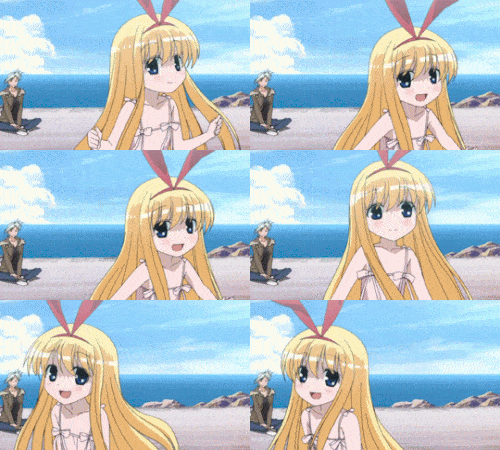
Found this show yesterday and I LOVE IT! Had to do something, extra practice is nice.


@BigJk Does anyone know how I can make the fourth girl's skirt not green? I want to make it all the brown colour. I have absolutely no idea why it's green in the first place.
Jun 30, 2016 2:44 PM

Offline
May 2016
475
@HecticLeo that looks great! I would assume if you wanted to change the skirt color I would select it change it to black and white and change the shadowing a bit so it's not all black, keep it selected and paint it with a brown brush then set the layer to overlay.
BTW which anime is that from?
Jun 30, 2016 2:51 PM

Offline
Sep 2015
1112
@silverwhirlwind Natsuiro Kiseki. Slice of life involving 4 childhood friends and a magical stone that can grant wishes. One of the girls is moving away in a month so they're trying to make it the most memorable summer to remember. I LOVE the green haired girl. She's so energetic and lively, reminds me a lot of Kongo from Kantai.

As for the editing tip, thank you. I will give that a try. I never knew you could do that.
Jun 30, 2016 2:55 PM

Offline
May 2016
475
@HetcicLeo I only know about that because I tried to do a B+W profile image with colored accents once (I ended up making it colored though :P)
also I have seen that but I didn't recognize it >.< my favorite character was the blonde hair girl I remember though
Jun 30, 2016 3:02 PM

Offline
Sep 2015
1112
@silverwhirlwind You and I, we like the good stuff. ;)
Jun 30, 2016 3:38 PM

Offline
Sep 2015
1112
@silverwhirlwind I tried my best.

Jun 30, 2016 3:40 PM

Offline
May 2016
475
@HecticLeo its not green anymore...... was there any way to lighten it up with adjustments before you painted over it?
MissIntrovertJun 30, 2016 3:47 PM
Jun 30, 2016 3:46 PM

Offline
Sep 2015
1112
@silverwhirlwind Might want to check how you're spelling the first part of my name. (• ε •)

I uh, well, I guess there was a way to lighten it but the problem was finding the right shading so everything was an even color. The green part was a light grey and the darker part was a dark grey and it was tough finding a tone that matched. Hard to explain, don't really know what I'm doing. T_T
Jun 30, 2016 3:48 PM

Offline
May 2016
475
@HecticLeo sorry about that XD
maybe if you made the whole thing as light as possible and went in with a black or grey brush then did the brown overlay over it it might help?
Jul 1, 2016 3:07 PM

Offline
May 2016
475
Just tried a bunch of overlays together to see if I could make something cool I'm not sure what I think if it :/ Does it look okay to you guys something about it rubs me the wrong way
Jul 1, 2016 7:25 PM

Offline
Sep 2015
1112
@silverwhirlwind With everything going on in the background the text feels kind of weak. I feel like it blends in with the background too much, doesn't stand out. Also the background just doesn't seem to mesh well with the character. This guy looks pretty scary and the lightning storm in the background suits his characteristic but the colors make it look kind of pretty.
Jul 1, 2016 7:27 PM

Offline
May 2016
475
lol thanks I was just experimenting with overlays. I read somewhere that you text should not stand out too much or it takes away from the picture itself, I was just testing to see if it worked.. XD
Reply Disabled for Non-Club Members
Pages (5) [1] 2 3 » ... Last »

More topics from this board

» [Member Card] Red Edition by BigJk [♥] [CLOSED due to lost filies]

BigJk - Jun 19, 2016

42 by BigJk »»
Aug 20, 2017 6:49 AM

Sticky: Poll: » Let's pretend we are social and introduce ourselves! ( 1 2 3 )

MissIntrovert - Jun 15, 2016

130 by SweetMelancholy »»
Aug 20, 2017 3:27 AM

Sticky: » Graphics Help

MissIntrovert - Jun 28, 2016

49 by MissIntrovert »»
Jun 25, 2017 2:21 PM

» Talk about anything and everything! ( 1 2 3 4 )

MissIntrovert - Jun 21, 2016

180 by Rikku »»
Mar 1, 2017 5:52 PM

» Discord Server

HecticLeo - Feb 27, 2017

4 by HecticLeo »»
Feb 28, 2017 12:03 AM
It’s time to ditch the text file.
Keep track of your anime easily by creating your own list.
Sign Up Login