
New
This topic has been locked and is no longer available for discussion.
Jan 26, 2011 9:29 PM
#3401
RavenEdge said: 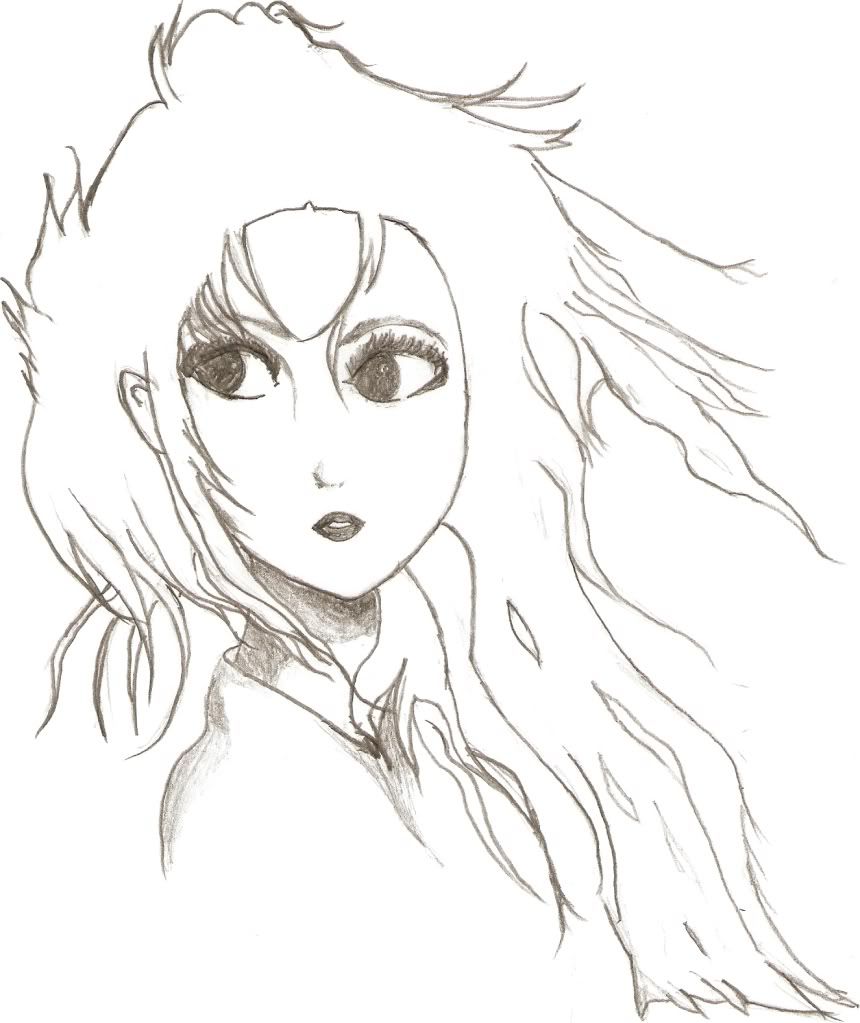 This is not an original drawing. This is a sketch of a character. Unfortunately I have no skill in creating original characters. My skill is still limited to replicating what I see. Cool I hope you keep drawing up! It's kind of surprising how objective you are about your skill level and what you can/can't do. That's a really good trait to have I think, because then you know what you need to study. (Don't forget to use spoiler tags for images ITT btw.) ellette said: Something really boring that took forever?  Yes. I like her nose though. Oh, and I like this one. Something a bit different than what I usually do.  Those are really cute. But then, why would you spend "forever" on something that you think is "boring?" (It's a rhetorical question...bc I do the same thing and knowthatfeel.jpg) |
Jan 26, 2011 10:03 PM
#3402

| @fui @perspective okay, so in photoshop "blending" can refer to two different things. There is color blending, which is done the way perspective described here: perspective said: When mixing colors to blend, however, this is usually done on the same layer by turning on your opacity jitter under transfer settings of the brush menu. Then when you blend with the new color, you use your alt key (eyedropper) to select in-between colors to blend them. And mode blending, which is sort of what he mentioned here: perspective said: You can paint on separate layers and change the blending modes to achieve a particular effect. But it also includes mode blending within a layer with the paintbrush tool, which is what I was trying to describe here: ScrumYummy said: you can use the same blending technique that you would with layers, except with a brush; it's how I got the color effects on his scarf in my picture up there When using blend modes to paint, the paintbrush tool is using the same mathematic formulas that layer mode blending uses, but with the settings and contraints of the brush tool. I don't know if sai can do this. :\ |
Jan 26, 2011 10:17 PM
#3403
| Hm...in SAI the blending I use is the brush tool which sort of mixes the colors together...sort of like a blur tool would I guess. But it looks more like you're blending. You can change the blending properties (how it handles what it's touching) from there. |
Feb 2, 2011 8:29 AM
#3404

I just started drawing a month or two ago so don't be too harsh on me, I started studying human anatomy and now I'm trying to infuse it with manga style to create my own style. This is my third orginal art piece, I use no references when drawing my orginal art. |
 |
Feb 2, 2011 4:06 PM
#3405
ScrumYummy said: @fui @perspective okay, so in photoshop "blending" can refer to two different things. There is color blending, which is done the way perspective described here: perspective said: When mixing colors to blend, however, this is usually done on the same layer by turning on your opacity jitter under transfer settings of the brush menu. Then when you blend with the new color, you use your alt key (eyedropper) to select in-between colors to blend them. And mode blending, which is sort of what he mentioned here: perspective said: You can paint on separate layers and change the blending modes to achieve a particular effect. But it also includes mode blending within a layer with the paintbrush tool, which is what I was trying to describe here: ScrumYummy said: you can use the same blending technique that you would with layers, except with a brush; it's how I got the color effects on his scarf in my picture up there When using blend modes to paint, the paintbrush tool is using the same mathematic formulas that layer mode blending uses, but with the settings and contraints of the brush tool. I don't know if sai can do this. : SAI can blend, otherwise I wouldn't had been able to do this: http://a-hylian-warrior.deviantart.com/#/d38l5b8 It's a single layer apart from the background. |
Feb 3, 2011 2:05 PM
#3406

I was doing gesture drawings for practice and then decided to keep going on this one. It's from the Unlimited Bladeworks Movie. Might look strange because he's interacting with his environment with his elbows propped up on a surface. 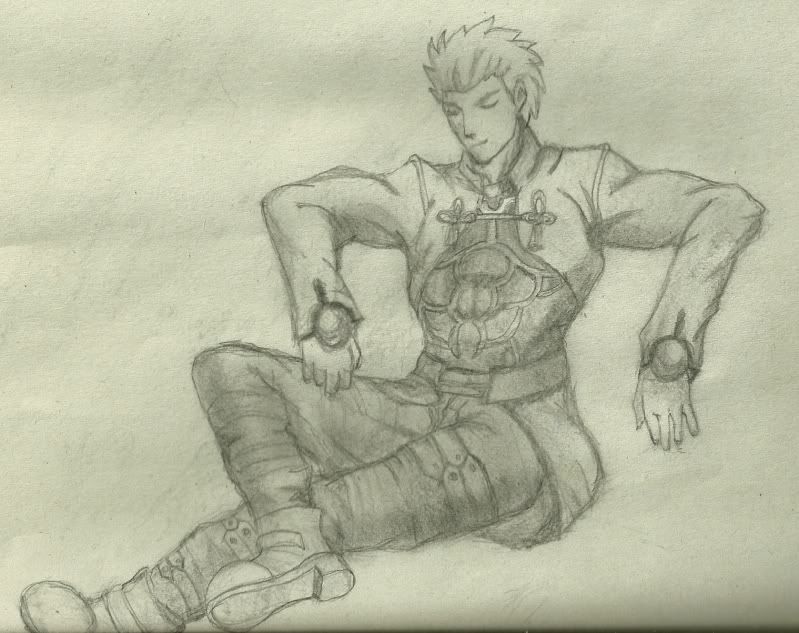 |
perspectiveFeb 3, 2011 2:11 PM
Feb 4, 2011 12:13 PM
#3407
perspective said: I was doing gesture drawings for practice and then decided to keep going on this one. It's from the Unlimited Bladeworks Movie. Might look strange because he's interacting with his environment with his elbows propped up on a surface. Good drawing! There were some little things I noticed, though, that I thought might help you when drawing characters within settings in the future. (Or conversely, drawing characters in settings but without their settings.) 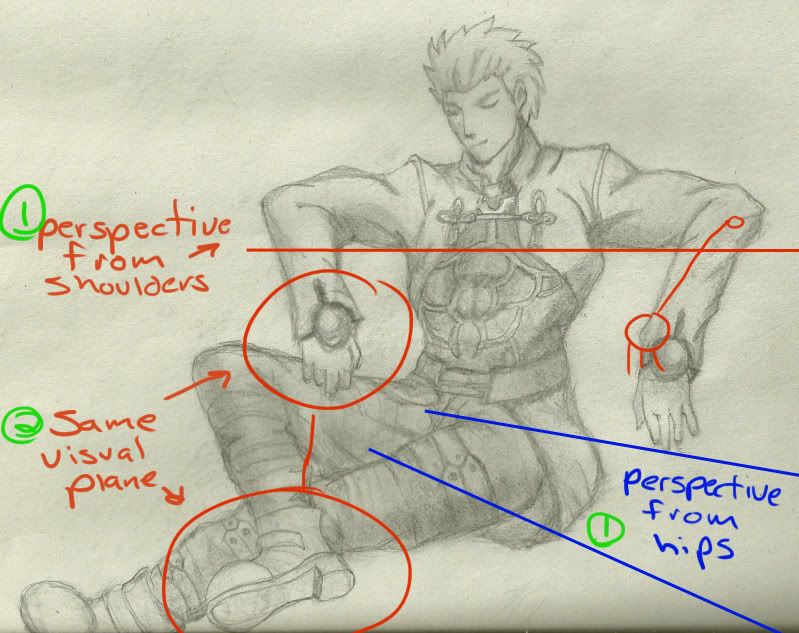 1. There are multiple perspectives at work here; we are looking at his shoulders from the front, while we are looking at his hips/legs from the side. The derp/stick arm I drew in red shows an angle that would be more aligned with the perspective of the hips, but you would also need to draw back the shoulder on the left (character's right). 2. His right hand (our left) is on the same visual plane as his foot, i.e. occupying the same space. Visual plane ties in to perspective, so I think if you study and practice this area it will help you out quite a bit. Here is a very thorough and user-friendly tutorial on perspective/visual plane :D http://fc05.deviantart.net/fs31/f/2008/220/3/e/The_Perspective_Tutorial_by_sashas.png Lastly, I wouldn't be going through all the trouble of giving you this feedback if I didn't think that you had potential. <3 Keep it up. Work work work, draw draw draw. Mogtaki said: ScrumYummy said: @fui @perspective okay, so in photoshop "blending" can refer to two different things. There is color blending, which is done the way perspective described here: perspective said: When mixing colors to blend, however, this is usually done on the same layer by turning on your opacity jitter under transfer settings of the brush menu. Then when you blend with the new color, you use your alt key (eyedropper) to select in-between colors to blend them. And mode blending, which is sort of what he mentioned here: perspective said: You can paint on separate layers and change the blending modes to achieve a particular effect. But it also includes mode blending within a layer with the paintbrush tool, which is what I was trying to describe here: ScrumYummy said: you can use the same blending technique that you would with layers, except with a brush; it's how I got the color effects on his scarf in my picture up there When using blend modes to paint, the paintbrush tool is using the same mathematic formulas that layer mode blending uses, but with the settings and contraints of the brush tool. I don't know if sai can do this. : SAI can blend, otherwise I wouldn't had been able to do this: http://a-hylian-warrior.deviantart.com/#/d38l5b8 It's a single layer apart from the background. smudging =/= blending blend patiently with color-picking and brush tool set at low opacity not with smudge tool *edit* also and for the last time I was talking about layer mode blending NOT COLOR BLENDING friufhefibnfwlerjfnrrrrrgggggggdddssssss. |
Feb 4, 2011 3:25 PM
#3408
| @ScrumYummy: I really appreciate your evaluation. I'm very open minded about criticism of my work because I need it. Advice isn't always free and I thank you for taking your time to give it to me. One thing I'd like to add is that there was some intentional twisting of the torso. I think that I should have emphasized that with some lines to show that.. Would you have some advice on how to do that? I think it's a common problem that I see in figure drawing. Another thing that always gives me trouble is that when I start working with perspective in mind right away, I get very stiff tight drawings that look too shapey. When I start with gesture drawings, I have very loose fluid feeling, but the perspective doesn't always match up. I think it's mostly just lack of experience. I'll keep working on posting stuff and I hope you or anybody else would be kind enough to tell me what I can do to make things better for the next time. |
perspectiveFeb 4, 2011 6:06 PM
Feb 4, 2011 11:25 PM
#3409

| O crap...I missed tis thread...and made my own thread for just one picture...o.O...crap...sorry bout that. Well I guess I'll put it here as well then >.< http://i64.photobucket.com/albums/h200/flashfreak62/CIMG0372.jpg This is my attempt at Yumekui Merry, there are some details missing and I couldn't get her other eye proper so I just hid it under hair xD. This is my first real attempt at drawing so i'm not sure whether it's good or bad...it seems incredibly inferior to a lot of the other art i've seen in this forum though. Q_Q |
LihnFeb 4, 2011 11:38 PM
Feb 5, 2011 4:06 AM
#3410
Some gesture drawings I did earlier tonight.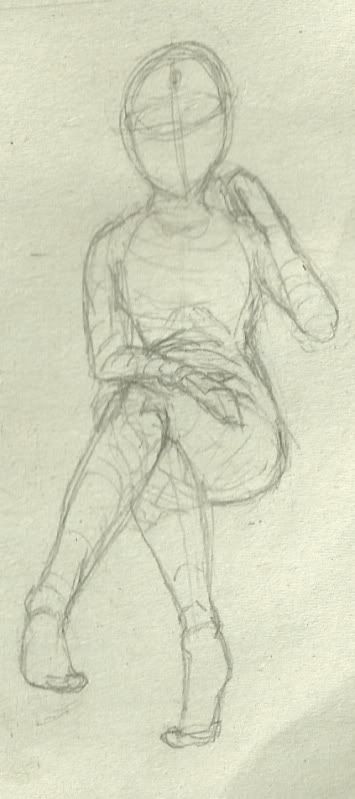  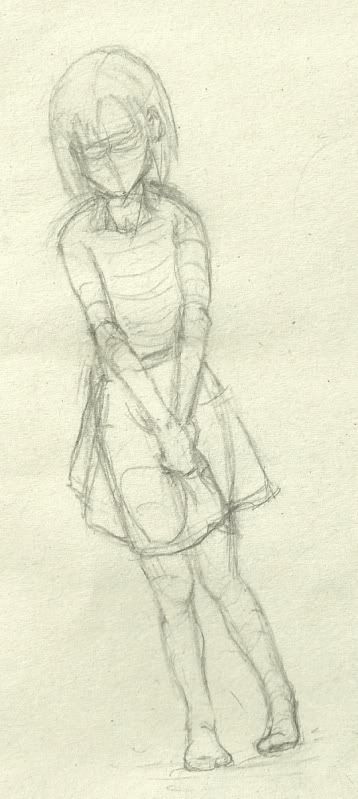 Lihn said: O crap...I missed tis thread...and made my own thread for just one picture...o.O...crap...sorry bout that. Well I guess I'll put it here as well then >.< http://i64.photobucket.com/albums/h200/flashfreak62/CIMG0372.jpg This is my attempt at Yumekui Merry, there are some details missing and I couldn't get her other eye proper so I just hid it under hair xD. This is my first real attempt at drawing so i'm not sure whether it's good or bad...it seems incredibly inferior to a lot of the other art i've seen in this forum though. Q_Q Looks great for a first drawing. A lot of people have a misconception that drawing is something that is innate to us. The word talent is used a lot. But the truth is that drawing can be taught and that you just need to take that first step. I still have a sketch in my sketch book from a year ago or so when I first started the challenge myself to get better. And it makes me cringe every time I look at it! 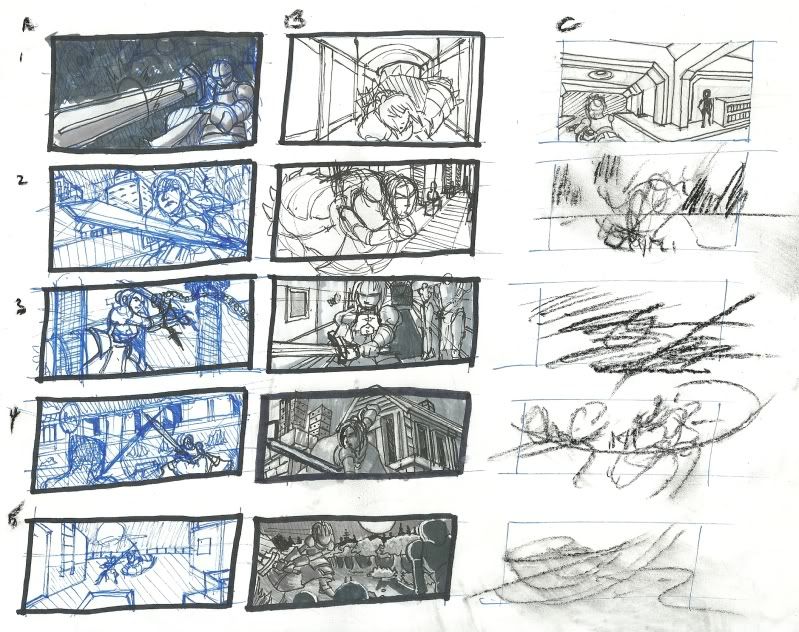 Yeah... well I hope you can laugh at this... I certainly did XD |
Feb 5, 2011 4:51 AM
#3411

Lihn said: http://i64.photobucket.com/albums/h200/flashfreak62/CIMG0372.jpg It looks kinda cute. I like it. It's just that the three horn-like things below make the pic look odd. |


Feb 5, 2011 11:52 AM
#3413
AlexSadist-sama said: Lihn said: http://i64.photobucket.com/albums/h200/flashfreak62/CIMG0372.jpg It looks kinda cute. I like it. It's just that the three horn-like things below make the pic look odd. Thanks! Also my pencil crayons lie to me...so I couldn't tell which were what colours and I only had one sheet of paper...so those horns were me testing the colours xD perspective said: Looks great for a first drawing. A lot of people have a misconception that drawing is something that is innate to us. The word talent is used a lot. But the truth is that drawing can be taught and that you just need to take that first step. I still have a sketch in my sketch book from a year ago or so when I first started the challenge myself to get better. And it makes me cringe every time I look at it! Yeah... well I hope you can laugh at this... I certainly did XD Lol that did make me laugh xD and thanks for the complement ^-^. Your improvement over the course of one year also made me go o.O. If drawing is something that can be improved with practise then i'm excited now! Because I've now realized I can only draw faces...but not bodies xD. Guess I'd better start practising! Do you have any tips for drawing bodies because I hear anatomy is the hardest part of drawing :(. |
Feb 5, 2011 3:17 PM
#3414
Lihn said: l that did make me laugh xD and thanks for the complement ^-^. Your improvement over the course of one year also made me go o.O. If drawing is something that can be improved with practise then i'm excited now! Because I've now realized I can only draw faces...but not bodies xD. Guess I'd better start practising! Do you have any tips for drawing bodies because I hear anatomy is the hardest part of drawing :(. Anatomy is a big chore and an important tool, but I wouldn't say that it is the most significant detail. You might section off a bit of time to learn this while doing other things, but its like when you see people waste their time on rendering (shading) or other detailed work when there are other huge areas that are broken in their drawings. I would say it's more important to have a foundation on perspective. I have tons of books that I've read on the subject, but even now I still struggle with it. It's one of those things that you develop a better sense of with practice. It's not like I have a ruler out when I do figure drawing, but I'm always mindful of how things relate to an eye level. Overlapping is also a related topic that turns out to be very significant to foreshortening. I'd say the most useful tool was learning how to do gesture drawings. It seems like a bunch of useless scribbles at first, but it really is a tool that you should fill sketch books with. Why? Well, a number of reasons: First of all, it's very convenient for making quick 2 min. drawings. You can take your sketch book with you anywhere and start sketching stuff or sketch from TV, Comicbooks, etc. You can't draw something if you don't know how, and you gotta build that visual vocabulary. Second, it controls the flow of the drawing. You use it as a tool to lead the eye through the figure as you're drawing. Feeling the forces, twisting, turning, pulling through the figure as you draw. I use it now in all of my under-drawing work.Third, it really captures the essentials of your drawing without over-emphasis on details. When you do a gesture drawing successfully, someone should be able to look at it and point out a few verbs and/or nouns to describe it. When you do any artwork, your viewer needs this sense of communication with your work that tells them exactly what mean. Gesture drawing is pure expression. Lastly, it's fun and addictive. I could do it all day. One last tool, something that turn of the century great art teacher George Bridgman called wedging. What that is essentially is taking 2D and 3D shapes such as triangles, squares, rectangles, spheres, cylinders, etc to describe form. They are very handy for giving you an easy construction method for developing various forms. You start seeing everything in terms of planes coming together. I see it very evident in other people's work, such as fui who posts a lot of great drawing on here. Also, because you can see the planes, you can easily determine which areas are cast in shadow and which areas are exposed, kind of like when you look at fancy wood moldings. Anyway, this figure drawing thing is a very tall order. Just take it easy and find a lot of good resources to get you through it. I personally recommend you look at Glen Vilppu, who put out a great video series on figure drawing and anatomy. It was some of the best groundbreaking material I've covered. You'll really enjoy it. Good luck! |
Feb 5, 2011 5:19 PM
#3415
perspective said: Lihn said: l that did make me laugh xD and thanks for the complement ^-^. Your improvement over the course of one year also made me go o.O. If drawing is something that can be improved with practise then i'm excited now! Because I've now realized I can only draw faces...but not bodies xD. Guess I'd better start practising! Do you have any tips for drawing bodies because I hear anatomy is the hardest part of drawing :(. Anatomy is a big chore and an important tool, but I wouldn't say that it is the most significant detail. You might section off a bit of time to learn this while doing other things, but its like when you see people waste their time on rendering (shading) or other detailed work when there are other huge areas that are broken in their drawings. I would say it's more important to have a foundation on perspective. I have tons of books that I've read on the subject, but even now I still struggle with it. It's one of those things that you develop a better sense of with practice. It's not like I have a ruler out when I do figure drawing, but I'm always mindful of how things relate to an eye level. Overlapping is also a related topic that turns out to be very significant to foreshortening. I'd say the most useful tool was learning how to do gesture drawings. It seems like a bunch of useless scribbles at first, but it really is a tool that you should fill sketch books with. Why? Well, a number of reasons: First of all, it's very convenient for making quick 2 min. drawings. You can take your sketch book with you anywhere and start sketching stuff or sketch from TV, Comicbooks, etc. You can't draw something if you don't know how, and you gotta build that visual vocabulary. Second, it controls the flow of the drawing. You use it as a tool to lead the eye through the figure as you're drawing. Feeling the forces, twisting, turning, pulling through the figure as you draw. I use it now in all of my under-drawing work.Third, it really captures the essentials of your drawing without over-emphasis on details. When you do a gesture drawing successfully, someone should be able to look at it and point out a few verbs and/or nouns to describe it. When you do any artwork, your viewer needs this sense of communication with your work that tells them exactly what mean. Gesture drawing is pure expression. Lastly, it's fun and addictive. I could do it all day. One last tool, something that turn of the century great art teacher George Bridgman called wedging. What that is essentially is taking 2D and 3D shapes such as triangles, squares, rectangles, spheres, cylinders, etc to describe form. They are very handy for giving you an easy construction method for developing various forms. You start seeing everything in terms of planes coming together. I see it very evident in other people's work, such as fui who posts a lot of great drawing on here. Also, because you can see the planes, you can easily determine which areas are cast in shadow and which areas are exposed, kind of like when you look at fancy wood moldings. Anyway, this figure drawing thing is a very tall order. Just take it easy and find a lot of good resources to get you through it. I personally recommend you look at Glen Vilppu, who put out a great video series on figure drawing and anatomy. It was some of the best groundbreaking material I've covered. You'll really enjoy it. Good luck!  and my current attempt at Touma from To Aru Majutsu no Index xD:  |
Feb 6, 2011 3:16 AM
#3416

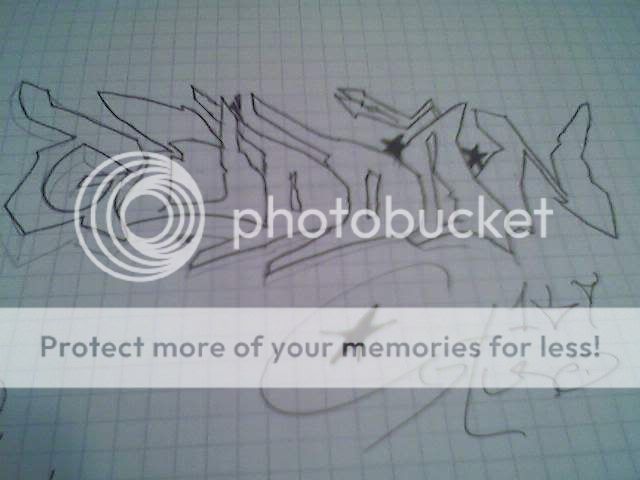
Procrastionation... Was looking at time table and had a pen so... Yeah I know it doesn't look right, anyways it's not my design I drew it from an image I had. |
| Signature removed. Please follow the signature rules, as defined in the Site & Forum Guidelines. |

Feb 6, 2011 4:09 PM
#3418
DoubleDango said: That's amazing! I can't draw anything in pen..I swear I go through erasers faster than I go through chocolate bars! o.OProcrastionation... Was looking at time table and had a pen so... Yeah I know it doesn't look right, anyways it's not my design I drew it from an image I had. |
Feb 7, 2011 4:23 PM
#3419

  |
MarmaladeGirlFeb 10, 2011 2:37 PM
Feb 9, 2011 5:15 PM
#3420
Some more FSN fan art sketches.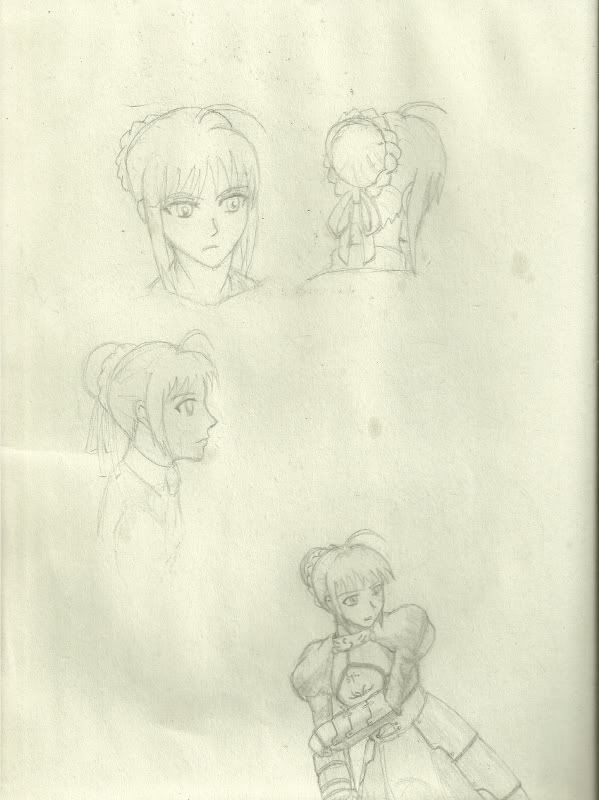 |
Feb 9, 2011 11:37 PM
#3421
perspective said: Some more FSN fan art sketches. The one from front view is good - I like it. Back-view looks alright. I don't quite like the side-view though. The eyes should actually be positioned lower. |
Feb 10, 2011 12:38 AM
#3422
| I hate you people who are so good at drawing... Maybe I should stop hating and get practicing. |
Feb 10, 2011 2:23 AM
#3423
AlexSadist-sama said: perspective said: Some more FSN fan art sketches. The one from front view is good - I like it. Back-view looks alright. I don't quite like the side-view though. The eyes should actually be positioned lower. Thanks for the feedback. I think that helped quite a bit.  |
Feb 12, 2011 3:08 AM
#3424

| Aw everyone draws so pretty as always when I find time to look here~ ...deady's Feito <3 Got nothing to post right now as I have been really lazy for some time and just working for tiny art for certain site and no time for anything personal. ScrumYummy said: On the other hand... Seeing the discussion on blending and photoshop vs sai there, this is normal brush settings options in SAI. Mogtaki said: ScrumYummy said: @fui @perspective okay, so in photoshop "blending" can refer to two different things. There is color blending, which is done the way perspective described here: perspective said: When mixing colors to blend, however, this is usually done on the same layer by turning on your opacity jitter under transfer settings of the brush menu. Then when you blend with the new color, you use your alt key (eyedropper) to select in-between colors to blend them. And mode blending, which is sort of what he mentioned here: perspective said: You can paint on separate layers and change the blending modes to achieve a particular effect. But it also includes mode blending within a layer with the paintbrush tool, which is what I was trying to describe here: ScrumYummy said: you can use the same blending technique that you would with layers, except with a brush; it's how I got the color effects on his scarf in my picture up there When using blend modes to paint, the paintbrush tool is using the same mathematic formulas that layer mode blending uses, but with the settings and contraints of the brush tool. I don't know if sai can do this. : SAI can blend, otherwise I wouldn't had been able to do this: http://a-hylian-warrior.deviantart.com/#/d38l5b8 It's a single layer apart from the background. smudging =/= blending blend patiently with color-picking and brush tool set at low opacity not with smudge tool *edit* also and for the last time I was talking about layer mode blending NOT COLOR BLENDING friufhefibnfwlerjfnrrrrrgggggggdddssssss.  Under the Normal there is also Vivid, Deep and Multiply options for the brush. That's about it for the layer blending modes of brushes though. |
AlwerienFeb 12, 2011 4:31 AM
| Need to make new sig. Soon. Maybe. |
Feb 12, 2011 5:01 AM
#3425
I don't take photos of my drawings in the middle of work.So here is one, I never got into more detail than this, even when I want to. (clickable thumbnail)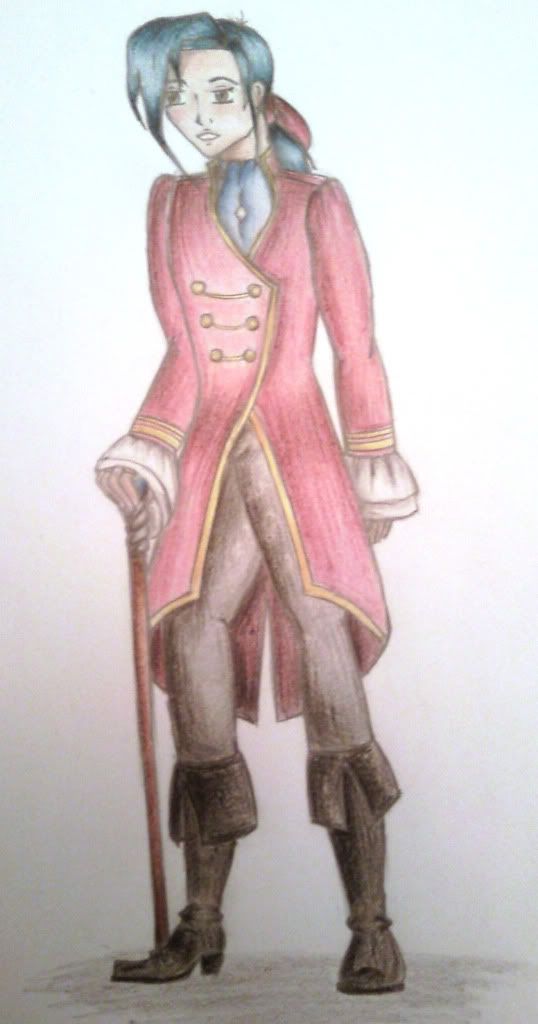 |
| 夜露死苦 http://mochichandiscoversjapan.wordpress.com/ Visit my Japan adventures' blog. =3 |
Feb 13, 2011 8:56 AM
#3426
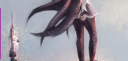
My latest one. A quickie, to show my love for proMarkers... `3´ |
Feb 13, 2011 9:29 PM
#3427

Barbapappa said: My latest one. A quickie, to show my love for proMarkers... `3´ wow i love this! |
     |
Feb 14, 2011 7:50 PM
#3428

| Few sketches I did some time ago. I guess I'd call myself a casual artist, I mainly draw when bored. Please be sure to give feedback, it'll be much appreciated. KY (Guilty Gear)  Ichimura Tetsunosuke (Peacemaker) 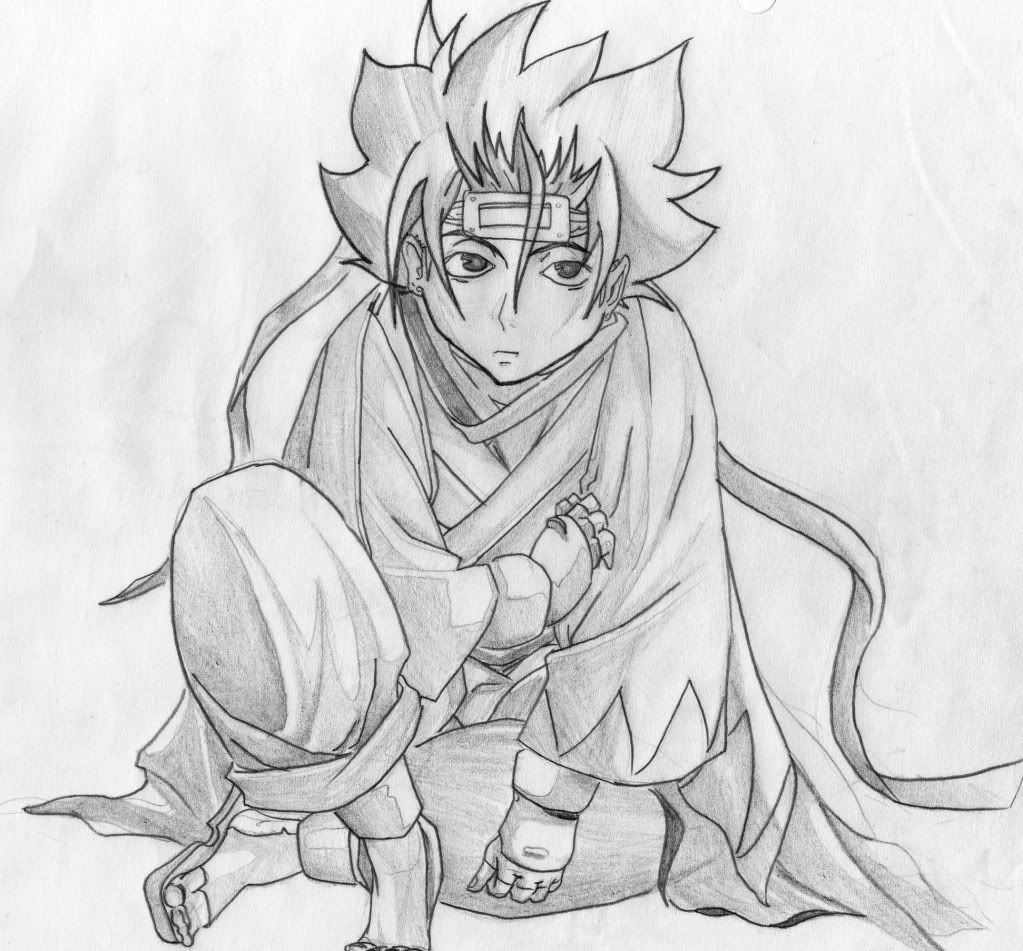 Ulquiorra Schiffer 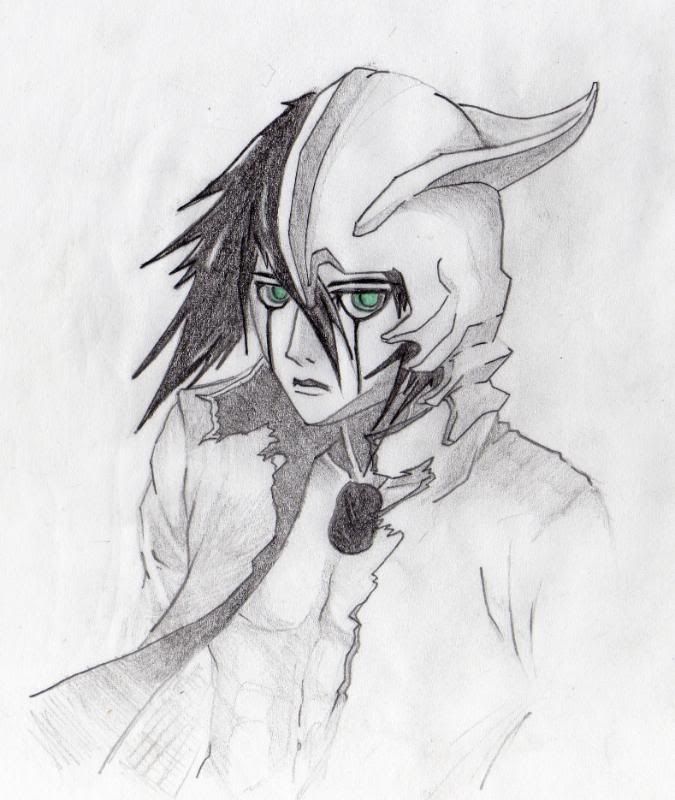 Ichigo with broken Hollow mask 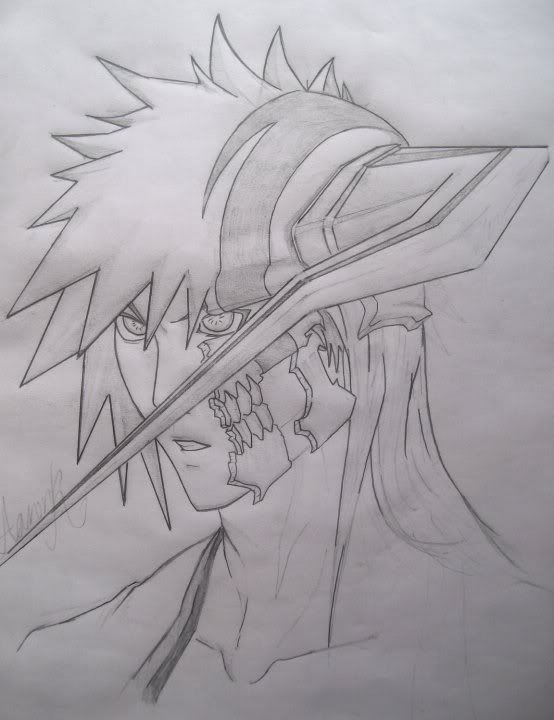 Gunji  Sōsuke Aizen 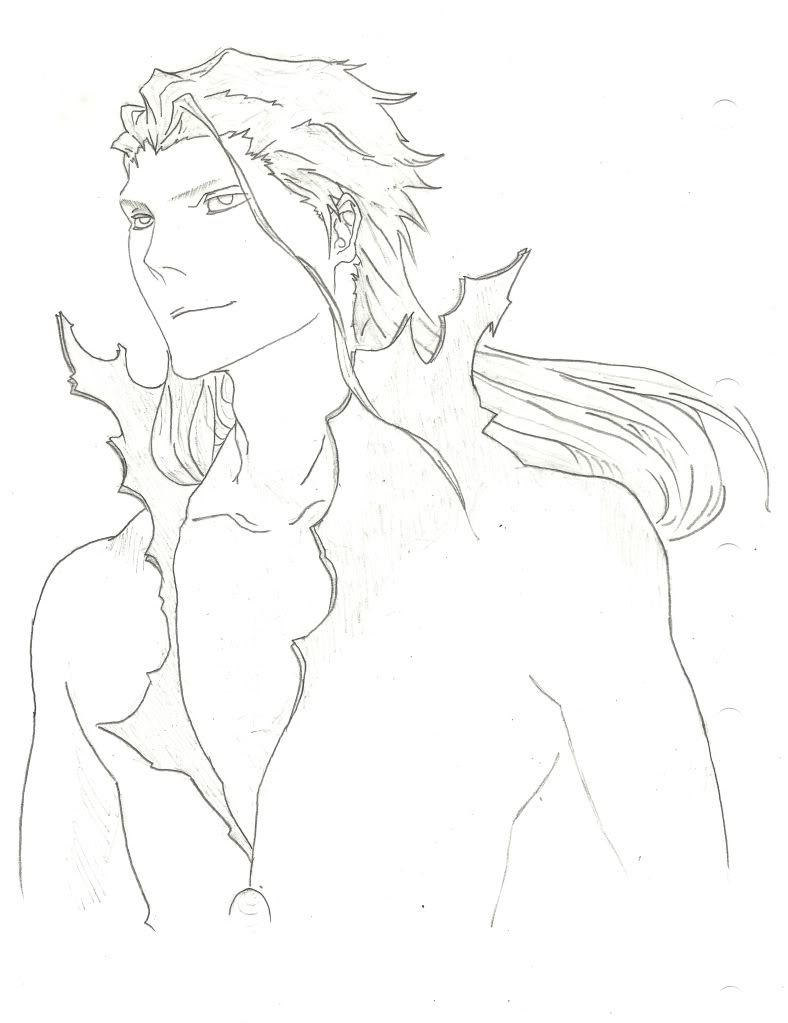 Hiyori Sarugaki 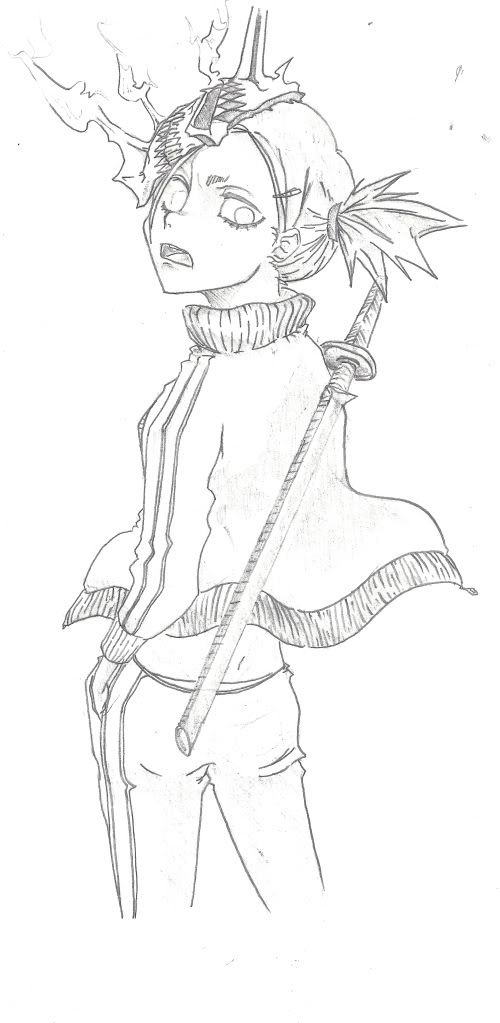 |
KazeshiniFeb 14, 2011 7:53 PM
Feb 14, 2011 8:07 PM
#3429
| @ Kazeshini The best is the Ulquiorra one. The others are just okay- they do resemble the original characters but not that much. The Hiyori one is good though. |
Feb 14, 2011 9:02 PM
#3430
AlexSadist-sama said: @ Kazeshini The best is the Ulquiorra one. The others are just okay- they do resemble the original characters but not that much. The Hiyori one is good though. haha I felt Ulquiorra was the less comparable to the original. I must mention I spent less time with Aizen and Hiyori, that's probably why they look deformed. Thanks for your opinion. I'm working on a few more as we speak ^ ^ |
Feb 14, 2011 11:00 PM
#3431
Wow that's great, I love it |
|
Feb 15, 2011 12:54 AM
#3432


Feb 15, 2011 1:00 AM
#3433
deady_83 said:  this is a draw for some of my e-friend hope each of them will arrived safely ~  Recent drawing will color soon ~ They're all well drawn, especially the drawing on the first paper in the first pic. |
Feb 15, 2011 1:50 AM
#3434

Feb 15, 2011 1:53 PM
#3435
wonderfulc said: wow i love this! thank you! |
Feb 17, 2011 2:02 PM
#3436

I has been a while since I last posted any drawing here, been practicing some aspects of my drawing, I hopefully became better now:- |
 ~Vive La Miémorrina~ Play Lolita Caramel | Admire My Artworks Follow Me On Twitter | Read My Drawing Blog |
Feb 17, 2011 2:31 PM
#3437

Kazeshini said: AlexSadist-sama said: @ Kazeshini The best is the Ulquiorra one. The others are just okay- they do resemble the original characters but not that much. The Hiyori one is good though. haha I felt Ulquiorra was the less comparable to the original. I must mention I spent less time with Aizen and Hiyori, that's probably why they look deformed. Thanks for your opinion. I'm working on a few more as we speak ^ ^ all of them are good imo ^_^ i think i like hiyori the best, i feel like the eyes are off a tad, but that angle is pretty hard to get the eyes perfect. Great detail on all of them, all of the masks are very nicely done. I think i prefer the way you drew ichigo to the way he's actually drawn lately in fact =P |
Feb 17, 2011 2:45 PM
#3438
Kazeshini said: These are a pretty good drawings, I have nothing to say here, I think it would be great if you started to learn more on shading, as it could make your drawings more superior in my humble opinion.Few sketches I did some time ago. I guess I'd call myself a casual artist, I mainly draw when bored. Please be sure to give feedback, it'll be much appreciated. KY (Guilty Gear) Ichimura Tetsunosuke (Peacemaker) Ulquiorra Schiffer Ichigo with broken Hollow mask Gunji Sōsuke Aizen Hiyori Sarugaki |
~Vive La Miémorrina~ Play Lolita Caramel | Admire My Artworks Follow Me On Twitter | Read My Drawing Blog |
Feb 17, 2011 2:50 PM
#3439
Bostonblows said: all of them are good imo ^_^ i think i like hiyori the best, i feel like the eyes are off a tad, but that angle is pretty hard to get the eyes perfect. Great detail on all of them, all of the masks are very nicely done. I think i prefer the way you drew ichigo to the way he's actually drawn lately in fact =P Yeah, I agree. I spent more time adjusting Hiyori's eyes & the masks than anything else. I like my Ichigo version, I felt the image I was copying needed a few adjustments. Thanks for the feedback! ^ ^ SweetMonia said: These are a pretty good drawings, I have nothing to say here, I think it would be great if you started to learn more on shading, as it could make your drawings more superior in my humble opinion. Thanks ^ ^ I've shaded some, but my scanner isn't the best but yeah shading isn't my strong point. though my recent drawings I have shaded in detail. I'll get around to uploading them when completed. thanks for the feedback! |
sakaFeb 17, 2011 9:43 PM
Feb 17, 2011 11:25 PM
#3441
Fui said: Just doodling out some random figures/characters.    Very nice. Ditto on anatomy :) |
Feb 18, 2011 3:04 AM
#3442
| Sketching some pilot :] http://chrononyx.deviantart.com/gallery/?catpath=scraps#/d39sz9m Critique? |
|
Feb 18, 2011 5:13 PM
#3443
st-clouds said: Fui said: Just doodling out some random figures/characters. Very nice. Ditto on anatomy :) Thanks! I sketched a few more today if you're interested.     |
Feb 18, 2011 7:39 PM
#3444
Fui said: Thanks! I sketched a few more today if you're interested. nice sketches, especially the first one. question, what equipment did you use to sketch these? thanks |
Feb 18, 2011 8:54 PM
#3445
Kazeshini said: Fui said: Thanks! I sketched a few more today if you're interested. nice sketches, especially the first one. question, what equipment did you use to sketch these? thanks Thanks - just a mechanical pencil and a marker. |
Feb 19, 2011 12:55 AM
#3446

| I did draw this one maybe a year ago in school. I rarely draw and I'm to uncreative ^^ Ninja Higepiyo ^^  I have a few more drawings, which I'll post maybe later. |
| ''If you cannot be a poet, be the poem.'' - David Carradine Yabas~ |
Feb 19, 2011 2:27 AM
#3447
tahres said: Lol that is one awesome ninja man ^-^ not sure why but I really like it xD |
Feb 20, 2011 3:51 AM
#3448
tahres said: Ninja Higepiyo ^^ That looks funny, lol. |
Feb 20, 2011 2:04 PM
#3449
tahres said: I did draw this one maybe a year ago in school. I rarely draw and I'm to uncreative ^^ Ninja Higepiyo ^^ I have a few more drawings, which I'll post maybe later. Please post some more, I need a good laugh ^ ^ |


This topic has been locked and is no longer available for discussion.
More topics from this board
» Have you ever used a mechanical pencil for drawing?DesuMaiden - Dec 19 |
9 |
by Rndmguypassingby
»»
7 minutes ago |
|
» Did I go over the top with the stamps on my profile?vermerin - Dec 17 |
10 |
by Chipp_Dipp
»»
3 hours ago |
|
» 【 ART THREAD 】Let's share our art! ❤︎ ( 1 2 3 4 5 ... Last Page )mewmewforever - Aug 30, 2024 |
275 |
by waferish
»»
7 hours ago |
|
» I made a 'Cultured' higher or lower gameDuxAlbion - Yesterday |
1 |
by Retro8bit
»»
Yesterday, 5:07 PM |
|
» AI-Powered Anime Recommendations + Stats ( 1 2 )ameo___ - May 23, 2022 |
88 |
by therex55213
»»
Yesterday, 4:15 PM |