
New
Jul 10, 2009 11:41 PM
#241

saka said: Ah, I see. Hm could we use Python for the graphical interface, and just have it output PHP for the signature? I know I could do that in a desktop application, but I'm not sure how exactly I'd make it work on a server.I've already got a decent signature library going, and nice and modular. That's not so hard to do.... It's the interface that's the most difficult to do right (and also the most important). If it's not graphical, I don't think it's worth building. I want a real-time preview, or at least something close. Otherwise, just leave it to GreatS and dygnatus. I could more easily make a script to make 'sliced' signatures graphically and output the needed mal settings and slices. That might be a good leadup project to test the waters. Then at least people wouldn't need to go out and pirate photoshop just for a slice tool. |
 "if the show is good i couldn't care less if hitler directed it and the production values was a banana." - Salsk |
Jul 11, 2009 3:50 PM
#242

| There are ways to use python as cgi, but it's not as well supported. I think php and JQuery or mootools for the interface should work quite nicely. No download hassle, GD calls are nice and simple... and my library is already in php. :-/ |
 I am a banana. |
Jul 12, 2009 12:15 AM
#243

| I'm having problems with my signature, I'm able to use the script and managed to make my signature to update correctly but it doesn't seem to be able to direct/link people to my anime list. So I wanted to know how to fix this, can someone help me please? |
Jul 12, 2009 1:58 AM
#244
| J3T, just copy/paste this bbcode for your forum signature. ;) [center][url=http://myanimelist.net/animelist/J3T&sclick=1][img]http://gr3i.netau.net/sig.php[/img][/url][/center] |
I am a banana. |
Jul 12, 2009 2:34 AM
#245
| Thanks for the help man, I didn't know it was this simple. |
Jul 12, 2009 5:07 PM
#246
saka said: Yeah I'm not THAT big of a Python fan to begin with anyways. Unfortunately I'd really not be much help with this though, I know very little about JQuery.There are ways to use python as cgi, but it's not as well supported. I think php and JQuery or mootools for the interface should work quite nicely. No download hassle, GD calls are nice and simple... and my library is already in php. :-/ |
"if the show is good i couldn't care less if hitler directed it and the production values was a banana." - Salsk |
Jul 19, 2009 6:10 PM
#247
| Thanks so much for this awesome tutorial! :] I was able to make my very first PHP sig: But I have a question. For one of my future sigs, I'm planning to make one where the text is like sideways kinda. So can anyone tell me how to change the angel of the text in your PHP sigs? |
Jul 20, 2009 11:39 AM
#248

iMeasy said: But I have a question. For one of my future sigs, I'm planning to make one where the text is like sideways kinda. So can anyone tell me how to change the angel of the text in your PHP sigs? I think to change the angle go to the imagefttext part, and it's after font size. I just put in 90 and tested it a while ago and it worked. I'm really new at this though... I would post a screenshot if my site wasn't under review. Does anyone know of an alternative to 000webhost? Or should I just make a new account? |
kyroriJul 20, 2009 11:49 AM

Jul 20, 2009 9:09 PM
#249
kyrori said: iMeasy said: But I have a question. For one of my future sigs, I'm planning to make one where the text is like sideways kinda. So can anyone tell me how to change the angel of the text in your PHP sigs? I think to change the angle go to the imagefttext part, and it's after font size. I just put in 90 and tested it a while ago and it worked. I'm really new at this though... I would post a screenshot if my site wasn't under review. Does anyone know of an alternative to 000webhost? Or should I just make a new account? Thank you Thank you Thank you! :3 It worked (took me a while to get the right angel I wanted though) xD |
Jul 22, 2009 12:09 PM
#250

| Anyone know of any webhosts as good as 000webhost? |
Jul 24, 2009 7:30 AM
#251

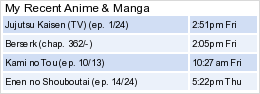
| Thanks for this. Finally got mine working. Will have to customize this when I have the time. :D |
 |
Jul 24, 2009 7:42 AM
#252

canephalanx said: Unfortunately, it's too big. Maximum size of MAL signatures with MAL updates is 140x600 pixels, yours is 550x176. It is nice though and you have another reason to customize it now :)Thanks for this. Finally got mine working. Will have to customize this when I have the time. :D |
kuroshiroiJul 24, 2009 7:46 AM
Jul 24, 2009 10:01 PM
#253
kuroshiroi said: canephalanx said: Unfortunately, it's too big. Maximum size of MAL signatures with MAL updates is 140x600 pixels, yours is 550x176. It is nice though and you have another reason to customize it now :)Thanks for this. Finally got mine working. Will have to customize this when I have the time. :D I see. I'll have to trim that down. Aside from that, how do I make it say "Completed - #/#" It doesn't seem to give me that option. Edit: Never mind, I think I got it working. Just had to edit something in sig.php :D |
canephalanxJul 24, 2009 10:48 PM
| |
Aug 1, 2009 1:14 PM
#254
| Not sure if this was asked yet or not >.< Anyways, I'm working on a new sig, and I have a question. I want my sig to show the anime and manga titles, but not the episode or chapters. And I don't want it to show any "plan to watch" or anything but the anime/manga titles. So can anybody tell me what I need to erase in which file? x--- thanks --- x |
Aug 4, 2009 12:02 AM
#255

| Hey, I'm trying to do a php sig again and I think I got the hang of it but there are a few problems I need help with. Here is what I have so far: 1. I want to change the "@watching 3-12#" to watching 3 of 12 2. How do I limit the number of characters so the lettering stays within my circle. 3. How do I add a foreground image. Thanks |

Aug 4, 2009 12:42 AM
#256
spineslayer said: Hey, I'm trying to do a php sig again and I think I got the hang of it but there are a few problems I need help with. Here is what I have so far: 1. I want to change the "@watching 3-12#" to watching 3 of 12 2. How do I limit the number of characters so the lettering stays within my circle. 3. How do I add a foreground image. Thanks Imma see how I can help xD You will need to open up settings.php for both number 1 and 2. 1. Find the part that says $pre_watch = "@watching";. Change the @watching to whatever you want. So, if you want "watching 3 of 12", put in "watching". Then, for the "of", find $middle_watch = "/"; . Replace "/" with "of". That should work. If you want to get rid of the "#", find $after_watch = "#";. Erase it. 2. Find $cut_titles = "0"; // 1=yes or 0=no $cut_title_after = "12"; // Put "1" for $cut_titles. Then, for $cut_title_after , put the amount of letters you want it to be limited to. 3. I don't know that would. Sorry. >.< |
Aug 4, 2009 12:48 AM
#257
| @iMeasy- Thank you! now I just need to know how to put a foreground image in. |
Aug 4, 2009 12:55 AM
#258
spineslayer said: @iMeasy- Thank you! now I just need to know how to put a foreground image in. Lol. You're welcome. Your sig looks nice btw. And yes, I would like to know how to do the foreground thing too ^^ Now, if only someone will answer my question before yours XD *crosses fingers* |
Aug 4, 2009 1:59 AM
#259

iMeasy said: So you only need the titles, right? I never used v2, but i guess you should just erase the $status parts from image-output.php.Now, if only someone will answer my question before yours XD *crosses fingers* For example: imagefttext($image,14,0,118,48,$colour,$font,$titles[0][0]); - KEEP imagefttext($image,12,0,170,60,$colour,$font,$status[0][0]); - DELETE imagefttext($image,14,0,222,72,$colour,$font,$dates[0][0]); - DELETE spineslayer said: Add this to image_output. php before the line imagepng ($image); now I just need to know how to put a foreground image in. $image2 = ImageCreateFromPng("name_of_file_in_the_same_folder.png"); imagealphablending ($image2,true); imagesavealpha($image2,true); imagecopy ($image,$image2,0,0,0,0,the_width_of_image2,the_height_of_image2); Fill in the name and the width and height of the foreground image. The image file must be in the same folder as image_output.php |

Aug 4, 2009 3:12 AM
#260
| @Kvakond- Thanks a bunch! |
Aug 4, 2009 6:18 PM
#261
Kvakond said: iMeasy said: So you only need the titles, right? I never used v2, but i guess you should just erase the $status parts from image-output.php.Now, if only someone will answer my question before yours XD *crosses fingers* For example: imagefttext($image,14,0,118,48,$colour,$font,$titles[0][0]); - KEEP imagefttext($image,12,0,170,60,$colour,$font,$status[0][0]); - DELETE imagefttext($image,14,0,222,72,$colour,$font,$dates[0][0]); - DELETE Awesome! Thank you thank you! :3 |
Aug 4, 2009 7:18 PM
#262
| You're welcome, I'm glad to help! |
Aug 8, 2009 12:03 AM
#263
| How do you change the opacity levels on the update text and have the text on an angle? |
Aug 8, 2009 12:44 AM
#264
spineslayer said: angle:How do you change the opacity levels on the update text and have the text on an angle? imagefttext($image,14,0,118,48,$colour,$font,$titles[0][0]); - change that 0 to the degree you want, for example: 15 -> 15° Changing the opacity on text is a bit more tricky. The best work-around I can think of is to have a fully transparent image file with the same size as your sig. Add it the same way as the previous "add foreground image" problem, but instead of "imagecopy( )" use: imagefttext($image2,14,0,118,48,$colour,$font,$titles[0][0]); .... - you want to put the update text on the transparent image imagecopymerge($image,$image2,0,0,0,0,the_width_of_image2,the_height_of_image2,50); - in which that last 50 means 50% opacity. At 0, nothing happens; at 100 it acts as imagecopy( ). |
KvakondAug 8, 2009 12:48 AM
Aug 8, 2009 2:45 AM
#265
| Thanks.... I just decided to do the angle because I was already using a foreground image. |
Aug 8, 2009 3:32 AM
#266

| im not going to use v2 as i dont see much difference but id like to know how to get stroke and glow on the updates, it tells u how on some thread in the scripted signatures club but i dont know how to use it with the saka's minimal script replacement thread. |
| Needs more Drill Hair. |
Aug 8, 2009 6:32 AM
#267

LaiLidE said: im not going to use v2 as i dont see much difference but id like to know how to get stroke and glow on the updates, it tells u how on some thread in the scripted signatures club but i dont know how to use it with the saka's minimal script replacement thread. Have you read this already? ^^ http://myanimelist.net/forum/?topicid=104246 |
 |
Aug 8, 2009 9:18 PM
#268
| @_@ too hard to understand, so where do i put all those codes between my updates? |
| Needs more Drill Hair. |
Aug 9, 2009 5:04 AM
#269
| It is just an example code... Give the code of yours where you put the text on your signature, I might be able to help you then |
|
Aug 9, 2009 10:46 PM
#270
| From saka's minimal replacement script. /////////////////////////////////////////////////////////////////////////////////////////// // LET'S START GENERATING THE SIGNATURE IMAGE $sigimage = open_image("signature 8.png"); // load your background image // WRITE THE TEXT ONTO THE IMAGE $font = 'MLSJN.TTF'; // if you use another font, make sure you copy the *.ttf file into the same directory // let's define a font color - the last three arguments are the red, green, and blue values (so 0,0,0 = black and 255,255,255 = white) $colour = imagecolorallocate($sigimage,51,51,204); // draw the text - the template is imagettftext(image, font size, angle, x-pos, y-pos, font color, fontfile, text output) imagettftext($sigimage,16,60,115,135,$colour,$font,$titles[0]); imagettftext($sigimage,12,60,175,80,$colour,$font,$status[0]); // OVERLAY ANOTHER IMAGE over the font and background (optional) //overlay_image("overlay.png"); // finally, let's output our pretty signature image to the browser header("Content-type: image/png"); imagepng($sigimage); @imagepng($sigimage, $cachedpath); // try to save a copy of our signature to the cache location we set earlier |
| Needs more Drill Hair. |
Aug 10, 2009 4:37 AM
#271
| First of all we need to get all the new functions inside the script, to do this you put the following code just behind the <?php. And don't forget to upload the file ,imagettf.adv.php (found in the signature club), to the same directory as the script. require_once("imagettf.adv.php"); After this part of code the script can make use of the functions inside the other file Since text must been put on top of the glow effect, we need to work before the part of the code: imagettftext($sigimage,16,60,115,135,$colour,$font,$titles[0]); imagettftext($sigimage,12,60,175,80,$colour,$font,$status[0]); Now we need some extra variables to set up, since your glow need a start and ending color. $glowStartColor = imagecolorallocate($image, 0, 0, 0); $glowEndColor = imagecolorallocatealpha($image, 255, 255, 255, 127); Notice that I've used a color with alpha(0 is completly visible, 127 is completly invisible), this is because we want to have a fade away glow. We have now set up two colors for the glow. The first is the start color wich is black, the end color is white wich is 100% transperant. Now where we got the colors we can make use of the glow function, here we go: imagettfglow($sigimage,16,60,115,135,$glowStartColor,$font,$titles[0], 5, $glowEndColor); imagettfglow($sigimage,12,60,175,80,$glowStartColor,$font,$status[0], 5, $glowEndColor); First of all we now use the imagettfglow to make a glow. The parameters 1-5,7,8 are the same as at your normal text, where as the $color, wich is the 6th parameter has now been canged to $glowStartColor. The 9th is the size of the glow. You can scale it here pixel precisely wich means that if you say you want 5 pixels glow around the text, you'll get 5 pixels of glow. But don't be careless with this number you put inside here, since the glow is written in php it self, it isn't that fast. Bigger numbers here would have a longer calculation, where as smaller numbers make the calculation faster. The last but not least paramater(the 10th) is the ending color you want to use. We already had defined $glowEndColor as our ending color so we put that in there. The full code that is replacing the normal imagettftext's is this: $glowStartColor = imagecolorallocate($image, 0, 0, 0); $glowEndColor = imagecolorallocatealpha($image, 255, 255, 255, 127); imagettfglow($sigimage,16,60,115,135,$glowStartColor,$font,$titles[0], 5, $glowEndColor); imagettfglow($sigimage,12,60,175,80,$glowStartColor,$font,$status[0], 5, $glowEndColor); imagettftext($sigimage,16,60,115,135,$colour,$font,$titles[0]); imagettftext($sigimage,12,60,175,80,$colour,$font,$status[0]); And just to mention it again, don't forget to import( require_once("imagettf.adv.php") ) the new file at the begin of the script. |
|
Aug 14, 2009 9:07 AM
#272
| How do you have the anime title one color and the number of episodes watched a different color? |
Aug 14, 2009 10:06 AM
#273

| Can some help me here... I trying to create my first scripted sig but i know nothing about php so far I got this: Where the hell is the text? Did mess up the script or something? Here's the script though... <?php /******************************************************************** * saka's minimal signature script - v1.1 * http://myanimelist.net/forum/?topicid=84446 *********************************************************************/ // specify the rss feed you want to use (see the bottom left of your MAL profile page) $user = "finestx"; // YOUR USERNAME $url = "http://myanimelist.net/rss.php?type=rw&u=$user"; // let's configure the cache $cachedpath = "cache/sig.png"; // a temporary copy of your signature will be stored here at the end check_cache(10); // time to cache signature in minutes, comment out this line for testing but put it back afterward! // IMPORTANT: YOUR 'cache' DIRECTORY MUST EXIST AND BE WRITABLE ON THE SERVER!!! (chmod 777 or change file properties using FTP) // * By default, the image only updates at most every ten minutes, but for testing/building your sig you may want to disable the cache by // commenting out the check_cache(...) line above (just add two slashes at the beginning of the line). Once your sig is working how // you'd like, put the cache check back in. I do not recommend leaving the cache disabled or setting it for less than 5 minutes, since // too low a setting can bombard MAL with lots of RSS requests and may also piss off your host. // * You can set your forum signature to use // you can alternatively link to  and have a cronjob visit the php url every few minutes and have a cronjob visit the php url every few minutes/////////////////////////////////////////////////////////////////////////////////////////// // PARSING THE RSS FEED AND EXTRACTING DATA $buffer = file_get_contents("$url"); // download the feed if ( !($buffer) ) die("Could not download RSS feed"); // now we have to sanitize the information we saved to the buffer (no newlines/tabs and replace xml entities) $buffer = strtr($buffer, array("n" => '', "r" => '', "t" => '', '<' => '<', '>'=>'>', '&' => '&', '"' => '"', '''=>"'") ); // these lines just extract the anime title and status information into $titles[] and $status[] arrays, plus other info preg_match_all("/<item><title>([^<]*)</title>/i", $buffer, $titlematches); preg_match_all("/<description>([^<]*) - ([d?]+) of ([d?]+) (episodes?|chapters?)</description>/i", $buffer, $statusmatches); $titles = $titlematches[1]; // $titles is now an array of titles $status = $statusmatches[1]; // $status is now an array of statuses $current = $statusmatches[2]; // $current is now an array of all the current episodes $totals = $statusmatches[3]; // $totals is now an array of all the episode totals // let's go through the whole list and format them how we want for($i = 0; $i < count($titles); $i++) { // FORMAT THE TITLE VALUES // just remove all that junk at the end $titles[$i] = preg_replace('/ - (TV|Movie|ONA|OVA|OAD|Special|Manga|Manhwa|Manhua|Novel|One Shot|Doujin|OEL)$/', '', $titles[$i]); // limit the titles to 25 characters; you can adjust this to your needs $titles[$i] = textlimit($titles[$i],19); // FORMAT THE STATUS VALUES - you can change the format as you like // lets format the strings to look like "watching @ 11/26" for watching, and only show status for the rest if ($status[$i] == "Watching" or $status[$i] == "Rewatching") { $status[$i] = "$status[$i] @ $current[$i]/$totals[$i]"; } else { // "Completed, "Plan to Watch", "Dropped", or "On Hold" $status[$i] = "$status[$i]"; // doesn't do anything as is, but feel free to change it } $status[$i] = strtolower($status[$i]); // make all the statuses lowercase } /////////////////////////////////////////////////////////////////////////////////////////// // LET'S START GENERATING THE SIGNATURE IMAGE $sigimage = open_image("background.png"); // load your background image // WRITE THE TEXT ONTO THE IMAGE $font = '[z] Arista light.ttf'; // if you use another font, make sure you copy the *.ttf file into the same directory // let's define a font color - the last three arguments are the red, green, and blue values (so 0,0,0 = black and 255,255,255 = white) $colour = imagecolorallocate($sigimage,192,170,148); // draw the text - the template is imagettftext(image, font size, angle, x-pos, y-pos, font color, fontfile, text output) imagettftext($sigimage,13,0,59,99,$colour,$font,$titles[0]); imagettftext($sigimage,13,0,301,99,$colour,$font,$status[0]); imagettftext($sigimage,13,0,59,99,$colour,$font,$titles[1]); imagettftext($sigimage,13,0,301,99,$colour,$font,$status[1]); // OVERLAY ANOTHER IMAGE over the font and background (optional) //overlay_image("overlay.png"); // finally, let's output our pretty signature image to the browser header("Content-type: image/png"); imagepng($sigimage); @imagepng($sigimage, $cachedpath); // try to save a copy of our signature to the cache location we set earlier /////////////////////////////////////////////////////////////////////////////////////////// // Don't modify below here... just a few helping functions that can be called in the above code // textlimit($string, $length) takes any $string you pass it and resturns it shortened to $length characters (use it to limit title length) function textlimit($string, $length=25) { return (strlen($string)>$length ? trim( substr($string,0,$length-3) )."..." : $string); } // overlayimage($baseimage,$overlaypath,$x,$y) opens the image at $imagepath and overlays it onto $sigimage at position ($x, $y) // most image types should work, but 24-bit/true color PNG is recommended if you need transparency function overlay_image($overlaypath,$x=0,$y=0) { global $sigimage; $overlay = open_image($overlaypath); // open any image imagecopy($sigimage, $overlay, $x, $y, 0, 0, imagesx($overlay), imagesy($overlay)); // overlay onto our base image @imagedestroy($overlay); // clean up memory, since we don't need the overlay image anymore } // open_image($path) will load an image into memory so we can work with it, and return an error if we fail function open_image($path) { $image = @imagecreatefromstring(file_get_contents($path)); if (!$image) die("could not open image ($path) make sure it exists"); imagealphablending($image,true); imagesavealpha($image,true); // preserve transparency return $image; } // check_cache($minutes) returns a cached image and stops execution if $minutes has not passed since the last update function check_cache($minutes) { global $cachedpath; if (file_exists($cachedpath) and time() - @filemtime($cachedpath) < 60*$minutes) { header("Content-type: image/png"); echo file_get_contents($cachedpath); exit(0); } } ?> |
 |
Aug 14, 2009 10:26 AM
#274
| FinestX, I can't see the sig with the spoiler tag on it .___. So, maybe if you remove it, then I can see. As for the script, I don't think there's anything wrong with it. But, the script is a lot different from mines, so it's kinda hard to tell. But just one thing, does the font title have that '[z]' in there? |
Aug 14, 2009 8:36 PM
#275
CharisMagic said: FinestX, I can't see the sig with the spoiler tag on it .___. So, maybe if you remove it, then I can see. As for the script, I don't think there's anything wrong with it. But, the script is a lot different from mines, so it's kinda hard to tell. But just one thing, does the font title have that '[z]' in there? Weird... Can you see it now? And yeah the font file is called "[z] Arista light.ttf". Also... Does anybody know why my files redirect to error.000webhost.com? It's getting annoying... I tried making another account but I keep getting the same stupid error page? |
|
Aug 14, 2009 8:48 PM
#276
FinestX said: CharisMagic said: FinestX, I can't see the sig with the spoiler tag on it .___. So, maybe if you remove it, then I can see. As for the script, I don't think there's anything wrong with it. But, the script is a lot different from mines, so it's kinda hard to tell. But just one thing, does the font title have that '[z]' in there? Weird... Can you see it now? And yeah the font file is called "[z] Arista light.ttf". Also... Does anybody know why my files redirect to error.000webhost.com? It's getting annoying... I tried making another account but I keep getting the same stupid error page? Are you uploading in public_html? I don't think you're supposed to upload files in the same folder thing that contains the "DO NOT UPLOAD HERE" file. I had the same problem until I uploaded the files into public_html. |
Aug 14, 2009 8:55 PM
#277
kyrori said: FinestX said: CharisMagic said: FinestX, I can't see the sig with the spoiler tag on it .___. So, maybe if you remove it, then I can see. As for the script, I don't think there's anything wrong with it. But, the script is a lot different from mines, so it's kinda hard to tell. But just one thing, does the font title have that '[z]' in there? Weird... Can you see it now? And yeah the font file is called "[z] Arista light.ttf". Also... Does anybody know why my files redirect to error.000webhost.com? It's getting annoying... I tried making another account but I keep getting the same stupid error page? Are you uploading in public_html? I don't think you're supposed to upload files in the same folder thing that contains the "DO NOT UPLOAD HERE" file. I had the same problem until I uploaded the files into public_html. No, I actually made another folder just for the sig and script. Here's the link though: http://finestx.net16.net/V1/sig.php |
|
Aug 14, 2009 8:58 PM
#278
FinestX said: kyrori said: FinestX said: CharisMagic said: FinestX, I can't see the sig with the spoiler tag on it .___. So, maybe if you remove it, then I can see. As for the script, I don't think there's anything wrong with it. But, the script is a lot different from mines, so it's kinda hard to tell. But just one thing, does the font title have that '[z]' in there? Weird... Can you see it now? And yeah the font file is called "[z] Arista light.ttf". Also... Does anybody know why my files redirect to error.000webhost.com? It's getting annoying... I tried making another account but I keep getting the same stupid error page? Are you uploading in public_html? I don't think you're supposed to upload files in the same folder thing that contains the "DO NOT UPLOAD HERE" file. I had the same problem until I uploaded the files into public_html. No, I actually made another folder just for the sig and script. Here's the link though: [url=http://finestx.net16.net/V1/sig.php]http://finestx.net16.net/V1/sig.php Is that folder in public_html? If not I think you should try making it in public_html. |
Aug 14, 2009 9:00 PM
#279
kyrori said: FinestX said: kyrori said: FinestX said: CharisMagic said: FinestX, I can't see the sig with the spoiler tag on it .___. So, maybe if you remove it, then I can see. As for the script, I don't think there's anything wrong with it. But, the script is a lot different from mines, so it's kinda hard to tell. But just one thing, does the font title have that '[z]' in there? Weird... Can you see it now? And yeah the font file is called "[z] Arista light.ttf". Also... Does anybody know why my files redirect to error.000webhost.com? It's getting annoying... I tried making another account but I keep getting the same stupid error page? Are you uploading in public_html? I don't think you're supposed to upload files in the same folder thing that contains the "DO NOT UPLOAD HERE" file. I had the same problem until I uploaded the files into public_html. No, I actually made another folder just for the sig and script. Here's the link though: [url=http://finestx.net16.net/V1/sig.php]http://finestx.net16.net/V1/sig.php Is that folder in public_html? If not I think you should try making it in public_html. Will do. I'll see if that works. Thanks. |
|
Aug 14, 2009 9:01 PM
#280
Aug 14, 2009 9:05 PM
#281
kyrori said: Yeah no problem. I remember how frustrated I felt when I was in the same position as you. Good luck. It WORKED! Thank you so much, kyrori! your a life saver! XD |
|
Aug 14, 2009 9:07 PM
#282
FinestX said: kyrori said: Yeah no problem. I remember how frustrated I felt when I was in the same position as you. Good luck. It WORKED! Thank you so much, kyrori! your a life saver! XD Glad to see it worked for you. I can't wait to see your sig when it's done, I love your current one. |
Aug 14, 2009 9:15 PM
#283
kyrori said: FinestX said: kyrori said: Yeah no problem. I remember how frustrated I felt when I was in the same position as you. Good luck. It WORKED! Thank you so much, kyrori! your a life saver! XD Glad to see it worked for you. I can't wait to see your sig when it's done, I love your current one. Thanks. ^__^ |
|
Aug 16, 2009 9:32 PM
#284
| There's something wrong with my coding. I want to have only the anime and manga titles, but the watching and reading chapters appear when I pick 0, 2, and 4 of the code. Is there something wrong? Here's the code: $to_parse = "5"; //what should be parsed?: 0=recent anime | 1=recent anime by episode | 2=recent manga | 3=recent manga by chapter | 4=recent anime AND recent manga | 5=recent anime by episode AND recent manga by episode $show_anime_type = "0"; // 1=yes or 0=no (if set to no it will cut out (TV|Movie|ONA|OVA|OAD|Special|Manga) ) ///////////////////////////////////////////////////////////////////// I wanted to have the titles of either the anime and/or manga titles, but the chapters appear. For my anime titles, I want to have episodes appear too, but it's not there? |
Aug 16, 2009 9:47 PM
#285
Temptation said: There's something wrong with my coding. I want to have only the anime and manga titles, but the watching and reading chapters appear when I pick 0, 2, and 4 of the code. Is there something wrong? Here's the code: $to_parse = "5"; //what should be parsed?: 0=recent anime | 1=recent anime by episode | 2=recent manga | 3=recent manga by chapter | 4=recent anime AND recent manga | 5=recent anime by episode AND recent manga by episode $show_anime_type = "0"; // 1=yes or 0=no (if set to no it will cut out (TV|Movie|ONA|OVA|OAD|Special|Manga) ) ///////////////////////////////////////////////////////////////////// I wanted to have the titles of either the anime and/or manga titles, but the chapters appear. For my anime titles, I want to have episodes appear too, but it's not there? How to make just the anime and manga titles appear was asked a page ago, delete this following from image_output.php (under the anime-text output section): imagefttext($image,11,0,250,110,$colour,$font,$status[0][0]); imagefttext($image,14,0,222,72,$colour,$font,$dates[0][0]); And this from the manga-text output section imagefttext($image,12,0,290,90,$colour,$font,$status[1][0]); imagefttext($image,14,0,222,72,$colour,$font,$dates[1][0]); I'm not sure if I understood your question correctly... |
Aug 17, 2009 2:24 PM
#286
| I'd like to have updates made behind the character for future sigs. What coding should I use? |
Aug 17, 2009 2:31 PM
#287
Temptation said: I'd like to have updates made behind the character for future sigs. What coding should I use? I think you're talking about using a foreground image, which was also asked in the previous page Here's what you do: Kvakond said: Add this to image_output. php before the line imagepng ($image); $image2 = ImageCreateFromPng("name_of_file_in_the_same_folder.png"); imagealphablending ($image2,true); imagesavealpha($image2,true); imagecopy ($image,$image2,0,0,0,0,the_width_of_image2,the_height_of_image2); Fill in the name and the width and height of the foreground image. The image file must be in the same folder as image_output.php |
Aug 17, 2009 4:21 PM
#288
| Sorry about that. I didn't know foreground would be the answer. Ok, thanks again. |
Aug 18, 2009 4:12 AM
#289
Aug 18, 2009 4:16 AM
#290
kyrori said: How do I make the font of my updates all lowercase? http://us2.php.net/manual/en/function.strtolower.php |
|
More topics from this board
» Have you ever used ballpoint pens for drawing?DesuMaiden - Dec 11 |
3 |
by Zarutaku
»»
5 minutes ago |
|
» Share your profiles ( 1 2 3 )aniikola - Apr 26, 2019 |
115 |
by Zarutaku
»»
10 minutes ago |
|
» [Project] GomiTier – A modern Tier List maker (Auto-imports your AniList/MAL)Nour404 - 9 hours ago |
0 |
by Nour404
»»
9 hours ago |
|
» Share Your YouTube Channel/Videos! ( 1 2 3 4 5 ... Last Page )nin-tendo - Dec 16, 2022 |
638 |
by Retro8bit
»»
Yesterday, 4:55 PM |
|
» does anybody know how to edit the colour of the stats and filter buttons in the list CSS?yg - Dec 12 |
5 |
by Retro8bit
»»
Yesterday, 4:54 PM |